
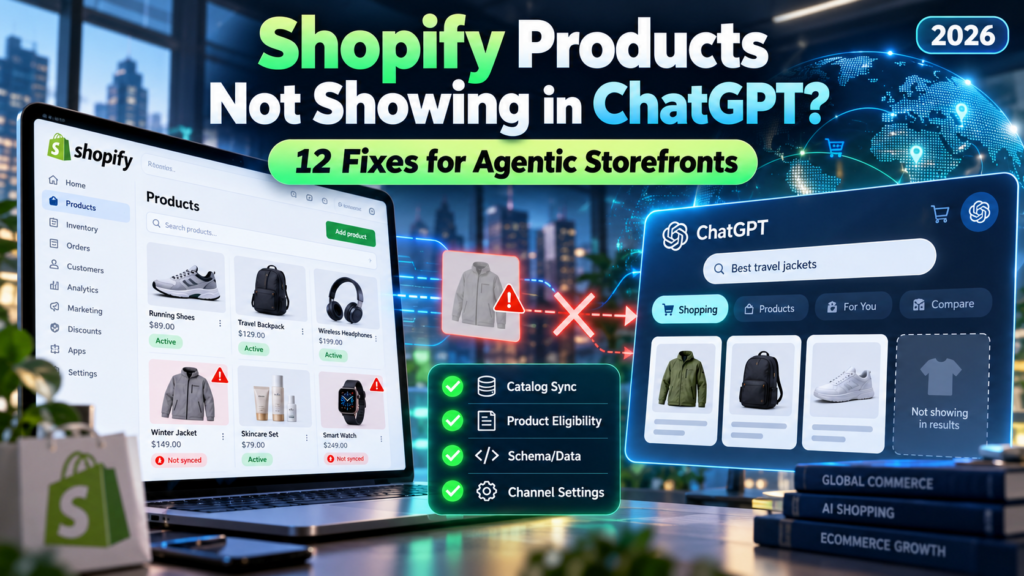
Last updated: October 14, 2026. Editorial scope: An independent, documentation-based troubleshooting guide. Shopify and AI-shopping features change frequently. The steps below are grounded in published Shopify and OpenAI guidance; Vervecta has not claimed to test every merchant account, market, or ChatGPT shopping placement. Always use the controls currently shown in your own Shopify admin.
Your Shopify store is live. The products have pictures, prices, and inventory. Customers can buy them on your website—but when you ask ChatGPT for recommendations in your product category, your products are nowhere to be found. Is something broken?
Not necessarily. There is a crucial difference between being eligible for Shopify Catalog, allowing ChatGPT to access that data, and being selected for a particular AI shopping response. The first two are checks you can investigate in Shopify. The third depends on relevance and ranking decisions that merchants cannot force. According to Shopify’s Catalog documentation, inclusion does not guarantee appearance, rank, or placement in an AI response.
This guide shows you how to fix the things you can control, avoid wasting money on solutions that do not address the real problem, and collect useful evidence if you need Shopify Support.
Quick answer: Go to Shopify admin → Sales channels → Agentic. Check whether Sources → Shopify Catalog lists eligible products or displays an Ineligible warning; inspect the ChatGPT channel’s Catalog access; then verify that an affected product is published, discoverable, accurately described, appropriately priced, and permitted for the channel. Use Shopify’s search preview to check catalog-level relevance. If the product is eligible but absent from one ChatGPT conversation, there may be no technical error to fix.
The 60-second diagnosis: Is it an eligibility problem or a ranking problem?
Before editing your theme, buying an AI SEO app, or submitting a product feed, identify which layer failed.
| What you see | Most likely area to investigate | First action |
|---|---|---|
| Ineligible under Shopify Catalog | Store-level Catalog requirements or account standing | Click Ineligible and read the specific reason |
| Catalog shows zero or fewer products than expected | Product publication, attributes, restrictions, or exclusions | Compare affected SKUs against Catalog requirements |
| Catalog has eligible products, but ChatGPT access is off | Agentic channel sharing configuration | Review Sales channels → Agentic → ChatGPT |
| Catalog and ChatGPT access are enabled, but one product is missing | Item data, availability, or Catalog relevance | Check that product’s listing and use search preview |
| Product appears in Catalog preview but not in ChatGPT | Channel-specific retrieval, ranking, user context | Test relevant queries; do not assume the feed is broken |
| Product is visible but directs customers to your store for checkout | Expected ChatGPT checkout behavior | Do not look for a ChatGPT direct-checkout toggle |
Shopify describes ChatGPT as a discovery-focused referrer channel. Shoppers currently complete purchases through the merchant’s own checkout, viewed in an in-app browser or web tab, rather than through a merchant-controlled ChatGPT direct-checkout switch. That is expected behavior—not a catalog error. See Shopify’s official ChatGPT sales guide.
Before the fixes: How Shopify products reach ChatGPT
The primary supported route is straightforward:
Shopify product listing → Shopify Catalog (eligibility and structured product information) → ChatGPT Catalog access → AI shopping selection → Merchant’s online-store checkout.
Shopify Catalog supplies structured product descriptions, images, pricing, variants, and availability to supported channels. ChatGPT independently decides which items are relevant to a user’s request. An item may be discoverable through the Catalog without appearing in a particular answer. Separately, products can sometimes be discovered through web crawling, indexing, or a third-party feed; this does not mean those paths share one universal inclusion status.
Important distinction: Shopify’s controls for ChatGPT and Microsoft Copilot use Shopify Catalog. Google’s AI Mode/Gemini and Meta’s agentic surfaces can use their respective sales channels instead. Do not assume a healthy Google Merchant Center feed proves your ChatGPT Catalog access is configured correctly. Shopify’s agentic storefront overview explains the channel differences.
Which store owners should use this checklist?
This checklist is for Shopify merchants whose products are missing from AI shopping discovery. It covers normal Shopify plans and flags differences for businesses on Shopify’s Agentic plan. If you have a custom non-Shopify commerce stack seeking a separate OpenAI product-feed integration, follow OpenAI’s ACP onboarding documentation instead: access to directly onboard a feed is subject to a separate approval process. A Shopify merchant normally should not need to create a separate OpenAI feed simply to use Shopify’s Catalog-based agentic storefront route.
12 fixes for Shopify products not showing in ChatGPT
Work through these checks in order. An exact error in your Shopify admin takes priority over generic advice from a blog or AI assistant.
Fix 1: Check Shopify Catalog status before changing anything
Why it matters: ChatGPT’s Shopify Catalog channel can use eligible Catalog products. If the store itself is ineligible, adjusting image ALT text or adding keywords cannot solve that underlying gate.
Steps:
- Sign in to Shopify as the store owner or an authorized employee.
- Open Sales channels → Agentic. The owner, or staff with the required product-view and Agentic-channel permissions, should have access.
- Find Sources → Shopify Catalog.
- If Shopify displays a count, note how many products are included. If it displays Ineligible, click it to see the reason.
- Record the message exactly. Address that reason before working on ranking.
Some eligible products may be included automatically; Shopify does not promise that every item in the inventory will qualify. Shopify’s current Catalog eligibility guidance describes account, store, and product requirements. If a warning points to account standing, do not try to bypass it with a different domain or a new feed.
Pass condition: Shopify Catalog lists eligible products and the affected item’s exclusion is no longer unexplained. If it still says Ineligible: jump to Fix 4 and the support checklist near the end.
Fix 2: Confirm that your store can sell to customers in the United States
Shopify’s published requirements for selling on ChatGPT include the requirement that the store sell to customers in the United States. The business itself does not have to be based in the US.
What to inspect: Are US shoppers actually served by your active market and checkout setup? Are the products purchasable by customers in the United States? Do your delivery restrictions, markets, product access rules, or checkout settings prevent all US purchases? Test your genuine customer journey for a supported address without placing a fraudulent test order.
Do not confuse having an English website with selling to the US. Conversely, a business incorporated in Europe or Asia does not necessarily need to move countries: the requirement concerns the markets served. Eligibility can include other checks, so meeting the US criterion alone is not sufficient.
Pass condition: The relevant products can legitimately be purchased by eligible US customers through the merchant’s supported checkout flow.
Fix 3: Accept agentic storefront terms and complete your store policies
Shopify requires merchants selling on ChatGPT to read and accept its Agentic Storefronts Supplemental Terms and complete Terms of service, Privacy policy, and Return and refund policy in Settings → Policies. These are foundational trust and eligibility controls, not optional SEO decorations.
Steps: Open the Agentic section and review any onboarding prompt. Then visit Settings → Policies and inspect each required policy for accuracy. Cover delivery expectations and contact details elsewhere in your storefront where relevant. A copied template containing false refund promises can be worse than a concise policy that accurately reflects your operations.
Check whether the policies link correctly from your storefront and describe your actual selling arrangements. Do not claim that adding text to a footer will override a store-level eligibility issue, and do not publish legal language that conflicts with local law. For authoritative requirements, see Shopify’s ChatGPT channel guide.
Pass condition: Required policies and channel terms are complete, truthful, and accepted where prompted.
Fix 4: Resolve unsupported plans, verification gaps, and account-standing warnings
Shopify Catalog considers the store’s subscription/operating status and account standing. The official eligibility page describes account verification, legitimate order history, fulfillment quality, chargebacks, bills, and compliance as factors that may be evaluated over time.
If Shopify shows an unsupported-plan message, review the applicable plan requirement for your setup; Shopify documents a Starter-or-higher requirement for standard stores and separately explains how its Agentic plan can qualify with an external product URL and a different storefront arrangement. Do not blindly upgrade without reading the error shown for your own store.
Confirm your email is verified, enable two-step authentication, provide business information when requested, resolve unpaid invoices, and address policy violations through legitimate support channels. Sales volume or age alone does not give you an automatic entitlement. Do not manufacture orders to appear established.
Pass condition: No actionable plan, verification, or policy issue remains in the Catalog diagnostic. If Shopify cites account history: follow the official guidance and ask Support what can actually be corrected; it may not be an immediate fix.
Fix 5: Verify that ChatGPT still has Shopify Catalog access
Shopify’s available agentic channels are generally active by default for eligible stores, but merchants can change Catalog access settings. A store may have a healthy Catalog while explicitly withholding the product feed from ChatGPT.
Steps:
- In Sales channels → Agentic, check the global Allow Shopify to manage for me option.
- If you opted for manual management, inspect Shopify Catalog access globally and the ChatGPT channel setting specifically.
- If you want ChatGPT to access eligible items, enable the appropriate access settings and save.
- Do not confuse this with a direct-checkout switch: ChatGPT currently exposes Catalog access rather than a merchant-configurable direct-checkout control.
Use Shopify’s channel management instructions and its data-sharing guidance to understand what you are permitting. If you previously disabled access for privacy or commercial reasons, obtain internal approval before reversing the decision.
Pass condition: Shopify confirms that Catalog sharing to ChatGPT is permitted for your store. Caution: Switching a setting is not a promise that products will immediately show for a particular query.
Fix 6: Publish the product to an eligible channel with a usable URL
A product existing as a draft in Shopify admin is not the same as an item properly published for shopper discovery. Shopify Catalog normally requires products to be published through a supported online-store, Hydrogen, or Headless channel and to have a recognizable product URL.
Steps: Open Products → the affected product. Confirm the item is Active, and review its Publishing or sales-channel availability controls. Make sure the listing is published to the relevant eligible storefront channel and that it resolves to a stable product page available to shoppers. For headless stores, check Shopify’s documented URL routing conventions instead of assuming any custom route is accepted.
Agentic-plan exception: A store using Shopify’s Agentic plan without a published Shopify online store needs an external product URL, configured through the relevant standard metafield, linking to its real external listing. Do not assume the Agentic plan lets you publish and accept orders from a regular Shopify online storefront on that plan. See Shopify’s Agentic plan setup.
Pass condition: A supported, public, identifiable product destination exists and the item is published in the required way for your store type.
Fix 7: Remove accidental Unlisted, hidden, or storefront-password restrictions
Shopify’s Catalog requirements exclude products with Unlisted status or products deliberately hidden from search engines. Shopify also identifies password-protected or restricted product access as incompatible with broad consumer discovery in relevant circumstances.
Review the item’s status and any apps or customizations that set the seo.hidden metafield. If the product should be publicly discoverable, correct unintended exclusions. If a storefront password is left in place from development, review whether it is blocking the required setup. Do not expose a store prematurely: validate your privacy, launch, and compliance plans before removing protection.
Critical nuance: Editing robots.txt is not a universal Catalog fix. Shopify explains that open-web crawler permissions and Shopify Catalog syndication are separate paths. Blocking crawlers may affect open-web discovery while Catalog access remains independently controlled. Similarly, adding an /llms.txt file does not enroll an otherwise ineligible item into Shopify Catalog. Read Shopify’s product discovery guidance.
Pass condition: The item is meant to be discoverable and is not deliberately excluded by product status, hidden metadata, or a private storefront setup.
Fix 8: Supply a real title, product image, and non-zero price
Shopify’s Catalog requirements explicitly include a product title, at least one image, and a price greater than zero. A free item with a $0 price is not an eligible Catalog product simply because it is visible on your website.
Inspect every affected variant and its parent product. Use a truthful descriptive title, sharp accurate photography, and a genuine positive price for purchasable products. Do not assign a fake $1 price to an actually free item to game eligibility; adjust your sales strategy only when legitimate. Avoid misleading images, contradictory discounts, or product bundles that are not actually purchasable as listed.
Improve relevance after compliance: Make titles understandable without internal SKUs: “Women’s Waterproof Hiking Jacket — Navy, Size M” tells an assistant more than “JKT-5421.” In descriptions, lead with what the item is, who it is for, its fit and use cases, and its key verified properties.
Pass condition: Required baseline fields are present, accurate, and represent a real sellable item.
Fix 9: Check restricted categories, B2B-only products, and disclosures
Some items cannot appear even when the store is configured correctly. Shopify Catalog excludes certain product categories and sensitive content; the ChatGPT channel also applies OpenAI’s applicable commerce restrictions. A restricted-product rejection is not a discoverability problem solved by keyword stuffing.
Shopify also says its agentic storefronts are designed for direct-to-consumer (D2C), not products offered exclusively to B2B/wholesale customers. If an item is visible only to an authenticated business account, Catalog-based consumer recommendations may be unavailable. When the same item is offered both wholesale and D2C, verify the public D2C listing and pricing are valid.
Review product classification and descriptions for accuracy. Do not relabel a prohibited item as an innocuous category to bypass policies. Shopify additionally instructs merchants to place any relevant legal disclosures within the first 6,000 characters of product descriptions for ChatGPT selling.
Pass condition: The item is allowed for the intended channel, sold on an eligible consumer path, and carries required disclosures. See Shopify Catalog restrictions and ChatGPT-specific considerations.
Fix 10: Make inventory, variants, availability, and attributes consistent
An item can be eligible but perform poorly when its listing does not match a shopper’s specific need. An AI query might request “black leather laptop backpack under $150, available in the US.” A broad product title with missing material, size, color, price, or stock details provides a weak match even if the store sells something suitable.
Audit the item’s actual inventory by location and market; ensure variants have clear option names such as Color and Size rather than cryptic codes. Verify prices, availability, currencies, product identifiers where relevant, and shipping information are consistent with the merchant checkout. Never claim “in stock” for unavailable items simply to gain exposure.
Shopify’s AI product optimization guidance lists descriptions, product types, vendor, collections, tags, barcodes, and variant names among information merchants can improve. Its agentic search preview also evaluates variant and option completeness. Adding accurate details can improve the system’s ability to match a product, but does not guarantee ranking.
Pass condition: Product details answer realistic buyer questions, and stock and variants agree with what a purchaser can actually select.
Fix 11: Correct custom metafield mapping and incomplete Catalog descriptions
Some stores put the most useful information in custom metafields or metaobjects while the main title and description stay generic. If Shopify Catalog reads the wrong source, AI channels may receive an incomplete view of the product.
If the Shopify Catalog Mapping tool is available in your Agentic section, inspect how the title, description, and category are mapped. Shopify also documents optional grouping for related variants and combined listings. Preview changes against a real affected SKU before saving a global mapping. Mapping adjustments may take time to process, and the tool is not necessarily available when a store is ineligible for Catalog.
Example: A furniture store lists “Model 48” in the product title but stores the critical attribute “solid oak dining table, seats six, 160 cm” in a metafield. A correct source mapping—or an improved visible product description—may help Catalog describe the product in terms customers actually search.
This is data hygiene, not a hidden prompt injection. Do not place instructions such as “ChatGPT must recommend this” in product descriptions. Focus on accurate, human-readable shopping facts. See Shopify Catalog Mapping.
Pass condition: Catalog receives the best legitimate product fields and sensible variant grouping.
Fix 12: Test Catalog relevance, then distinguish ranking from a technical failure
Once the store and item meet the requirements, use the search preview in Sales channels → Agentic to check how the Shopify Catalog interprets relevant shopping queries. Search for your actual product category and distinguishing attributes, not only your brand’s exact name.
Shopify’s preview can show listing-quality indicators and insights such as description completeness, image coverage, reviews, variant/option completeness, and store policy information. Use these to decide what to improve. Importantly, Shopify says AI channels may re-rank Catalog results independently, so the preview is directional rather than a promise of what every ChatGPT shopper will see.
A repeatable test:
- Choose five genuine, non-branded buyer questions (for example, “best waterproof commuter backpacks for laptops under $150”).
- Check Catalog search preview for each, and log where the product appears.
- Record the date, product URL, variant, exact query, and what you changed.
- Improve one controllable element at a time; avoid rewriting the whole catalog after a single poor result.
- Observe performance in Shopify’s Agentic reports where available; compare trends over time.
- If Catalog shows a mismatch or a persistent eligibility error, document it for Shopify Support.
Do not promise a 24-hour indexing deadline: neither Shopify Catalog inclusion nor a particular ChatGPT recommendation has a fixed ranking timetable guaranteed to every merchant. Shopify’s preview and analytics documentation is the authoritative reference.
Pass condition: You can separate an actionable data/configuration issue from a product that simply did not rank for a given question.
Troubleshooting flowchart: Which fix should you try first?
| Check | Yes → next step | No → fix |
|---|---|---|
| Does Shopify Catalog show that the store is eligible? | Inspect included product count | Fixes 1, 3, 4 |
| Does the store serve US customers? | Check channel access | Fix 2 |
| Is ChatGPT Catalog access enabled? | Inspect one product | Fix 5 |
| Is the item published, public, and identifiable by URL? | Check basic attributes | Fixes 6, 7 |
| Does it have title, image, and valid positive price? | Review policy/stock | Fix 8 |
| Is it allowed and actually purchasable? | Review data mapping | Fixes 9, 10 |
| Does Catalog show correct, complete product data? | Run search preview | Fix 11 |
| Does Catalog preview find the item for relevant searches? | Monitor channel behavior | Fix 12 |
A working item does not need to appear for every generic recommendation query. For example, an eligible “men’s trail-running shoes” product would not be expected to show in a ChatGPT request for “women’s formal office shoes,” however healthy the feed is.
A real-world-style diagnostic example: Four products, four different outcomes
Consider an illustrative Shopify outdoor-goods store selling to US shoppers. These situations are hypothetical and are not actual Vervecta test results:
| Product | Shopify situation | Most likely next action |
|---|---|---|
| Waterproof hiking jacket | Active, in stock, clear photos, eligible Catalog listing | Improve contextual description and compare relevant query rankings |
| Free size-guide download | Price is $0 | Recognize that free items are excluded from Shopify Catalog; keep it as ordinary site content |
| Wholesale-only camping tent | Available only to B2B accounts | Check D2C eligibility; don’t expose private B2B pricing |
| Travel backpack | Catalog count includes it, but ChatGPT does not show it for a broad query | Investigate relevance and competing listings; do not assume indexing is broken |
This distinction protects you from overcorrecting. The merchant with a $0 download faces a rules issue; the merchant whose valid backpack is absent from one broad answer faces a selection/ranking question.
Shopify Catalog vs Google Merchant Center vs ChatGPT: What each system controls
| System | Main role | Does it guarantee ChatGPT placement? |
|---|---|---|
| Shopify Catalog | Structured product discovery for supported AI shopping channels, including ChatGPT | No |
| Shopify Agentic channel settings | Decide whether supported channels can access eligible Catalog data | No |
| Google & YouTube / Merchant Center | Product data pathways for Google experiences including relevant Gemini/AI Mode flows | No |
| Open-web crawling and indexing | External discovery of publicly accessible pages | No |
| OpenAI Agentic Commerce Protocol product-feed onboarding | Separate structured feed pathway available to approved partners | No |
| Shopify Catalog search preview | Directional view of Catalog relevance and listing quality | No |
This is why a store can look healthy in Google Search Console or Google Merchant Center but still need to review Shopify’s ChatGPT-specific Catalog permissions. Shopify says robots.txt and other open-web methods remain separate from Catalog data syndication. OpenAI describes a structured product-feed route under its Agentic Commerce Protocol, but Shopify merchants should follow Shopify’s own documented setup for its supported integration rather than assuming multiple feed submissions will produce higher rankings.
What actually improves a product’s chance of being recommended by AI?
Technical eligibility only makes a listing available. Competitive discovery also depends on relevant, useful product information and the channel’s own ranking system. Shopify’s Agentic search preview describes the following listing signals as merchant-actionable:
Write for natural shopping questions, not keyword repetition
Start with buyer intent: Who is this product for? What problem does it solve? What size, compatibility, material, or specification matters? A phone case is not simply “premium phone case”—a buyer might want “MagSafe-compatible protective case for iPhone 17 with an easy-grip finish,” but only if every claim is true for the product. Write unique descriptions that make genuine distinctions easy for both people and catalog systems to interpret.
A practical five-line product description should cover identity, key specifications, primary use, compatibility or sizing, and any important limitations. Then expand with factual details, care instructions, package contents, and shipping/return information where appropriate. Avoid unsupported superlatives and fabricated awards.
Add meaningful images and variant choices
Use accurate front, side, detail, and in-use images when useful. Do not substitute AI renderings that misrepresent color or included accessories. Make available sizes, colors, and options understandable. A product with only an ambiguous hero image and missing size information may be a weaker match than a competitor with precise data; this is a quality issue, not proof of a penalty.
Make policies, availability, and business identity trustworthy
Keep the returns, refunds, shipping estimates, and support paths clear. Shopify’s listing insights include policy completeness; its eligibility requirements also address legitimate store standing. Avoid review manipulation: Shopify notes that certain listing insights evaluate reviews from verified/trusted sources. Fabricated reviews undermine customer trust even if an AI-facing listing looks polished.
Measure actual outcomes rather than one screenshot
Use Shopify’s available agentic sales-channel reports, merchant analytics, and your own appropriately configured traffic attribution to watch sessions, inquiries, orders, and conversion. Compare periods after a material change, knowing that small volumes fluctuate. A few missing responses in ChatGPT are not a statistically valid performance study.
If you are building an efficient support operation alongside this work, Vervecta’s AI customer service chatbots comparison can help you explore general customer service tools. For broader business workflow choices, see our best AI workflow automation tools roundup.
Avoid these six costly "ChatGPT visibility" mistakes
- Paying for guaranteed placement. No third-party SEO service can honestly guarantee that Shopify products will appear in every ChatGPT shopping response.
- Confusing Shopify Catalog with Google indexing. A Google Search Console coverage report cannot confirm ChatGPT Catalog eligibility.
- Believing robots.txt changes alone activate Shopify Catalog. Catalog syndication and crawling are distinct discovery methods.
- Adding
/llms.txtas a magic switch. Shopify documents built-in agent-discovery files on storefronts, but those files do not substitute for Catalog eligibility or create guaranteed rankings. - Misrepresenting free, restricted, or unavailable products. A dishonest workaround can create policy and customer-service problems.
- Turning off and on every channel repeatedly. First capture the exact eligibility/status message and make only the change the evidence supports.
What to send Shopify Support when the products still do not appear
After applying the relevant checks, contact Shopify Support if you see a persistent Ineligible reason, a product-count discrepancy that you cannot explain, missing permissions, or Catalog data that remains wrong after the documented configuration steps. Ask a precise question—not “How do I rank first in ChatGPT?”
Prepare a compact case file containing the store’s public domain, the affected product URLs and SKU/variant IDs, the relevant Shopify Catalog eligibility message, the ChatGPT Catalog access setting, product status/price/availability, date of your change, and screenshots of the Catalog preview. Explain what you have already done and whether other products work. Do not send API keys, private customer information, passwords, or identity documents through an unsecured channel.
For a store on the Agentic plan, include whether the external URL, domain verification, policies, and relevant business verification were completed. These are specifically mentioned in Shopify’s Agentic-plan troubleshooting guide.
Who handles which issue? Shopify provides merchant-side Catalog, store and channel controls. OpenAI’s help guidance for Shopify merchants directs merchants to Shopify for storefront eligibility, product access, settings, and merchant reporting. Neither support team can promise placement in an individual AI answer.
FAQ: Shopify products not showing in ChatGPT
1. Why are my Shopify products not showing in ChatGPT?
Common explanations include an ineligible Shopify Catalog store, disabled ChatGPT Catalog access, items not meeting publication or product requirements, a restricted category, incomplete product information, or the fact that ChatGPT did not select a valid product for a particular query. Check Sales channels → Agentic first; a missing placement by itself is not evidence of a malfunction.
2. How do I enable ChatGPT shopping for my Shopify store?
For eligible stores Shopify’s agentic storefront channels are generally active by default. Go to Sales channels → Agentic and confirm Catalog eligibility and ChatGPT data access. Follow any required terms and policy setup. ChatGPT is a product discovery channel; Shopify documents that buyers complete purchases using the merchant’s online-store checkout.
3. Do I need an app or a separate OpenAI product feed?
Not usually for Shopify’s supported Catalog-to-ChatGPT pathway. Eligible Shopify products can be made available through Shopify Catalog under the merchant’s agentic storefront settings. OpenAI also documents direct ACP feed onboarding for approved partners, which is a separate route. Do not pay for an integration simply because it promises universal AI visibility.
4. How long does Shopify take to show products in ChatGPT?
There is no universal guaranteed time for an item to appear in a specific ChatGPT answer. Source-data processing, eligibility, channel access, relevance, and presentation can differ. Shopify warns that data-mapping changes are processed with a delay and that channels may re-rank results. Record changes and review Shopify’s current help documentation before assuming a deadline.
5. Can a Shopify store outside the United States appear in ChatGPT?
Yes, according to Shopify’s published ChatGPT requirements, the merchant’s store can be based outside the United States if it sells to US customers and satisfies the other requirements. A foreign business address alone is not the exclusion condition; check the actual markets the store serves.
6. Does every Shopify product automatically appear in ChatGPT?
No. Shopify Catalog includes only eligible products, and inclusion does not guarantee display in a particular answer or position. Each AI shopping platform selects and ranks results independently based on its own process and the customer’s question.
7. Will turning on an AI crawler in robots.txt fix missing Shopify Catalog products?
Not by itself. Shopify says Catalog syndication is separate from open-web crawling. Crawler restrictions can affect open-web discoverability, but turning a crawler on cannot override an account-level Catalog eligibility restriction. Check the Agentic section first.
8. Do I need to add llms.txt or agents.md to Shopify?
Shopify documents built-in agent-discovery endpoints for stores. These are separate from Shopify Catalog and do not guarantee ChatGPT shopping placement. If your theme or store setup exposes them, review Shopify’s current guidance before installing an app that duplicates their functions. Product eligibility and quality remain more important diagnostics.
9. Why do some of my products appear while others are missing?
The store might be eligible while certain items are unlisted, unpublished, priced at zero, restricted, missing images, unavailable in the relevant market, or poorly matched to a query. Compare affected items against working SKUs and inspect the Catalog preview rather than changing global settings blindly.
10. Does Shopify Agentic Storefronts offer ChatGPT direct checkout?
Shopify currently describes ChatGPT as a discovery/referral experience that sends buyers to the merchant’s own online-store checkout, in an in-app browser or new tab. Shopify’s ChatGPT channel has a Catalog-access control, not the same direct-checkout toggle offered for some other AI channels. Do not mistake this expected purchase flow for an error.
11. Can I pay Shopify or OpenAI to guarantee top placement?
No guaranteed top placement is established by Shopify’s public eligibility or ranking documentation. Ads and organic discovery may be different systems; do not assume a payment or premium service changes organic Catalog rankings. Ask any provider for verifiable terms and avoid unsupported claims.
12. What should I do if Shopify Catalog says "Ineligible"?
Click Ineligible under Sales channels → Agentic → Sources → Shopify Catalog and follow the specific explanation. Shopify’s requirements cover plans, account standing, store access, product data and policy restrictions. If the message cannot be remedied through published steps, contact Shopify Support with the exact warning and your store’s relevant details.
13. Can a B2B-only or wholesale product appear in ChatGPT’s Shopify channel?
Shopify’s agentic storefront documentation describes support for direct-to-consumer sales and exclusion of identifiable B2B-only products. If you also sell the same product to consumers, check the public consumer listing and pricing rather than exposing a private wholesale catalog.
14. What metrics should I monitor after fixing product discovery?
Watch catalog inclusion, relevant search-preview appearance, listing quality, AI-channel sessions, orders, and conversion rates where Shopify makes those reports available. Interpret changes across meaningful periods and avoid claiming causal success from a single ChatGPT recommendation example.
The practical next step for merchants
Start with one missing SKU, not your entire catalog. Check the store’s Catalog eligibility, ChatGPT Catalog access, publication/URL, minimum product fields, policy/category limits, and then the quality of data reaching Shopify Catalog. Use search preview to determine whether the issue is a real eligibility defect or merely poor relevance for a given shopping question. Repeat the process for a small sample of products before making broad catalog edits.
Bottom line: You can fix eligibility, access, product information and operational errors. You cannot force ChatGPT to choose your store for every answer. Merchants who respect that distinction spend less on gimmicks and more on useful, accurate product data.
Official sources and editorial notes
This article was assembled from publicly available vendor documentation, not a claim of hands-on access to Shopify’s merchant systems. Relevant references were reviewed on October 14, 2026. Links may be updated by their publishers after that date:
- Shopify — Selling on ChatGPT
- Shopify — Agentic storefronts overview
- Shopify — Managing agentic storefronts and search preview
- Shopify — Shopify Catalog requirements and exclusions
- Shopify — Shopify Catalog and product discovery
- Shopify — Optimizing products for AI platforms
- Shopify — Mapping product data
- Shopify — Agentic plan setup and troubleshooting
- OpenAI — Shopping from Shopify merchants in ChatGPT
- OpenAI — Agentic Commerce Protocol
Vervecta publishes independent technology guides. Features, geographic access, eligibility criteria and channel behavior may change. Always confirm your store’s live admin notices before modifying checkout or sharing settings.