
Research review: October 13, 2026 · Vervecta Editorial Guide
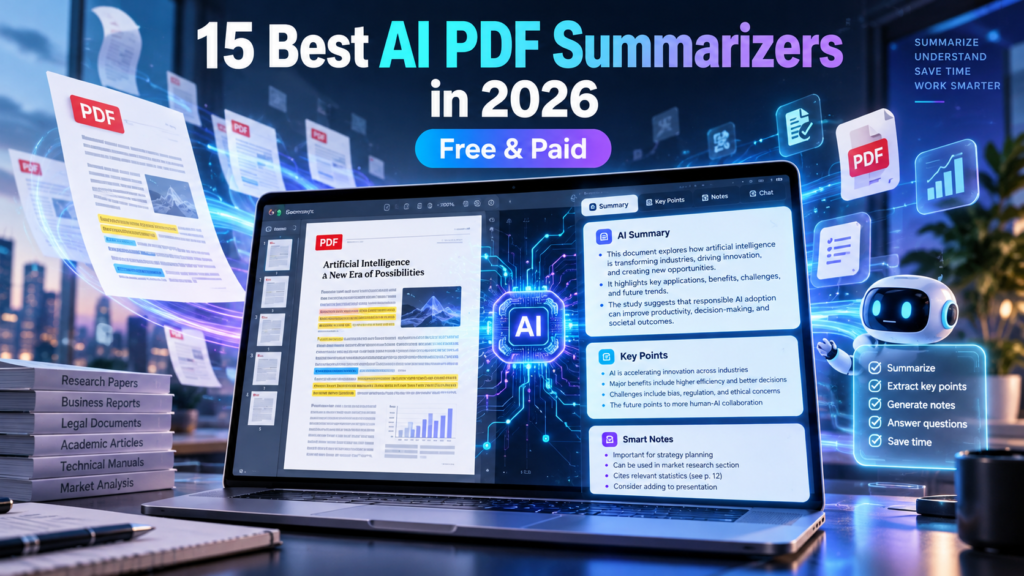
A 60-page research report, a dense legal document, or a collection of technical PDFs can take hours to read. The best AI PDF summarizers in 2026 help convert long documents into concise summaries, searchable questions, study notes, and practical key points. But many tools differ significantly in how they handle scientific citations, scanned pages, tables, free quotas, and confidential information.
This comprehensive comparison of 15 AI PDF summarizers explains which tools fit students, researchers, business teams, and casual readers. We distinguish dedicated PDF services from general AI assistants, compare limits without treating temporary promotions as permanent pricing, and explain how to avoid trusting a polished but inaccurate summary.
Editorial note: Vervecta assembled this research-based buyer’s guide from publicly available provider information. We do not claim hands-on benchmarks of every app. Free-plan restrictions, supported formats, and pricing can change. Check official documentation before paying or uploading sensitive materials.
Quick picks: best AI PDF summarizers for different needs
- Best for simple single-file Q&A: ChatPDF.
- Best for multiple source-grounded documents: Google NotebookLM.
- Best for scholarly papers: Scholarcy or SciSpace.
- Best for established professional PDF workflows: Adobe Acrobat AI Assistant.
- Best for quick PDF editing and summaries: Smallpdf, UPDF AI, or PDFelement.
- Best for highly customized summaries: ChatGPT or Claude, with source verification.
- Best for a free-oriented PDF editor: PDFgear, depending on device support.
15 best AI PDF summarizers in 2026: comparison table
| AI PDF tool | Best use | Free access | What to verify |
|---|---|---|---|
| ChatPDF | Fast question-answer summaries for individual PDFs | Limited free use or trial | File length, uploads, and question credits |
| Smallpdf AI PDF | Everyday PDF summarization and utility tools | Limited free use or trial | File length, uploads, and question credits |
| Adobe Acrobat AI Assistant | Professional PDF workflows and generative summaries | Trial / limited access | File length, uploads, and question credits |
| Google NotebookLM | Source-grounded research across multiple PDFs | Free tier, with limits | Source limits and citations |
| AskYourPDF | Conversational PDF reading and document questions | Limited free use or trial | File length, uploads, and question credits |
| Humata | Research-oriented document Q&A | Limited free use or trial | File length, uploads, and question credits |
| Scholarcy | Academic-paper summaries and study flashcards | Trial / limited access | Academic and citation functions |
| SciSpace | Research papers and explanations of technical text | Limited free use or trial | Academic and citation functions |
| UPDF AI | PDF editor with built-in AI assistance | Limited free use or trial | File length, uploads, and question credits |
| PDFgear | Free-oriented PDF editing and AI assistance | Limited free use or trial | File length, uploads, and question credits |
| PDFelement AI | Integrated OCR, PDF editing, and AI summaries | Limited free use or trial | OCR and AI credits |
| Jotform AI PDF Summarizer | Quick browser-based document summaries | Limited free use or trial | File length, uploads, and question credits |
| ChatGPT | Flexible PDF summaries, explanations, and structured output | Free tier, with limits | File length, uploads, and question credits |
| Claude | Nuanced long-document analysis and synthesis | Free tier, with limits | File length, uploads, and question credits |
| LightPDF AI | Online PDF chat, summaries, and document utilities | Limited free use or trial | File length, uploads, and question credits |
Table note: An advertised free option is not a guarantee of unlimited document uploads, processing, OCR, exports, or AI questions. Verify current policy on the linked provider sites.
How we evaluated AI PDF summarizers
A useful document summarizer should be judged by what a reader can verify—not by how confident the AI sounds. For this editorial comparison, we evaluated product positioning, source-grounding options, supported workflows, document length restrictions, academic usefulness, and the transparency of pricing and data handling. This is not an independently measured accuracy ranking.
- Summarization: Can it turn a long document into a clear overview, key points, or structured study notes?
- Source verification: Does it link claims to original passages, pages, or files?
- Document types: Does it support text PDFs, scanned PDFs, tables, images, and multilingual material?
- Free tier: Are pages per document, upload frequency, or questions restricted?
- Privacy: Is confidential content stored, shared, or used for AI improvement?
- Practical workflow: Can the user ask follow-up questions, compare files, and export notes?
Detailed reviews of the 15 best AI PDF summarizers
1. ChatPDF — Fast question-answer summaries for individual PDFs
ChatPDF lets users upload documents, ask conversational questions, and request summaries in plain language. It is a practical choice for a student who wants a quick explanation of one chapter or a professional reviewing a short report.
Free plan and pricing: Free access is restricted by document and usage allowances that may change. Confirm file size, page limits, daily question allowance, and paid subscription rules. Review official features and pricing.
Best for: Readers who want a simple upload-and-ask experience rather than an entire research workspace.
Watch out for: Check supporting citations manually and avoid relying on an AI paraphrase for exact contractual language.
Our take: ChatPDF is well suited to asking focused questions about individual PDFs. Verify cited passages against the original pages and check document-size limits before paying.
2. Smallpdf AI PDF — Everyday PDF summarization and utility tools
Smallpdf combines document utilities such as compression, conversion, and editing with AI PDF question-answer or summary workflows. This can reduce tool-switching for people who both prepare PDFs and extract notes.
Free plan and pricing: A limited free experience or trial may apply to different features; AI tasks and basic PDF conversion limits are not always identical. Verify the latest offering. Review official features and pricing.
Best for: Office workers and freelancers who already need regular PDF processing.
Watch out for: File handling and document privacy requirements matter; review what is uploaded and how long files are retained.
Our take: Smallpdf AI PDF is worth comparing if you also need basic PDF conversion and document utilities. Check which AI functions and file limits are included.
3. Adobe Acrobat AI Assistant — Professional PDF workflows and generative summaries
Adobe brings AI-assisted summaries and document conversation into Acrobat workflows alongside established PDF viewing, commenting, signing, and document organization.
Free plan and pricing: AI Assistant access, free trials, qualifying subscriptions, and credit allowances depend on the current plan and geography. Do not assume every Acrobat license includes unrestricted AI features. Review official features and pricing.
Best for: Teams that use Acrobat for contracts, policies, reports, and approval workflows.
Watch out for: Premium pricing and feature tiers may be unnecessary for occasional personal summaries.
Our take: Adobe Acrobat AI Assistant is useful when a team already manages PDFs in Acrobat. Verify that summaries cite the right sections and compare the add-on subscription cost.
4. Google NotebookLM — Source-grounded research across multiple PDFs
NotebookLM is a research notebook that answers questions from user-provided sources, including PDFs, and can produce notes, overviews, and other study materials grounded in source passages.
Free plan and pricing: A free version is available, with higher limits or organizational controls dependent on paid Google offerings. Check source size, notebook, and feature quotas. Review official features and pricing.
Best for: Students, academic readers, analysts, and researchers comparing multiple source documents.
Watch out for: Citations help with verification but do not guarantee that every generated inference is correct.
Our take: Particularly promising when you need to compare several source documents and inspect supporting passages.
5. AskYourPDF — Conversational PDF reading and document questions
AskYourPDF provides chat-style question answering for uploaded documents. It can be useful for navigating long files and turning sections into shorter explanations or study notes.
Free plan and pricing: Free and subscription options vary by number of documents, file sizes, model availability, and daily or monthly questions. Check current pricing before depending on heavy use. Review official features and pricing.
Best for: Readers who want to ask targeted questions without manually searching pages.
Watch out for: Review generated citations and ensure sensitive files may be uploaded under your organization’s policy.
Our take: AskYourPDF can help explore documents through questions, but test difficult passages and check uploaded-document retention settings.
6. Humata — Research-oriented document Q&A
Humata focuses on extracting answers and summaries from documents and is designed around discovering relevant passages rather than reading every page linearly.
Free plan and pricing: Plans and available free credits can change. Compare the number of questions, document size, team seats, and storage before purchasing. Review official features and pricing.
Best for: Researchers, analysts, and teams frequently reviewing long reference material.
Watch out for: Citations can be imperfect; verify figures, definitions, and quoted passages in the original.
Our take: Humata is worth evaluating for research-heavy document questions. Assess answer traceability, supported file sizes and team access rules before scaling up.
7. Scholarcy — Academic-paper summaries and study flashcards
Scholarcy aims to distill academic papers and long-form research into structured summaries or flashcard-style notes. It can help readers decide which papers warrant deeper reading.
Free plan and pricing: Trials, free previews, and ongoing subscriptions differ; confirm export access, collection features, and supported formats. Review official features and pricing.
Best for: Students, systematic literature reviewers, and academics building a paper-reading workflow.
Watch out for: A research-paper summary is not a substitute for reviewing methods, limitations, tables, and statistical uncertainty.
Our take: Scholarcy is tailored to academic reading and extracting structured study notes; confirm it preserves methods and caveats rather than only headline findings.
8. SciSpace — Research papers and explanations of technical text
SciSpace combines research discovery and document explanation, including assistance with scientific language and concepts. It can be especially helpful for interpreting unfamiliar terminology in papers.
Free plan and pricing: Free usage and premium functionality vary across research assistants, citations, and document interactions. Check current question limits and plans. Review official features and pricing.
Best for: Graduate students, researchers, and professionals working through technical literature.
Watch out for: Check original references and bibliographic accuracy; AI explanations may oversimplify methods or results.
Our take: SciSpace is specifically useful for technical research-paper explanations; cross-check technical claims, equations and original methods.
9. UPDF AI — PDF editor with built-in AI assistance
UPDF pairs reading and editing tools with AI document analysis and summarization. Users can combine ordinary annotation or file changes with document question answering.
Free plan and pricing: AI allowances can be distinct from the editor license; compare credit caps, supported devices, and renewal conditions. Review official features and pricing.
Best for: People editing, annotating, and summarizing PDFs as part of the same workflow.
Watch out for: Do not mistake a PDF editing subscription for unlimited model-based AI analysis.
Our take: UPDF AI should be evaluated as a document editor with assistant features; check OCR quality and paid AI allowances for your actual PDFs.
10. PDFgear — Free-oriented PDF editing and AI assistance
PDFgear is known for free PDF utilities and AI-assisted document interaction in supported applications. It is an option for people wanting basic document workflows without assembling several separate tools.
Free plan and pricing: Check the current licensing terms and whether particular AI features require an account, network access, or usage limits. Review official features and pricing.
Best for: Budget-conscious students and users managing personal PDFs.
Watch out for: Check OCR quality, sensitive-document handling, and whether the relevant feature is available on your device.
Our take: PDFgear may be attractive where free-oriented PDF editing matters alongside AI assistance. Validate formatting and extraction quality on your own files.
11. PDFelement AI — Integrated OCR, PDF editing, and AI summaries
Wondershare PDFelement combines document editing, OCR-related features, conversion, and AI assistants. Its appeal is practical document management rather than only conversational summarization.
Free plan and pricing: AI credits, OCR and desktop features, and subscription or perpetual-license inclusions can differ. Compare the full bundle before purchasing. Review official features and pricing.
Best for: Small offices and individuals routinely working with scanned forms and editable PDFs.
Watch out for: OCR errors can alter names, totals, or tables before AI summarization even starts.
Our take: PDFelement AI is useful for teams combining OCR, editing and summarization; verify extracted numbers and document layout accuracy.
12. Jotform AI PDF Summarizer — Quick browser-based document summaries
Jotform offers AI-based productivity utilities, including workflows for quickly extracting a summary from uploaded documents. It can be useful for one-off tasks.
Free plan and pricing: Availability, use quotas, and account requirements can change; confirm current terms and file allowances. Review official features and pricing.
Best for: Occasional users needing concise summaries without learning a large research suite.
Watch out for: For compliance-sensitive material, confirm storage and processing terms before upload.
Our take: Jotform AI PDF Summarizer is a candidate for quick browser-based document summaries. Check privacy treatment and whether you can verify the summary against original text.
13. ChatGPT — Flexible PDF summaries, explanations, and structured output
ChatGPT can help summarize supported uploaded documents, compare sections, build study outlines, and turn material into a Q&A list. It offers flexibility in the wording and structure of prompts.
Free plan and pricing: File-upload availability, model limits, storage, and advanced document features depend on plan and product settings. Limits can change. Review official features and pricing.
Best for: People who want summaries customized to a specific audience, format, or follow-up task.
Watch out for: Not every workflow fully interprets diagrams or scanned images; verify quotations, page references, and extracted numbers.
Our take: ChatGPT is flexible for extracting questions and draft summaries from PDFs, yet page-level citations and numerical claims must be independently confirmed.
14. Claude — Nuanced long-document analysis and synthesis
Claude supports document-based analysis and can help turn substantial text into outlines, comparisons, and concise explanations. It is useful when contextual nuance is more important than simply extracting a list.
Free plan and pricing: Free and paid usage varies by model, file size, token limits, and availability. Recheck supported PDF processing features. Review official features and pricing.
Best for: Writers, analysts, and professionals reading lengthy reports and policy documents.
Watch out for: Long context does not eliminate hallucinations; confirm citations and numerical claims in the source.
Our take: Claude suits large document interpretation, but verify quotations and numerical conclusions against the original PDF.
15. LightPDF AI — Online PDF chat, summaries, and document utilities
LightPDF combines PDF tools with AI-oriented document chat or summarization workflows. It can appeal to people who want a browser-accessible alternative to specialist research products.
Free plan and pricing: Free quotas and subscription entitlements depend on feature, platform, and current pricing. Verify PDF length and question limits. Review official features and pricing.
Best for: Individual users and small teams looking for lightweight PDF assistance.
Watch out for: Check the provider’s privacy policies and whether summary and OCR functions work on your specific files.
Our take: LightPDF AI can combine online PDF utilities with document chat, but compare usage allowances, security and extraction accuracy before adopting it.
AI PDF summarizers vs chat with PDF: what is the difference?
A basic PDF summarizer typically produces an overview of the whole file or selected sections. A PDF chat tool lets you ask targeted questions such as “What were the study limitations?” or “Which obligations renew next year?” Many products do both. Neither should be treated as inherently reliable simply because an answer includes page-like citations.
| Need | Useful feature | Example question |
|---|---|---|
| Understand the document quickly | Executive summary | What are the main findings? |
| Find specific details | Search and question answering | Which dates are mentioned in the contract? |
| Compare several PDFs | Multi-source grounding | How do the two reports differ? |
| Study a research paper | Method and limitation extraction | What was the sample size and limitation? |
| Review scanned pages | OCR and document extraction | Can the scanned text be read reliably? |
How to summarize a PDF with AI: step-by-step
- Choose a relevant tool: a one-off report, academic paper, or signed contract requires different capabilities.
- Check permissions: ensure you are allowed to upload the file to a third-party service.
- Confirm text extraction: if a PDF is scanned, verify OCR accurately captures headings, values, and names.
- Request a structured overview: ask for key points, context, important figures, open questions, and limitations.
- Ask for evidence: require page references or quoted passages for every important conclusion.
- Verify the original: open the cited passage, especially where financial, academic, or legal decisions depend on accuracy.
- Use the output: save a human-reviewed summary, study guide, checklist, or project note.
- Manage retention: remove sensitive documents or conversations where supported.
A practical prompt for research papers
Example prompt: “Summarize this paper in 250 words. Identify the research question, methods, sample size, primary findings, important limitations, and three follow-up questions. For each important claim, point to the supporting section or page. If the document does not contain a detail, say that it is not reported rather than guessing.”
A practical prompt for business reports
Example prompt: “Create an executive brief for a busy manager. List the top five findings, quantitative evidence, risks, recommended actions, and unresolved questions. Cite the corresponding source passages and clearly separate facts from recommendations.”
Can AI summarize scanned PDFs and image-only documents?
Not every PDF contains selectable text. A scanned contract may be only photographs of pages. In that case, a tool needs optical character recognition (OCR) or effective visual document understanding before it can summarize the content. OCR can misread decimal points, handwriting, column order, or footnotes, so a convincing summary can still be wrong.
- Test whether a scanned page’s text can be selected or searched.
- Check the tool’s OCR language support and handling of multi-column layouts.
- Manually verify tables, numbers, and signatures after conversion.
- For a legal or accounting workflow, retain the original document as the authoritative record.
Best AI PDF summarizers for students and academic researchers
Academic readers should favor transparent source references and reliable extraction of methods, limitations, and citations. Scholarcy and SciSpace are research-oriented; NotebookLM supports a source-based notebook workflow. A general assistant can help explain concepts, but it is important to distinguish interpretation from what the authors actually reported.
For literature reviews, build an evidence table with author, publication year, sample, study design, major finding, and limitation. Verify each entry against the paper itself. Do not cite an AI-generated summary as though it were the original scientific source.
Best AI PDF summarizers for business and professional documents
Business users often need action-oriented summaries of policies, vendor proposals, annual reports, or service contracts. Adobe Acrobat AI Assistant, Smallpdf, UPDF AI, PDFelement, and chat-based assistants are possible choices depending on existing software. Security and governance can matter more than a tool’s headline summarization speed.
For sensitive agreements, use an organization-approved system and consult qualified professionals when needed. AI may miss exceptions, renewal clauses, definitions, or important numbers hidden in tables or annexes.
Free AI PDF summarizers: hidden limitations to consider
- Pages per file: a free account may accept a short chapter but reject a full textbook.
- Daily questions: some tools let you upload a document but limit follow-up questions.
- Total uploads: separate limits may apply to active files, new files, and stored documents.
- AI model access: more capable models or advanced answer formats may require payment.
- OCR: image-only PDFs may need a premium feature or a separate conversion step.
- Export: saving summaries, citations, or flashcards may be restricted.
- Privacy: free access does not automatically provide enterprise data controls.
Privacy and data security: should you upload confidential PDFs?
A document summarizer may need to send part or all of a PDF to a service’s servers for processing. Before submitting contracts, medical records, legal files, financial statements, or unpublished research, confirm that upload is permitted and the vendor’s data handling satisfies your organization’s requirements. This guide is not legal, financial, or medical advice.
- Read the provider’s privacy policy and document-retention rules.
- Understand whether content may be used to improve models and whether an opt-out is available.
- Check if your team needs regional data storage, administration, or a processing agreement.
- Remove names and confidential data where practical before testing an unfamiliar service.
- Protect account access, exported summaries, and shared notebook links.
- Never rely on an AI summary alone for a legal deadline, diagnosis, investment decision, or payment obligation.
How to check if an AI PDF summary is accurate
The biggest danger is a summary that reads smoothly while changing the meaning. The tool may merge conclusions from different sections, fabricate a reference, miss a negative finding, or make a correlational study sound causal. Good practice is to verify the original page for every decision-critical claim.
- Choose three to five factual claims in the summary and locate each in the source.
- Compare all monetary amounts, dates, percentages, names, and numerical outcomes.
- Check whether a source supports the interpretation, not just mentions the topic.
- Read the limitations, appendices, and exceptions that short summaries tend to skip.
- Ask the assistant which claims are uncertain or absent from the PDF.
- Keep source passages linked to your final notes wherever possible.
Turn PDF summaries into useful study and work materials
Summaries become more valuable when they support a real task. A research paper can become flashcards and a literature matrix; a business proposal can become an action checklist; a PDF report can become a presentation outline. For slides, compare our best AI presentation makers. If your team discusses the document in meetings, see our AI meeting note takers guide. Professionals preparing for assessments can also explore AI interview practice tools.
Frequently asked questions about AI PDF summarizers
What is the best AI PDF summarizer in 2026?
ChatPDF is a straightforward starting point for a single PDF, while NotebookLM is appealing for source-grounded research across multiple documents. Scholarcy and SciSpace suit academic work. The best choice depends on document type, volume, and privacy requirements.
Can I summarize a PDF for free?
Yes, several providers offer free tiers, limited trials, or capped credits. File length, uploads, questions, storage, and export features may be restricted. Check the provider’s current plan.
Can ChatGPT summarize a PDF?
On supported plans and interfaces, ChatGPT can analyze uploaded documents and generate summaries, outlines, and questions. Capability and upload limits vary, and you should verify important conclusions against the original.
What is the best AI PDF tool for research papers?
Scholarcy, SciSpace, and NotebookLM are useful candidates because of their research and source-focused workflows. Verify research methods, citations, and limitations against the published paper.
Can AI summarize a scanned PDF?
Some tools can do so with OCR or visual document processing, but support varies by product. Poor scans, handwriting, and complicated tables can lead to extraction errors.
Do AI PDF summarizers show citations?
Some provide file-level references, highlighted passages, or page references. Citation formats differ, and an automatically generated reference may still be incorrect or incomplete.
Can an AI PDF summarizer read multiple PDFs together?
Some research workspaces allow multiple files in the same project or notebook, while simpler tools concentrate on one PDF. Check source count and document size limits.
Are online PDF summarizers safe?
Safety depends on the document’s sensitivity and the provider’s privacy, storage, security, sharing, and deletion practices. Only upload files you are authorized to share.
Which is better, a PDF chatbot or a regular summarizer?
A summarizer is helpful for a broad overview. A chatbot is useful when you need specific details or follow-up questions. Many modern services combine both approaches.
Do AI summaries replace reading the original PDF?
No. Summaries can omit caveats, misread tables, or invent details. For important decisions, always inspect the original passages and verify figures.
Can AI summarize PDF documents in different languages?
Some services support multilingual text and translation, but the quality varies by language, OCR, scan quality, and model. Test the exact language pair before subscribing.
How should I compare paid AI PDF tools?
Compare monthly document volume, maximum file length, citation reliability, OCR, exports, team controls, privacy, and renewal pricing. The cheapest advertised plan may not support your workflow.
Final verdict: which AI PDF summarizer should you choose?
Choose ChatPDF if your main goal is quick document questions. Try NotebookLM for a source-focused research notebook, Scholarcy or SciSpace for scientific literature, and Adobe Acrobat AI Assistant if document management is already central to your workplace. ChatGPT and Claude offer flexibility for customized explanations, while Smallpdf, UPDF AI, PDFgear, and PDFelement combine summarization with other PDF tasks. Test a representative file before upgrading and always verify important claims.
Official product sources and update policy
These official product websites are starting points for feature availability, file limits, account requirements, current free plans, and privacy terms. Reviewed October 13, 2026. This guide may be updated as product capabilities change. No unapproved affiliate referral links have been added.
- ChatPDF — official website and features
- Smallpdf AI PDF — official website and features
- Adobe Acrobat AI Assistant — official website and features
- Google NotebookLM — official website and features
- AskYourPDF — official website and features
- Humata — official website and features
- Scholarcy — official website and features
- SciSpace — official website and features
- UPDF AI — official website and features
- PDFgear — official website and features
- PDFelement AI — official website and features
- Jotform AI PDF Summarizer — official website and features
- ChatGPT — official website and features
- Claude — official website and features
- LightPDF AI — official website and features