
Updated October 14, 2026. Editorial note: This independent Vervecta guide synthesizes official Shopify and OpenAI documentation available at the time of writing. AI-channel availability, country eligibility, checkout behavior and Shopify admin labels change over time. We do not claim to have tested every store or region. Verify the controls visible in your account before changing live checkout settings.
Imagine a shopper asking an AI assistant: “Which waterproof backpack fits a 15-inch laptop and ships quickly to Boston?” Your Shopify product might be a great answer, but a beautiful online storefront alone does not guarantee that an AI system can find, understand or recommend it. The merchant must first have eligible, accessible product data—and then the assistant must decide the product is relevant to the shopper’s request.
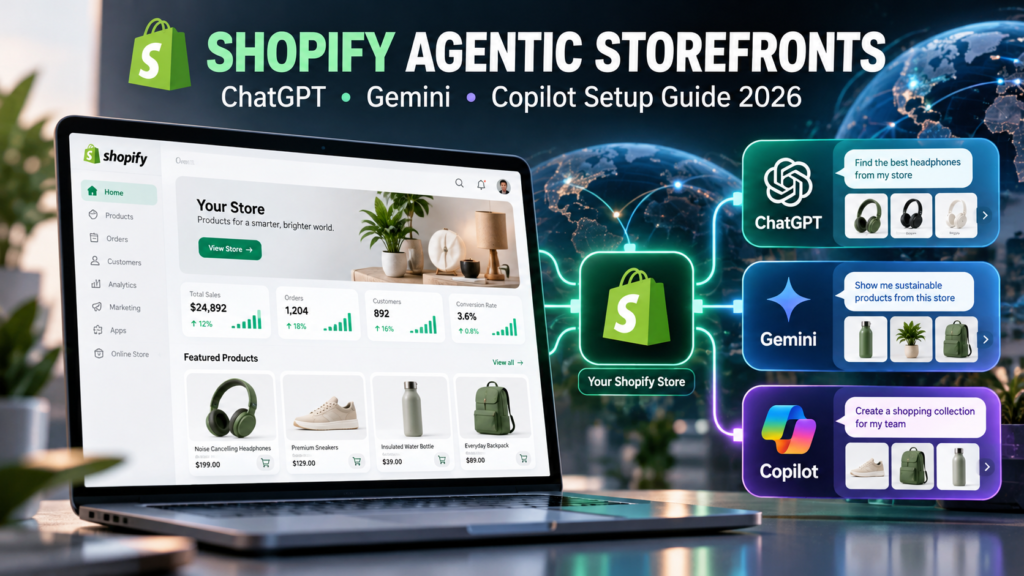
Shopify Agentic Storefronts provide a structured path to AI-assisted shopping experiences including ChatGPT, Google AI Mode and Gemini, and Microsoft Copilot. The crucial detail is that these channels do not all use exactly the same product source or checkout flow. This practical guide explains how to set up Shopify Agentic Storefronts without confusing eligibility with guaranteed visibility, or a product-discovery channel with a direct-checkout integration.
By the end, you will have a channel-by-channel implementation plan, a product-quality checklist, a safe test procedure, a reporting framework and a troubleshooting path. If your existing catalog already appears eligible but individual items are missing, read our companion guide: Shopify Products Not Showing in ChatGPT? 12 Fixes.
Quick answer: How do you enable Shopify Agentic Storefronts in 2026?
For an eligible Shopify store, start in Shopify Admin → Sales channels → Agentic. Review the Allow Shopify to manage for me setting, accept the applicable Agentic Storefronts terms, confirm that your store and products qualify for Shopify Catalog, and check which AI channels are available to your account. ChatGPT and Microsoft Copilot can discover eligible items through Shopify Catalog; Google AI Mode and Gemini rely on product information synced via the Google & YouTube channel or supported Google Merchant Center routes. Checkout availability is separate from product discovery.
That is the short version—not a promise that clicking one toggle will instantly place a product into every AI answer. Shopify’s agentic storefronts overview and management instructions describe the actual controls.
| Channel | Main product-discovery route | Typical purchase experience | Important setup distinction |
|---|---|---|---|
| ChatGPT | Shopify Catalog and other permitted discovery sources | Shopify online-store checkout opened in an in-app browser or browser tab | No merchant-side ChatGPT direct-checkout switch in Agentic |
| Google AI Mode & Gemini | Google & YouTube / Google Merchant Center product feed | On-store checkout or Shopify-powered direct checkout, where enabled and eligible | Product and shipping information must sync; rollout and regions matter |
| Microsoft Copilot | Shopify Catalog | Store checkout or Shopify-powered direct checkout, where supported | Check direct-checkout compatibility with your products and apps |
Bottom line: Included in Shopify Catalog, discoverable in an AI channel, shown to a particular shopper and eligible for in-channel checkout are four different states. Assess them separately.
What are Shopify Agentic Storefronts—and what are they not?
Product discovery versus AI-powered checkout
An AI shopping assistant interprets a natural-language request, finds potentially relevant products and presents suggestions or product details. Shopify’s Agentic Storefronts program provides product information and, for certain channels and eligible merchant setups, a purchasing flow. Product discovery answers “Can this product be considered?” Checkout answers “Where and how can the buyer pay?” These are different product capabilities. A store can participate in discovery even if direct checkout is unavailable or turned off for a supporting channel.
Why this is not the same as installing an AI chatbot
An on-site AI chatbot answers questions inside your storefront. Agentic storefronts concern product availability in external AI experiences where shoppers may begin their search without ever visiting your website first. You might operate both, but installing a customer-support chat widget does not automatically enroll your catalog in ChatGPT or Google shopping experiences. For a comparison of support technology, see Vervecta’s AI customer service chatbot guide.
Why managing Shopify from an AI tool is a separate feature
Shopify also documents integrations that let an owner manage store operations from a third-party AI assistant. That administrative connection has different permissions and purposes from letting shoppers discover your products inside an AI chat. Never grant an AI tool broad administrative access simply because you want your product listings visible to shoppers. Shopify explains the distinction in its third-party AI tools guide.
Before you start: Shopify Agentic Storefronts eligibility checklist
Check your subscription, site visibility and product basics
Shopify Catalog imposes requirements at the store and product levels. For the ordinary Shopify-store route, the official checklist includes a supported plan, a store that is not password-protected, a published product with a recognizable URL, a title, at least one product image and a price greater than zero. The product must not be intentionally unlisted or hidden from search engines, and restricted product categories can be excluded. Specialized Agentic-plan stores follow a distinct setup route that can use external product URLs; do not apply every regular-store step to those stores without checking the documentation.
For a typical existing store, open a representative product and verify its availability to the appropriate storefront sales channel. Test the actual public URL in an incognito browser. If it leads to a password page, an unavailable product, a location block or a dead variant selection, do not expect AI product discovery to repair that storefront problem. Source: Shopify Catalog requirements.
Check your Shopify account standing
Catalog inclusion depends on more than metadata. Shopify also evaluates factors such as account standing, a history of legitimate transactions, fulfillment behavior, dispute rates, invoices, security and policy compliance. A new store with excellent descriptions might still lack eligibility; rewriting titles repeatedly cannot resolve account-level restrictions. Verify your email, enable two-factor authentication, complete identity checks if asked and resolve outstanding platform notices. Do not attempt to manufacture orders or reviews to create an artificial history.
Prepare merchant policies and fulfillment details
In Settings → Policies, make sure your terms of service, privacy policy and return/refund policy are complete and accurate. Double-check your public contact information, shipping destinations, shipping charges, delivery expectations and real stock status. For some channels, these policies are explicit eligibility requirements. The safest approach is to make Shopify, your storefront and any Google Merchant Center data say the same thing. An AI answer that confidently promises free returns because your site contains contradictory policy snippets is a problem, not a conversion strategy.
Review geography and prohibited categories before investing
Channel requirements are regional, and the countries where shoppers can discover products need not be identical to the countries where they can use direct checkout. Shopify’s ChatGPT documentation, for example, specifies that a participating store must sell to US customers, though the merchant itself can be located elsewhere. Google AI Mode/Gemini features have been rolling out to eligible stores rather than appearing everywhere at once. Always check the current channel detail page and any eligibility banner in your Shopify admin before assuming availability in your country or product category.
Official references: Selling on ChatGPT, Selling on Google AI Mode and Gemini, and Selling on Microsoft Copilot.
Step 1: Open Agentic in Shopify Admin and review the default settings
Find Sales channels > Agentic and inspect your current state
- Sign in to the correct Shopify store as the owner or a staff member with the required Agentic channel and product-view permissions.
- Open Sales channels → Agentic in Shopify Admin. If your account does not show this section, confirm you are in the right store, have sufficient permissions, and meet the relevant rollout/plan requirements.
- Review notices about Shopify Catalog eligibility, the available channel cards, any required terms, and any requested identity or policy information.
- Record the current Allow Shopify to manage for me state before making changes. Shopify documents that eligible stores are generally enrolled by default.
- Inspect the channel-specific detail views. A channel can be available for discovery without having every checkout feature enabled for your merchant or market.
A missing toggle is not necessarily a defect. For example, ChatGPT acts as a referral/discovery channel, so there is no corresponding merchant control for ChatGPT’s Shopify-powered direct checkout in the way supported by other channels.
Decide between automatic management and manual channel control
Allow Shopify to manage for me is the simplified choice: Shopify can enable eligible channels and automatically enroll you in newly available channels. If you want to make individual choices about which channels receive Shopify Catalog data, future automatic enrollment or direct checkout, turn that option off and review each setting carefully before saving. Turning automatic management back on can re-enable channels and checkout settings, so treat it as a genuine operational change rather than a harmless UI preference.
A practical policy for a small merchant is to begin with defaults only if you are comfortable with the documented data-sharing and checkout behavior. Businesses with wholesale restrictions, region-specific licensing or unusual checkout requirements should review the channel settings with their operations or compliance owner first.
Understand what opting out actually means
Deactivating a channel’s Shopify Catalog access stops product distribution through that source; Shopify notes it can take time for access changes to propagate. That does not necessarily eliminate every appearance of a product in an AI search result because public webpages and third-party data sources may still be crawled or used. Conversely, enabling access does not guarantee placement. Shopify documents separate controls for hiding products from external discovery, which can also affect ordinary search-engine visibility. Avoid global hiding unless you understand the SEO consequences.
Step 2: Make your products eligible for Shopify Catalog
Build a simple product-data audit
Review 10 to 20 important products before attempting a store-wide rewrite. For each, note the product URL, public status, price, image, variants, inventory, description, shipping destination and return policy. Record whether the product appears as included or excluded from the Catalog status visible in Agentic. If the store itself is ineligible, correct the store-level issue first; editing dozens of SKU descriptions will not fix a store-wide account restriction.
| Field | What good looks like | Common failure | Who should fix it |
|---|---|---|---|
| Product URL | Public, stable, lands on the correct purchasable product | Password page, redirect loop, 404, wrong variant | Storefront administrator |
| Title and description | Specific, factual, matches the actual item | Generic title, misleading AI-generated claims | Merchandiser |
| Price and inventory | Current, correct per variant and destination | Zero price, mismatched sale price, sold-out variants | Catalog and operations |
| Images | High-quality, relevant, distinct angles where useful | Missing or low-information images | Content team |
| Policies | Clear shipping, refunds and contact details | Contradictory or incomplete terms | Store owner |
| Eligibility status | No outstanding Catalog restriction | Store-level or product-category exclusion | Admin/support |
Write product titles for people, not just search engines
Consider the difference between “Travel Backpack” and “35L Waterproof Carry-On Backpack with 15-inch Laptop Sleeve — Black.” The second title contains recognizable use cases and product characteristics. It can better match questions about laptop compatibility or cabin luggage if those attributes are true. Resist stuffing every possible keyword into a title. Product variants need consistent naming and attributes; if only the black version is waterproof, the other colors must not inherit that claim.
Complete variant, image and review information
Shopify’s Agentic search-preview guidance identifies description completeness, image coverage, verified reviews, variant and option completeness, and shop-policy completeness as listing-quality signals. Useful, truthful information matters more than manufactured “AI optimized” prose. Give each purchasable variant the correct size, color, dimensions, stock and price. Add product images that genuinely show important differences. Avoid recycling unverifiable testimonials: unreliable reviews introduce both trust and compliance risks.
Keep claims, disclosures and accessibility practical
Document material composition, fit, battery life, compatibility, warranty and limitations only when you have evidence. Put legally relevant disclosures where shoppers can find them and in the parts of descriptions that channel documentation requires. Don’t claim a medical effect or compliance certification without proof. Product pages should remain readable, mobile-friendly and accessible; an AI-ready data feed should complement—not replace—the human shopping experience.
Step 3: Configure ChatGPT product discovery for Shopify
How Shopify products reach ChatGPT
Shopify describes ChatGPT as a discovery-focused channel. Eligible products can be distributed through Shopify Catalog without requiring an individual merchant to build a separate custom feed, assuming the store meets the channel’s participation rules and has not opted out. OpenAI likewise says Shopify Catalog information is integrated into product discovery; the assistant still decides what appears based on the user’s request and other product signals. A Shopify product being “eligible” is not the same as being recommended for every generic query.
What the merchant needs to verify
- Open Agentic and confirm Shopify Catalog eligibility for the store and representative products.
- Confirm you have agreed to the relevant supplemental terms and entered accurate legal policies.
- Ensure you actually sell to customers in the country or countries required for the channel, including the United States where applicable.
- Confirm ChatGPT’s Shopify Catalog access has not been disabled in manual settings.
- Test several relevant, natural-language shopping prompts rather than only exact product-name searches.
- Use Catalog search preview as a diagnostic signal, not as a guarantee of consumer rankings.
For example, a customer asking for “a dishwasher-safe stainless steel water bottle under $35” is expressing attributes and a budget. Ensure those facts exist in the listing if they apply. Avoid trying to manipulate prompts into advertising your store; sustainable discoverability comes from accurate product data and fit to user needs.
ChatGPT checkout: what actually happens
Under Shopify’s documented ChatGPT integration, shoppers complete their transaction using the merchant’s online-store checkout opened inside the ChatGPT app browser or in a separate browser tab on web. This is not the same checkout implementation as a Shopify-powered direct checkout embedded into Gemini or Copilot. Your online-store payment methods, branding and checkout customizations therefore remain important. Shopify’s documentation states there is no extra fee associated with selling via its ChatGPT route beyond standard payment processing fees; always check current commercial terms.
Read Shopify’s ChatGPT channel guide and OpenAI’s explanation of shopping results. A separate, developer-level Agentic Commerce Protocol is not a required DIY install for every standard Shopify merchant; direct feed onboarding and specialized capabilities have their own approval processes.
Step 4: Set up Google AI Mode and Gemini through Google & YouTube
Install or open the Google & YouTube sales channel
This is the most important channel-specific distinction in the guide. Shopify’s documentation identifies the Google & YouTube sales channel—and associated Google Merchant Center product information—as the primary route for Google AI Mode and Gemini discovery. Having products in Shopify Catalog is relevant to overall eligibility, but it is not a substitute for configuring the Google feed path described in Shopify’s current channel documentation.
Open Sales channels → Google & YouTube, complete the supported Google Merchant Center connection process and check that the account and domain are correctly associated. If a feed is provided via another supported route, confirm where your authoritative product data comes from before introducing duplicate sources. Review Google Merchant Center diagnostics for disapprovals, shipping inconsistencies and account-level issues.
Turn on product and shipping synchronization
In the Google & YouTube channel’s Product feed settings, verify that Automatically sync products and Automatically sync shipping information are active when required for your configuration. Confirm that titles, links, prices, availability, return information and shipping data in Google Merchant Center match the actual storefront. A feed marked “processing” or “approved for one program” does not prove every experimental AI checkout experience is enabled; examine the specific eligibility and rollout notices.
Understand rollout and country restrictions
As of this update, Shopify describes Google AI Mode and Gemini’s Agentic Storefronts functionality as a staged rollout. Direct checkout is not necessarily visible to every Shopify merchant or every shopper in every country. The documentation also distinguishes store-country eligibility from shopper-country checkout availability. Rather than assuming a global switch exists, check the exact rules displayed for your store and the latest official Google AI Mode and Gemini channel documentation.
Choose where customers should finish checkout
Eligible Google AI Mode and Gemini experiences may offer Shopify-powered checkout inside the AI channel. A merchant who prefers to send shoppers back to the standard online store can review the direct-checkout setting in Agentic, where that control is available. Changing that setting affects the purchase path, not necessarily whether the product can be discovered. Before opting in, test payment, address collection, discount behavior and any checkout app whose function is essential to your business.
Step 5: Set up Microsoft Copilot product discovery and checkout
Verify Microsoft Copilot access to Shopify Catalog
Microsoft Copilot uses Shopify Catalog as a product-discovery source in Shopify’s integration. For an eligible store, check the Agentic channel overview and product inclusion status. If you previously disabled automatic management, verify that Copilot still has catalog access. You should not need to build a custom integration solely to make an already eligible Shopify Catalog item available through the supported channel.
Decide whether direct checkout works for your business
Unlike ChatGPT’s documented referral flow, Shopify describes an optional or eligibility-dependent Shopify-powered direct-checkout experience for Copilot. This can reduce switching between websites for supported purchases, but it may not reproduce every feature of a heavily customized store checkout. The official Copilot documentation lists restrictions involving subscriptions, bundles, configurable products, certain checkout blocks and some delivery methods. It also explains that some client-side analytics pixels may not run in direct checkout.
Before enabling the feature, validate at least one representative order from the relevant shopper location. Test mandatory fields, tax and shipping calculations, discounts, payment methods, required consent notices and order attribution. If an indispensable checkout rule is unsupported, consider keeping product discovery active while routing buyers to the standard store checkout instead. See Selling on Microsoft Copilot.
A special warning for subscriptions, bundles and B2B
A product appearing in an AI search is not proof it can complete an in-channel checkout. Subscription terms, grouped bundle components, business-only prices and logged-in customer pricing often require custom behavior. Treat these as potential blockers to direct checkout, not as reasons to hide your entire product catalog. Where your D2C and B2B inventories overlap, check which price is exposed and make sure confidential wholesale arrangements are not accidentally published.
Step 6: Optimize Shopify product data for conversational shopping queries
Map product attributes to real buyer questions
Traditional category filters work well for “blue shirts, size M.” AI prompts can be longer and more conditional: “What breathable work shirt can I wear in humid weather, and does it come in tall sizes?” Product data needs to answer the attributes that a buyer would reasonably ask about. For apparel, these may include fit, fabric, care, size range and use case; for electronics, battery life, connectors, platform compatibility and warranty; for home goods, dimensions, materials, assembly and delivery limits.
Start with customer-support tickets, on-site search terms and product-return reasons. Turn the most common unanswered questions into factual product-page improvements. The goal is not to predict every possible AI prompt; it is to eliminate ambiguity about what you sell.
Example: Upgrade a vague product listing
| Before | After: more useful, only if verified | Why it helps |
|---|---|---|
| “Backpack — high quality” | “28L commuter backpack, padded 15-inch laptop sleeve, water-resistant outer fabric, black” | Specific capacity, use, fit and material |
| “Great headphones” | “Wireless over-ear headphones, USB-C charging, 30-hour tested battery rating, foldable case” | Answerable technical and travel questions |
| “Natural skincare kit” | “Fragrance-free cleanser and moisturizer set, full ingredient list, two 100 mL bottles” | Correct set contents and shopper-relevant details |
These are illustrative descriptions, not statements about any real product. Do not add waterproof ratings, allergy suitability or measured runtimes unless you can substantiate them.
Keep all versions of the data consistent
Conflicts across Shopify product pages, Google Merchant Center, structured metadata and third-party feeds create poor experiences. If the product page advertises $39, the exported feed says $29, and checkout displays $45, fixing “AI discoverability” is secondary to fixing the underlying accuracy problem. Establish a clear source of truth for product identifiers, variants, fulfillment policy and price. If you use a custom feed partner, document who updates which field and how often.
Is product schema markup enough?
Structured data can help search engines interpret product information, but it is not a replacement for Shopify Catalog eligibility or Google Merchant Center synchronization. Mark up truthful, visible details and follow the specific platforms’ rules. Do not assume a Schema.org Product block turns on Agentic Storefronts, enables checkout or guarantees placement in an AI answer. Content quality, availability, eligibility and channel-specific ranking also matter.
Step 7: Test AI discoverability without confusing a preview with a promise
Run searches in Shopify’s Agentic preview
Shopify documents a search preview within Sales channels → Agentic. Use natural product-category searches and review the listing-quality indicators and insights. The preview may show how products compare in Shopify Catalog for a query, which can expose missing descriptions or variant details. However, Shopify explicitly warns that AI channels can re-rank results independently. A preview ranking is therefore diagnostic, not a published customer-facing ranking guarantee.
Use a controlled prompt test matrix
Create ten to twenty shopping prompts covering brand, product type, budget, use case and competitor alternatives. For a backpack seller, the tests could include “work backpack under $100,” “minimalist green daypack,” “carry-on bag with a laptop sleeve,” and “water-resistant bag for city commuting.” Record whether the product is suggested, the link is correct, and the price is current. Re-run tests at a consistent interval and region; AI outputs can vary between sessions, users and locations.
| Test | Expected observation | What a failure suggests |
|---|---|---|
| Open public product URL | Available, purchasable listing loads | Storefront access or variant issue |
| Check Agentic / Catalog status | Store and product eligible | Account policy or product exclusion |
| Google Merchant Center diagnostics | Appropriate product status and matching data | Feed/approval/shipping issue |
| Catalog preview by attribute | Relevant items recognized | Weak data, ranking or mismatch |
| Assistant shopper prompt | Product may appear for relevant needs | Not by itself proof of a sync defect |
| Purchase-path test | Buyer can complete intended checkout | Direct-checkout compatibility or store rules |
Record evidence before requesting support
Save the Shopify store URL, channel, affected product URL or product IDs, screenshots of eligibility messages, the time and country of the test, feed warnings and the exact prompt used. Do not send passwords, access tokens or customer payment details in support tickets. This evidence will help Shopify or a channel partner distinguish product eligibility issues from normal ranking behavior.
Step 8: Measure referrals, orders and revenue from AI channels
Use the Agentic performance reports where available
Shopify’s Agentic dashboard documents metrics such as sales, orders, online-store sessions and online-store conversion rates for participating channels. Use a consistent reporting window and compare channel-level outcomes rather than treating raw impressions as business success. Performance reporting can have limitations—for example, Shopify documentation notes availability differences for headless stores. Consult your store’s live dashboard and its definitions before making decisions about a checkout rollout.
Understand why direct checkout can change analytics
If a purchase completes within an external AI channel, conventional browser analytics may not record every checkout step. Shopify’s Copilot and Google channel documentation notes that certain standard or custom client-side pixels do not fire in their direct-checkout experience; some events are handled server-to-server. Compare Shopify order attribution and channel reports with your analytics platform instead of labeling all missing client-side events as lost purchases.
Build a small monthly performance scorecard
Track five things: (1) eligible products as a share of the catalog; (2) product-data issues resolved; (3) AI-attributed visits or referrals where reported; (4) orders and revenue attributed to each channel; and (5) operational exceptions such as refund disputes or unsupported checkout cases. If you only observe that your listing appears in one demo prompt, you have not yet measured commercial value.
Illustrative example—not observed Vervecta data: a merchant has 300 eligible items, 120 Agentic-attributed store visits, six attributed orders, and $450 in revenue for the month. That is a 5% order rate on that specific visit definition and $75 average order value. Before drawing conclusions, confirm the metrics’ scope and whether direct-checkout orders are included in the same denominator.
Step 9: Security, privacy and merchant-control checklist
Know what you share with AI shopping channels
Product discovery necessarily involves sharing some information about the products you sell: descriptions, images, pricing and availability. In supported direct checkout flows, the channel may also handle order-related customer information needed to process a purchase. Review Shopify’s data-sharing and privacy guide together with your business privacy notice. Do not assume opting in is merely a marketing placement with no data implications.
Limit privileges for assistants that manage your store
Product availability in an AI shopping channel does not require handing general Shopify admin credentials to an unrelated assistant. If you use a separate tool to manage inventory or products from ChatGPT, Gemini, Copilot or another interface, authorize only the scopes it needs. Review connected app permissions periodically. Treat unexpected product-edit requests and copied support messages as untrusted input rather than instructions to a privileged automation.
Plan operational support before activation
Assign responsibility for feed issues, price changes, returns, direct-checkout disputes, inventory updates and policy changes. Keep records of when you enabled or disabled channel settings. For heavily customized stores, test essential shipping and tax rules before permitting direct checkout. Make it possible to revert to your regular online-store checkout if a business-critical feature is not supported.
Special case: Shopify’s Agentic plan for merchants without a Shopify online store
Why the Agentic plan has a different setup path
Shopify documents an Agentic plan for merchants who maintain an existing external ecommerce storefront while using Shopify’s product and channel infrastructure. This is not identical to operating a normal, fully published Shopify online store. You may need to import products, supply verified business information, link your existing store domain, include an external product URL per product and complete identity verification. Do not follow steps meant for standard Shopify online-store publication unless you are using the relevant plan.
What happens to direct checkout on this plan?
For Agentic-plan merchants, Shopify documentation describes direct checkout as deactivated by default, with additional setup needed before enabling supported in-channel purchase flows. ChatGPT’s documented discovery-to-merchant-checkout route is different. Merchants whose actual storefront is outside Shopify should also verify where they can view order histories and attribution for the transactions that happen on their external website. Source: Shopify Agentic plan setup.
Troubleshooting: When an agentic storefront is not working
Problem: The Agentic section is missing from Shopify Admin
First confirm the correct store and staff permissions. Next check whether the feature is currently available to your plan, account and region; some channel capabilities are not universally rolled out. Avoid installing unofficial apps that promise to unlock an admin feature without Shopify authorization. If you meet documented requirements and still cannot access the area, ask Shopify Support for a store-specific eligibility check.
Problem: Eligible items don’t appear in ChatGPT recommendations
Check store and product eligibility, verify ChatGPT Catalog access remains enabled, and inspect the product’s actual data. If all requirements are met, you may still be seeing ordinary recommendation/ranking behavior rather than a technical error. Test a narrow, realistic shopping question and compare Shopify Catalog search preview. Our dedicated 12-fix troubleshooting guide goes deeper into this scenario.
Problem: Gemini does not show your Shopify products
Confirm the Google & YouTube channel is installed, the correct Google Merchant Center account is connected, and automatic product and shipping synchronization are enabled where required. Review Merchant Center diagnostics for disapprovals and mismatch warnings. Check whether the Agentic experience itself has reached your account and shopper market. Do not diagnose a rollout limitation as a broken product feed without supporting evidence.
Problem: Copilot shows a product but checkout fails
Determine whether you are testing an eligible shopper country and whether the item type or checkout customizations are supported in Copilot direct checkout. Subscriptions, some bundles and some delivery or checkout-block features may require a regular store checkout. Review the exact error, your Shopify payment/shipping settings and your product’s inventory. If necessary, disable direct checkout for Copilot while retaining discovery access, if your merchant configuration supports that option.
Problem: AI shows an old price or an unavailable variant
Identify the data path: Shopify Catalog, Google feed or another publicly discoverable listing. Fix your source-of-truth data, confirm variants and inventory, and wait for the relevant sync/update cycle; do not assume every AI surface updates instantly. If the outdated value persists, record the product and channel and report it through the platform’s official issue/feedback tools. Avoid promising shoppers the wrong price while waiting.
Problem: Turning a channel off does not remove the listing instantly
Shopify explains that deactivating Shopify Catalog access can take up to several days to propagate. Public pages can also remain accessible through crawlers or other sources unless separately hidden. If your goal is to suppress a specific sensitive product, use Shopify’s documented visibility controls and consider their effect on Google search and Shop, rather than repeatedly toggling the global channel setting.
Seven-day setup and 30-day optimization plan
Days 1–2: Eligibility and feed integrity
Review policies, country settings, store status, Catalog inclusion and the Agentic dashboard. Select ten representative SKUs and correct every obvious public URL, image, price and variant issue. Document the Catalog status before editing. If Google is a target channel, inspect Google & YouTube and Merchant Center warnings, including shipping information synchronization.
Days 3–4: Channel configuration and checkout testing
Confirm ChatGPT and Copilot Catalog access choices. Review Google AI Mode and Gemini rollout and sync readiness. Decide whether direct checkout fits your order-processing and compliance needs. Test normal store checkout and, where legitimately available, one small supported channel-checkout path using the current platform testing guidance. Do not place fake orders simply to influence account standing.
Days 5–7: Improve top products and build a measurement baseline
Update truthful descriptions for your highest-value products; complete variants and real photos. Run Shopify Catalog search preview with specific queries, then create a baseline report for eligibility, AI-channel referrals, orders and known blockers. Train the staff member who handles product and shipping updates on the source-of-truth process.
Weeks 2–4: Review outcomes, not just rankings
Recheck product eligibility after meaningful catalog changes and review weekly reports. Compare AI referrals with store conversion, AOV, fulfillment errors and support volume. Expand optimization only to product families that show promising buyer intent. If a channel has no measurable traffic yet, do not invent results; improve feed quality and keep collecting data. Consistent operations beat daily random changes to settings.
Frequently asked questions about Shopify Agentic Storefronts
Is Shopify Agentic Storefronts automatically enabled?
Shopify says Agentic Storefronts is generally active by default for eligible stores. Eligibility, terms and availability still matter. Check Sales channels → Agentic to confirm the current state of your own account.
Do I need an app to put Shopify products in ChatGPT?
For Shopify’s standard supported discovery integration, eligible products can be distributed through Shopify Catalog without individual merchants installing a custom ChatGPT product-feed app. That does not guarantee display in a particular answer.
Can customers buy Shopify products directly inside ChatGPT?
Shopify’s documented ChatGPT channel sends customers to the merchant’s online-store checkout in an in-app browser or new tab. Do not confuse this with the Shopify-powered in-channel direct checkout supported by other Agentic channels when eligible.
Do I need Google Merchant Center for Gemini?
Google AI Mode and Gemini product discovery follows Google’s product-data infrastructure. Shopify points merchants to the Google & YouTube channel and/or a supported Merchant Center feed route, depending on their configuration. Verify product and shipping information synchronization.
Why can I see ChatGPT and Copilot but not Gemini in my admin?
Channel availability and checkout features are rolled out and gated separately. Your store’s eligibility, region, selected plan and product data path can differ. Check current Shopify notices rather than assuming all agents will appear simultaneously.
Does Shopify Catalog inclusion guarantee a ChatGPT recommendation?
No. Inclusion makes eligible information available through a supported source, but the assistant chooses what products fit the user’s request. Shopify’s preview also does not guarantee placement in consumer responses.
Can I choose which AI channels receive my products?
Yes, Shopify documents manual channel controls under Agentic after turning off the Allow Shopify to manage for me default. Review each access and checkout option before saving; availability and side effects differ.
Will turning off Shopify Catalog remove products from every AI search?
Not necessarily. External services may still find public product pages through crawling and other feeds. Complete suppression requires additional visibility decisions that may reduce ordinary search traffic too.
Is direct checkout available in every country?
No. Rollout, shopper country, merchant location, product type and channel eligibility may limit it. Read each live channel guide and the notice shown in your Shopify admin.
Does Shopify charge an extra fee for ChatGPT or Copilot sales?
Shopify’s channel documentation states there are no additional channel fees for the described Shopify integrations beyond ordinary payment processing fees. This is not a guarantee that third-party apps, subscription plans or other merchant expenses are free; verify your current agreements.
Are subscription products and bundles supported in Copilot direct checkout?
Shopify documents restrictions affecting subscriptions, product bundles and some custom products in direct checkout. The regular storefront checkout may still support those products, and discovery should be evaluated separately.
What metrics should I use to measure success?
Use eligible catalog items, referral sessions where reported, orders, attributed revenue, conversion and order issues. Shopify’s Agentic dashboard includes several of these channel-level metrics, but report scope can vary.
Does product schema markup turn on Agentic Storefronts?
No. Good structured data may improve consistency and search understanding, but it does not replace Shopify Catalog eligibility, channel controls or the Google Merchant Center route for Google AI shopping.
What if my online store is not hosted on Shopify?
Shopify documents a separate Agentic plan for some businesses that sell through an external storefront. Product imports, external product URLs, business verification and checkout setup can differ from a standard Shopify storefront.
Can I use AI to rewrite every product description automatically?
You can use AI as an editing assistant, but verify every attribute against real product specifications. Bulk-generated false claims, duplicated content and invented certifications can harm trust and violate policies. Start with a curated sample before scaling.
Final checklist: Launch a reliable AI shopping presence
- Confirm your Shopify store and important SKUs satisfy Shopify Catalog requirements.
- Review supplemental terms, regional eligibility and required store policies.
- Inspect Sales channels → Agentic and decide on automatic or manual management.
- Check ChatGPT and Microsoft Copilot Shopify Catalog access where available.
- For Google AI Mode/Gemini, configure the supported Google & YouTube / Merchant Center feed and shipping sync.
- Verify whether checkout is on your store or available directly in the chosen channel.
- Improve factual descriptions, product images, variants, inventory and policy clarity.
- Run Catalog-preview queries, real storefront checks and supported checkout tests.
- Monitor attributed sessions, orders, revenue and catalog inclusion over time.
- Fix account or feed ineligibility before trying to optimize AI rankings.
The strategic takeaway: Shopify Agentic Storefronts can make a good store easier to discover in AI-assisted shopping, but the winning foundation is still operational accuracy. First ensure that channels have valid product data, then confirm the intended checkout flow works, and only then optimize for relevance and conversion.
For further reading on building an efficient AI-enabled commerce stack, see Vervecta’s AI workflow automation tools comparison, AI CRM software guide, and small-business AI tools roundup. These are related resources, not prerequisites for Agentic Storefronts activation.
Official sources and editorial methodology
This guide prioritizes Shopify’s first-party documentation and OpenAI’s merchant-shopping explanations. We separate documented behavior from editorial implementation recommendations and do not claim privileged access to merchant accounts or guaranteed rankings. Use the links below to verify changes after October 14, 2026:
- Shopify: Agentic storefronts overview
- Shopify: Managing agentic storefronts, settings, reports and preview
- Shopify: Catalog eligibility and account-standing requirements
- Shopify: Product discovery for agentic storefronts
- Shopify: Selling on ChatGPT
- Shopify: Selling on Google AI Mode and Gemini
- Shopify: Selling on Microsoft Copilot
- Shopify: Data-sharing and privacy considerations
- Shopify: Agentic plan setup for external storefronts
- OpenAI: How ChatGPT shopping results work
Disclosure: Product examples and financial calculations, where used, are hypothetical. This article is informational and is not sponsored by Shopify, Google, Microsoft or OpenAI. Product and company trademarks belong to their owners.