
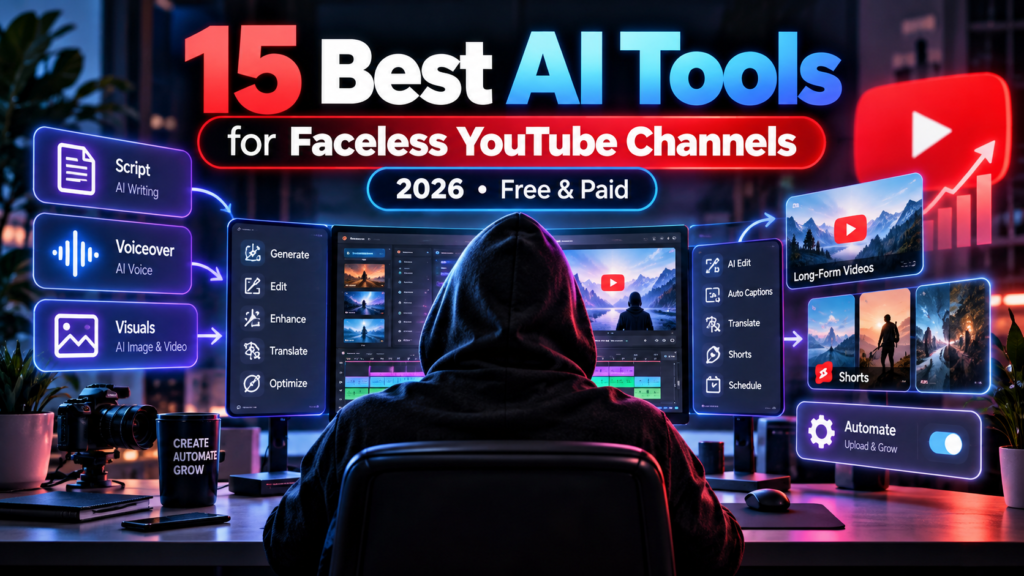
Updated October 13, 2026 • Vervecta Editorial Guide
You don’t need to show your face on camera to create useful YouTube videos. But you do need an original idea, reliable information, a coherent story, clear narration, appropriately licensed visuals, and thoughtful editing. The best AI tools for faceless YouTube channels in 2026 can help with each production stage—not replace the creative decisions that make a channel worth watching.
For creators just starting out, our recommended combination is ChatGPT for script outlines, ElevenLabs for synthetic narration when commercially licensed, Canva for thumbnails and visual planning, CapCut for the final edit, and vidIQ for topic research. Add InVideo AI or Pictory if you want script-driven video assembly, Runway or Kling AI if a scene genuinely requires generated motion, and OpusClip if you already publish long videos.
We reviewed 15 services across writing, research, narration, video creation, editing, background music and YouTube optimization. Unlike many affiliate-style lists, we distinguish a genuinely free workflow from a free trial, and we explain which music and voice plans actually permit commercial use.
Important distinction: A faceless channel is simply one whose presenter doesn’t appear on camera. That is not the same as an automatically monetizable channel, a clip-reposting account, or a system for mass-uploading nearly identical videos. YouTube’s current policy explicitly warns against mass-produced, repetitive and insufficiently original content. Using AI does not itself prohibit monetization; low-value or unoriginal publishing can. Read the official YouTube channel monetization policy before committing to a workflow.
Our methodology: This is an editorial research comparison of public product functions, pricing pages and platform rules as of October 2026. We have not personally benchmarked all 15 paid subscriptions in a controlled experiment; we do not invent test scores, measured time savings, view counts or earnings claims. Current prices, regional access and credits can change. Links to providers below are official product pages, not approved affiliate tracking links; we will disclose any future affiliate relationships.
Jump to: Comparison table · 15 reviews · Free production stack · Video workflow · AI prompts · Costs · Monetization rules · FAQ.
Need just one part of the workflow? Compare dedicated AI YouTube Shorts generators for short vertical videos or AI image-to-video tools when you already have images. Those narrower guides help avoid paying for a broad subscription when you only need one function.
Quick comparison: the best 15 AI tools for faceless YouTube channels
There is no single best platform for every creator. A script writer, a voice generator, a clipper and a music service solve different problems; compare tools within the job they perform before evaluating an all-in-one subscription.
| Tool | Main job | Best for | Free or trial reality |
|---|---|---|---|
| ChatGPT | Ideas and scripts | Research plans, hooks, outlines | Free access with feature limits |
| Google Gemini | Research assistance | Alternative outlines and explanations | Free access varies by account/model |
| vidIQ | Topic research and optimization | YouTube titles, niche ideas and analysis | Free tier lists 150 AI credits/month |
| ElevenLabs | Text-to-speech narration | Voice-led documentaries and explainers | Free 10k credits, noncommercial |
| InVideo AI | AI-guided video assembly | Script-to-video creation | Limited free credits, branded free output |
| Pictory | Script or article to video | Faceless educational content | 14-day trial, watermarked downloads |
| Runway | Generative cinematic footage | Specific creative cutaways | 125 one-time credits on Free; watermark |
| Kling AI | Animate images into video | Scenes, start/end-frame motion | Verify live generation credits |
| Adobe Firefly | AI imagery and video assets | Storyboards and specialized visuals | Limited daily free generation |
| Canva | Thumbnails and designed visuals | Channel graphics and photo-based scenes | Free design tools; AI limits apply |
| CapCut | Video editing and captions | Final Shorts and long-form edits | Free editing; some AI/tools are Pro |
| Descript | Transcript-based video editing | Narrated tutorials and interviews | Free 1 media hour + 100 AI credits/month |
| OpusClip | Long video into Shorts | Repurposing your original recordings | Free 60 credits/month; watermark |
| Suno | AI music | Original music concepts and soundtracks | Free music is noncommercial |
| SOUNDRAW | AI background music | Licensed music under narration | Paid download/license plans |
Best value principle: Purchase the tool that removes the largest bottleneck in your workflow. If you already have scripts and a good voice, another text-to-speech subscription may have less value than a flexible video editor. If your channel is a series of original documentaries, factual accuracy and useful visuals matter more than generating every single frame with an expensive AI model.
How we selected these faceless YouTube AI tools
We ranked the tools by use-case fit, not by an invented numeric quality score. We considered whether each product has a distinct place in the production workflow, whether a beginner can get started, whether restrictions are transparent and whether it helps the final video add genuine viewer value.
- Research and originality: Can the tool help develop a script without disguising speculation as fact?
- Creative control: Can you inspect, revise and improve the output rather than accept a one-click template?
- Narration: Does the workflow allow pronunciation, pacing and properly licensed use?
- Visual relevance: Can a creator use original footage, legal stock and selectively generated scenes?
- Editing: Are captions, sound, aspect ratio and continuity correctable?
- True costs: Do advertised free credits, export watermarks, commercial licenses and renewal rates match the project?
- YouTube compliance: Can the creator build original, nonrepetitive content and meet altered-media disclosure requirements?
The tools below cover individual steps and all-in-one solutions. You don’t need to subscribe to all 15. Many successful video workflows would benefit from only two or three of these plus original reporting, photography or narration.
15 best AI tools for faceless YouTube channels in 2026
1. ChatGPT — an AI tool for faceless YouTube channels and original scripts
Job: Planning and writing. Official ChatGPT · Plans.
ChatGPT is useful when the biggest obstacle is turning a raw topic into an engaging sequence. Ask it to suggest several possible hooks, identify missing explanations, propose a section order, draft a spoken outline, create a shot list and adapt the pacing for a seven-minute documentary or a 40-second Short. You can also ask for editing notes that make long sentences easier to narrate.
How to use it well: Start with the audience’s question and three facts you have independently checked. Tell the model which sources you trust, what must not be invented and how the narrator should sound. Request a clear thesis, a logical progression and an ending that delivers on the opening promise. Then fact-check every claim, citation, date, statistic and attribution yourself.
Best for: Historical explainers, science breakdowns, storytelling, education, tech comparisons and outline development. Main limitation: AI-written statements and citations can be wrong. Do not publish a research script without checking reliable primary sources.
Free vs paid: There is a Free option, with usage limits on tools and models. Premium access and exact entitlements can change; check the current official account offer.
Verdict: An excellent assistant for the structure of a faceless video. Originality still comes from your researched ideas, examples, judgment and final script.
2. Google Gemini — best second opinion for research and story structure
Job: Research assistance, alternative drafts and creative planning. Google Gemini.
Gemini is an alternative AI assistant for brainstorming questions, summarizing source material you provide, outlining a documentary and finding gaps in a proposed explanation. Using a second model can be helpful when your script repeats the same rhythm or misses a major counterpoint.
Useful routine: Build an outline in one assistant. Ask Gemini to challenge the logic, flag unclear terms, propose questions a curious first-time viewer might ask and identify claims that still need reliable evidence. Then return to the original sources to confirm or reject those suggestions. Two models agreeing is not proof that a fact is correct.
Best for: Educational topics, script alternatives and planning multi-part series. Main limitation: It is an assistance layer, not a verified research database; sources, dates and quotations require independent inspection.
Free vs paid: Gemini has free access alongside paid Google AI offerings, but model quotas and regional availability may change. Avoid building a daily publishing schedule around a quota that has not been confirmed in your account.
Verdict: A useful planning partner when it helps strengthen accuracy and viewer understanding, not when it simply produces a second near-identical script.
3. vidIQ — best for faceless YouTube topic ideas and channel SEO
Job: Topic discovery, title research, channel feedback and audience-focused planning. vidIQ · Official pricing.
A faceless channel still needs topics that viewers want. vidIQ provides niche and trend ideas, optimization suggestions and an AI Coach. The official Free plan currently lists 150 AI credits per month, with paid options offering more AI usage and wider research tools.
Practical use: Write down ten possible topics in your niche. Look at the audience questions and competitor results for each one, then group the best ideas by what a viewer hopes to learn. Create a series only when each episode offers materially different research and examples.
What it cannot guarantee: A suggested title, optimization score or “high potential” topic does not guarantee traffic, recommendation distribution or monetization. Viewer satisfaction and actual video quality matter. SEO tools are directional inputs, not substitutes for audience testing.
Verdict: A sensible way to organize a faceless content calendar, especially before purchasing expensive generative video subscriptions.
4. ElevenLabs — best for AI narration and expressive text-to-speech
Job: Synthetic narration and audio production. ElevenLabs TTS · Pricing.
For a narrator-led faceless channel, the voice is part of the viewer experience. ElevenLabs offers expressive speech models, premade voices, multilingual output and a workflow for generating voiceover from a finished script. It is especially relevant for documentaries, explainers and narrated stories where audio continuity matters.
Important October 2026 licensing detail: Its Free tier lists 10,000 credits per month, but ElevenLabs says free output is intended for personal, noncommercial use and requires attribution. Paid Starter and higher plans add commercial licensing, subject to the current terms. Don’t assume a technically downloadable Free-tier voice is licensed for a monetized channel.
Production tip: Split the script into natural sections, test pronunciation of proper nouns, use punctuation to control pacing and check for unnatural pauses. Listen to the exported narration on headphones before syncing visuals. If cloning a voice, obtain the required authorization; never impersonate someone without consent.
Best for: A consistent AI narrator across long-form educational videos. Main limitation: Credits are consumed by speech generation and revisions; lengthy scripts can cost more than expected.
Verdict: One of the most relevant paid upgrades for a voice-led faceless channel, provided commercial rights are in place.
5. InVideo AI — best for an integrated prompt-to-video workflow
Job: Creating video drafts from text, media and AI-directed instructions. InVideo AI · Current pricing.
InVideo combines generative models, AI-agent workflows and manual video editing. A creator can begin with a topic and script, generate or assemble candidate scenes, then review timing and export. It is relevant for faceless tutorials, business explainers, product concepts and Shorts because much of the production can happen in one environment.
Best use case: You have a clear 90-second explainer and want to compare an automated first draft with one you would normally assemble manually. Specify format, audience, scene plan, narration and whether the tool may spend premium generation credits without approval.
Free and paid reality: Official InVideo materials describe limited free credits and branded free output. Paid tiers and model choices can vary. Each generated scene, high-quality model or AI-agent action may have different credit costs. Manual timeline edits are not identical to new generative media calls.
Weakness: Automation can select generic or misleading visuals. The finished video needs checking for factual accuracy, stock permissions and originality, especially if you plan to publish many episodes.
Verdict: Good for testing how much of your video assembly can be automated. Read our independent, detailed InVideo AI Review 2026 before paying.
6. Pictory — best for faceless script-to-video and article repurposing
Job: Turn a script, article or source recording into an editable video. Pictory · Pricing and trial.
Pictory is particularly well suited to creators who start with written research. Give it an existing script or article, review the proposed storyboard, pair each idea with appropriate footage, adjust captions and narration, then export a finished explainer. It also supports turning longer recordings into shorter highlights.
What makes it different from an image-generation model: Its strength is organizing existing information into a video using media, captions and audio. That can be faster and less expensive than asking a model to generate every scene from scratch.
Free-plan warning: Pictory advertises a 14-day free trial; its help center says trial downloads include Pictory branding and that a paid plan is needed for watermark-free downloads. The trial is not an indefinite free publishing workflow.
Main limitation: Automatically matched stock video can feel generic or inaccurately illustrate a historical, medical or technical statement. Replace irrelevant visuals, make the narration original and verify the supporting evidence.
Verdict: A smart choice for faceless educational and blog-based channels when the source script—not novel cinematic footage—is the core asset.
7. Runway — best for original cinematic AI cutaways
Job: Create short original video footage from image or text references. Runway · Free-plan guide.
Runway is better understood as a shot generator than a complete YouTube channel builder. For a historical documentary or a sci-fi explainer, it can create a visually specific sequence that is difficult to film, such as a stylized atmosphere shot. You still need researched narration, sound and coherent editing around it.
Cost warning: Its published Free plan provides 125 one-time credits, restricted model access and watermarked exports. Premium models and longer clips consume additional credits; repeated attempts can make an “easy” scene expensive. Generate short drafts first and reserve premium models for visuals that actually advance the story.
Best use case: One or two cinematic moments in a mostly stock-, photo- or demonstration-based documentary. Weakness: A polished five-second image-to-video clip does not itself supply an accurate eight-minute educational video.
Verdict: Strong for carefully selected visual moments, less economical for producing the entire video frame by frame.
8. Kling AI — best for animating prepared images into video
Job: AI-generated image-to-video motion and controlled transitions. Kling AI · Start-and-end-frame guide.
Kling offers image-driven video workflows, including a documented Start and End Frames feature. It can be useful for bringing original illustrations or photo-based scenes to life while preserving the overall look of a recurring subject.
Creator example: For an original travel story, prepare two visually compatible illustrations of the same riverbank. Ask for a slow camera motion and shifting light, rather than suddenly demanding a new location, clothes and a dramatic aerial camera move in one clip.
Costs and limitations: Model availability, resolution, generation length and credit pricing may differ among tiers. Verify your current account balance before relying on any claim of unlimited free generation. Faces, logos and geometry can drift between frames.
Verdict: A useful specialist when your faceless channel needs subtle movement from a handful of original still images.
9. Adobe Firefly — best for original visual assets and creative production
Job: AI images, some video, sound and supporting creative assets. Adobe Firefly · Official plans.
Faceless video creators often need a consistent set of diagrams, visual concepts, introductory frames or illustrations. Firefly provides a workspace for creating and editing image, video and audio assets, including partner-model options. For a research-based channel, a good illustration can explain a concept better than generic stock footage.
Free and paid: Adobe currently lists a Free option with limited daily generations across selected tools. Firefly Standard includes 2,000 monthly generative credits; Pro includes 4,000. The company documents model-dependent usage and maximum estimated numbers of short generations—not a promise that every user can make limitless premium scenes.
Practical tip: Create a visual style sheet before generating ten illustrations for the same episode: palette, line style, setting, consistent subject description and aspect ratio. Manually inspect generated maps, charts and text labels; AI images can render factual information incorrectly.
Verdict: Best as a professional asset-creation supplement, not as the only tool for the entire YouTube production process.
10. Canva — best for thumbnails, channel branding and designed scenes
Job: YouTube thumbnail design, title cards, explanatory graphics and short visual edits. Canva · Video editor.
Canva is one of the most practical services on this list because good faceless videos still need clear packaging: a readable thumbnail, a visual hierarchy and engaging chapter visuals. It combines design templates with AI-assisted creation and image animation features.
What to make: Create a high-contrast thumbnail based on one clear promise, not a crowded collage of tiny unreadable labels. Use consistent colors and typefaces across your series. Make simple diagrams or visual sequences that help explain the story instead of filling the screen with decoration.
Free-plan detail: Canva states that Free users can export designs without watermarks when they use only Free elements. Pro assets require licensing or substitution, and AI image/video generation has additional usage limits. Confirm whether a template contains any premium artwork before publishing.
Verdict: Essential creative support for thumbnails and simple original visuals, even if your main video editor is elsewhere.
11. CapCut — best beginner-friendly editing for faceless YouTube Shorts
Job: Timeline editing, captions, motion, audio, image animation and finishing videos. CapCut · AI video tools.
CapCut combines familiar editing controls with a growing set of AI-assisted workflows. It is particularly useful when your video already has a script, narrator audio and a folder of visual assets. You can arrange scenes, time captions to the narration, apply gentle movement to static images and export vertical or landscape videos.
Why this matters for faceless channels: Clear editing can make a small set of original images more useful than dozens of unrelated premium AI scenes. Pacing, accuracy of captions, controlled transitions and properly mixed narration often create more viewer value than the number of effects.
Free vs Pro: Basic editing and some AI tools are available free, but specific models, premium assets and export settings vary by account, device and region. Do not assume every feature described on a promotional page is included in your personal free tier.
Verdict: One of the most accessible tools for actually completing a faceless Short or narrator-led video.
12. Descript — best for editing narration and video through a transcript
Job: Transcript-based editing, correcting spoken content and trimming recordings. Descript · Plans.
Descript makes editing audio or video more like editing a written document. It is especially relevant when your faceless channel uses your own narration, interviews or screen recordings. Editing the transcript helps identify repetition, remove dead space and tighten an explanation.
Current free allowance: Its official editor page lists a Free tier with one media hour per month, 100 AI credits, limited AI assistance and 720p watermark-free exports. Paid plans increase media hours, AI usage and export capabilities.
Use case: Record a seven-minute tutorial, import it, correct the transcript, tighten the explanation, remove unhelpful filler and export a cleaner narrative. Verify edited audio still reflects what was actually said and does not create misleading context.
Verdict: Excellent if recorded speech is the main production bottleneck, though less necessary for a channel that exclusively uses pre-rendered synthetic narration.
13. OpusClip — best for turning original long videos into faceless Shorts
Job: Finding short highlights in existing longer recordings. OpusClip · Plans.
OpusClip focuses on repurposing. Upload a long lesson, podcast, screen-share video or commentary recording and it proposes highlight cuts, reframing and captions. This makes it especially useful for a faceless educational channel that wants to turn its own long-form episodes into several Shorts.
Free restrictions: OpusClip’s current pricing lists 60 credits per month on Free, with a watermark and no editing. Its page also says free clips stop being exportable after three days. Paid Starter removes the watermark and adds editing and scheduling features.
Important caution: The system can trim context away from a complex answer. Always confirm that a 35-second clip still conveys the original point accurately. Do not upload another creator’s recording unless you have the right to use and transform it.
Verdict: Great for getting more mileage out of original long videos, not a replacement for making the underlying educational content.
14. Suno — best for custom AI music, with strict commercial-plan differences
Job: Music generation for original channel projects. Suno · Plans.
Suno can create songs and instrumentals from prompts. A faceless storyteller might use an original instrumental for a dramatic episode, provided the chosen plan and song license allow the planned publication. Musical direction should serve the video; long-form narration often needs low-volume background music rather than an attention-grabbing vocal hook.
Critical free-plan rule: Suno currently lists 50 credits per day on Free, but music created on that plan has no commercial rights. Its Pro and Premier tiers offer commercial use rights for qualifying creations made while subscribed, subject to terms. The company explicitly cautions that commercial use rights do not guarantee copyright protection.
Important timing: Purchasing a subscription later should not be assumed to retroactively commercialize songs created on Free. Check the creation date and tier used. Keep your own prompts and account records.
Verdict: Useful for custom music if you understand plan-specific licensing. Do not use free-plan songs in monetized videos without proper permission.
15. SOUNDRAW — best for purpose-built background music under narration
Job: Background music for videos and other synchronized creative projects. SOUNDRAW · Current license explanation.
SOUNDRAW is designed for composing and customizing background tracks. Its Creator offering is relevant when you need a piece of music behind a tutorial, history episode or product video and want more control over mood and length than searching through a large generic library.
License distinctions: SOUNDRAW says its Creator plan permits background music in online videos and commercial creative projects, while the Artist plan is intended for broader music-release use cases. Its live license page contains conditions for music-centered formats, including some meditation or lo-fi content, and limits on registering tracks in Content ID or distributing unmodified music. It also describes cases where publication of an unmodified track depends on an active subscription.
Practical warning: If the music is effectively the main product rather than incidental background audio, a different tier or license may be required. Keep the exact license version and track information and do not assume a marketing slogan overrides formal terms.
Verdict: An attractive music-specialist option for narration-led videos, provided your chosen use case fits the current Creator or Artist terms.
The best free AI tool stack for a faceless YouTube channel
For a new creator, the cheapest practical workflow usually uses AI assistance only where necessary and relies on your own writing, recorded visuals and licensed free resources. A “free channel” cannot be built safely around premium voice, video or music licenses that explicitly prohibit commercial use.
Option A: $0 software budget for practice and early production
- Plan: Use free ChatGPT or Gemini access to brainstorm an original outline. Fact-check all research yourself.
- Record narration: Use your own voice on your phone or microphone to avoid licensing uncertainties with free AI TTS. Record in a quiet environment and clean up mistakes.
- Visuals: Use your own footage, screenshots you have rights to, simple Canva Free graphics or appropriately licensed stock media.
- Edit: Arrange scenes and captions with CapCut’s eligible free features or a basic editor. Watch for premium asset requirements.
- Music: Use music from a source that expressly licenses the track for your video, such as the YouTube Audio Library, and follow any attribution rules.
- Topic research: Check vidIQ’s limited free insights and compare them with what viewers actually search and watch.
This route is often more sustainable than using the free tier of a premium AI narrator or music generator for a monetized channel without commercial permission.
Option B: Pay only for the bottleneck
If recording your own voice is impossible or limits your output, a paid ElevenLabs commercial plan may be the most useful first subscription. If narration is easy but editing takes hours, consider a suitable editor instead. If the audience expects premium cinematic fiction, selectively buy generative scene credits. Avoid adding paid tools until you have measured the production improvement.
Option C: All-in-one experimentation
Creators who want to compare a complete prompt-to-video workflow can test InVideo AI or Pictory, inspect the free/trial outputs and then calculate how many production-ready videos a paid plan actually supports. Remember to factor in the time needed to replace inaccurate stock footage or rewrite the script.
How to make a faceless YouTube video with AI: complete step-by-step workflow
Here is a practical workflow for a six- to eight-minute narrated educational video. It also works for documentaries, reviews and tutorials. The goal is not to produce the longest possible sequence of generated footage; it is to answer one compelling viewer question accurately and clearly.
Step 1: Choose a specific viewer problem
Start with one promise, such as “Why do smartphone videos become grainy indoors?” or “How did scientists date this archaeological discovery?” A narrow subject is easier to research, explain and package honestly than a generic “ten shocking mysteries” template.
Step 2: Build a claim-and-source outline
For each important statement, attach a trustworthy source link and the evidence it supports. Use AI assistants to suggest missing questions, but read the primary articles, official documentation or studies yourself. Avoid made-up quotes, unverifiable dates and unsupported dramatic claims.
Step 3: Write for spoken delivery
Draft an opening that defines the question, three to six distinct sections, a clear payoff and a concise ending. Use short sentences and punctuation that a narrator can handle. Read it aloud once. A piece that looks elegant on a page can be awkward when spoken.
Step 4: Record or license the narration
Record an original human voice or create a properly licensed AI voiceover. Check name pronunciation, emphasis, timing and pauses. Export clean audio at consistent levels. Avoid cloning someone else’s voice without permission.
Step 5: Make a scene-by-scene visual plan
Write one line describing what the viewer should see for each idea. Use original photos, licensed stock, diagrams, tables, screen recordings or carefully selected AI-generated cutaways. Choose the visual that explains the sentence, not just a pretty image vaguely related to the topic.
Step 6: Spend AI video credits selectively
Only generate shots that existing visuals cannot communicate well. Draft a short image-to-video clip in Kling or Runway, verify geometry and historical accuracy, then regenerate only if necessary. Save credits by using restrained motion on still images for less demanding sections.
Step 7: Edit the actual story
Import narration and visuals into CapCut or another editor. Place narration first, then cover it with relevant visuals. Keep transitions simple, add readable labels, and review every cut for factual relevance. Set music below the voice, not above it.
Step 8: Create a clear, honest thumbnail
Use Canva or a design tool to make a thumbnail that communicates one question or visual idea. Avoid unreadably small text, misleading numbers and fake promises. The thumbnail and first 15 seconds should match.
Step 9: Run a copyright and AI disclosure check
Confirm you have the rights to source footage, stock, generated music and voices. Determine whether a realistic AI-generated or meaningfully altered scene must be disclosed in YouTube Studio. Never try to disguise fabricated real-world events as genuine footage.
Step 10: Publish, measure and improve
After publication, examine impressions, click-through rate, audience retention, traffic sources and viewer questions in YouTube Studio. If people leave during a particular section, improve the pacing and explanations in future videos. Do not infer that a new tool alone will solve weak topics or storytelling.
A practical visual structure for a 7-minute explainer
| Segment | Purpose | Recommended visuals |
|---|---|---|
| 0:00–0:20 | Show the question and why it matters | One authentic example or compelling original visual |
| 0:20–1:30 | Introduce key facts and context | Diagram, screenshots or licensed stock |
| 1:30–4:30 | Explain three important insights | Original graphics, specific footage, selective generated cutaways |
| 4:30–6:30 | Evidence, nuance and examples | Source excerpts used appropriately, demonstrative visuals |
| 6:30–7:00 | Clear conclusion and next question | Simple recap graphic or meaningful final image |
These times are only a planning example, not a formula that YouTube requires. Match your actual video length to the depth of the topic and the viewer’s needs.
5 reusable AI prompts for a faceless YouTube channel
The best prompts provide context, evidence and constraints. Replace bracketed text with your specific subject and do not treat a model’s answer as a verified source.
Prompt 1: Research outline that flags uncertainty
You are an editorial research assistant for a faceless educational YouTube channel. Topic: [TOPIC]. Audience: [AUDIENCE]. Create a structured outline that answers one central question. Separate established facts, disputed interpretations and open questions. Flag every claim that needs independent verification. Do not invent citations, quotations, statistics or dates. Suggest the types of primary sources I should consult for each section.
Prompt 2: A more natural narrator script
Rewrite this fact-checked outline as a 7-minute spoken English script. Keep every verified fact intact. Use short, natural sentences with punctuation that supports a calm narrator. Begin with a genuinely relevant hook, develop a logical story and end with an evidence-based conclusion. Avoid clickbait, repetition and invented dialogue. Mark any missing information as [VERIFY] rather than guessing.
Prompt 3: A shot list using the cheapest appropriate media
Create a shot-by-shot visual plan for the following voiceover. For each section specify: what the viewer needs to understand, the most appropriate visual, suggested duration and whether to use original footage, licensed stock, a diagram, a still image with simple motion or a newly generated AI clip. Prefer inexpensive, factually accurate visuals. Flag scenes where AI-generated realism could mislead viewers.
Prompt 4: Consistent image-to-video motion
Animate my original still image into a 5-second cinematic cutaway. The camera makes a slow forward push. Only the environment moves subtly: gentle mist and small changes in natural light. Preserve character identity, physical geometry and all readable text. No new objects, no sudden cuts, no transformations. Use the original image’s framing and visual style.
Prompt 5: YouTube title and thumbnail ideas without deception
Based on this finished video script, propose 12 accurate YouTube titles and 5 thumbnail concepts. Each title must make a promise the video really fulfills. Keep the thumbnail concept clear at mobile size. Avoid exaggerated earnings claims, fake before-and-after results and unrelated shocking imagery. Explain the viewer question each title addresses, and highlight which ideas would benefit from actual keyword research.
Use human judgment on the final output, particularly where accuracy, audience trust or commercial rights matter.
How much does a faceless YouTube channel cost in 2026?
A faceless channel can begin with a near-zero software budget, but a fully AI-generated production pipeline can become expensive. The best way to budget is to track real usable finished videos, not free signups or promotional “videos generated” counters.
A practical budgeting comparison
| Production style | Paid software needed? | Major ongoing cost |
|---|---|---|
| Own voice + own footage + free editor | Not necessarily | Your time, recording and source research |
| Script + paid AI narration + mostly stock visuals | Often one paid TTS service | Voice credits, appropriate media licenses |
| Script-to-video subscription | Usually for clean commercial exports | Subscription, AI credits and revision time |
| Fully generated cinematic scenes | Frequently yes | Per-generation media credits and failed takes |
| Music-focused channel | Rights often require a paid music plan | Commercial licenses and ongoing subscription conditions |
Calculate the cost of a finished video
Monthly software cost per finished video = total monthly subscriptions and purchased generation credits ÷ number of complete publishable videos. Add the time spent fact-checking, writing, editing, regenerating and licensing footage to understand the full economics. A subscription that helps create ten drafts but only two usable videos is not necessarily cheap.
For example, imagine a creator pays $30 combined for software in one month and completes three original videos: software spending is approximately $10 per finished video. This is hypothetical arithmetic, not a measured result or an earnings estimate. Your actual cost depends on the plans, geographic pricing and credit consumption.
Three hidden costs beginners overlook
- Credits for revisions: A cinematic clip may require several generations before one result is useful.
- Commercial licenses: Free generated music or voices may be unsuitable for monetization even when download works.
- Time and expertise: A beautifully edited but factually incorrect video can harm your channel’s reputation more than it helps your output speed.
Can faceless AI YouTube channels be monetized in 2026?
Yes, a channel that does not show its creator’s face can be eligible for monetization. YouTube does not require your face to appear. However, it assesses originality, authenticity, reused material, repetitive production, copyright compliance, advertiser-friendliness and YouTube Partner Program eligibility. Using an AI writing tool or synthetic narrator does not automatically qualify or disqualify an upload.
What changed in YouTube’s inauthentic content policy?
On July 15, 2025, YouTube clarified its longstanding repetitious-content policy and renamed it inauthentic content. The official policy emphasizes that mass-produced, generic or repetitive videos without meaningful original value are not eligible for monetization. Original narratives, distinct educational explanations and substantive creative judgment are important. YouTube’s own clarification says it welcomes AI as a tool when content meets its existing standards.
Examples of stronger versus riskier workflows
| More original and useful | Higher monetization risk |
|---|---|
| Fact-checked original history investigation with meaningful narration and evidence | Hundreds of almost identical AI narrations over generic slides |
| Original product comparison using clear criteria and relevant demonstrations | Copied review text with only synonyms changed |
| Own tutorial with unique examples and accurate visual explanation | Compilation of social media clips with no substantial commentary |
| Scripted animated story with distinct characters and an original plot | Reused character templates repeating essentially the same storyline |
These examples illustrate policy principles rather than guaranteeing approval for any individual channel. See YouTube’s monetization policy and examples.
Do you need to disclose AI-generated videos?
YouTube requires disclosure when content meaningfully uses AI to generate or alter realistic or photorealistic scenes in ways that could mislead viewers—for example, showing a real person doing something they did not do or inventing realistic footage of an event. Use YouTube Studio’s current AI-use setting when required. Ordinary edits or clearly fantastical graphics may not trigger the same obligation. Read YouTube’s official AI disclosure guidance.
In May 2026, YouTube stated that properly applying an AI disclosure label does not itself reduce monetization eligibility or recommendations. The underlying content still needs to comply with all other policies. See YouTube’s May 2026 update.
Copyright and music licensing checklist
Save evidence that you have permission to use third-party video, stock images, music, synthetic voices and character likenesses. A watermark-free export is not necessarily a commercial license. Review ElevenLabs’ free-versus-paid TTS rights, Suno’s free song rights and SOUNDRAW’s format-specific music conditions before publishing monetized videos.
What about YouTube Partner Program availability?
YPP eligibility and country availability are separate from whether a video is original enough to monetize. Review the current YPP availability list and eligibility requirements for your actual country and account. Changing a channel’s country setting is not a substitute for satisfying eligibility and payments requirements.
Which AI tools fit different faceless YouTube niches?
| Niche | Practical starting stack | What gives the channel real value |
|---|---|---|
| History and mystery | ChatGPT or Gemini for planning; ElevenLabs; Canva; CapCut; selective Runway/Kling | Sources, accurate context and careful distinctions between fact and theory |
| Science explanations | Gemini or ChatGPT; Canva diagrams; CapCut; own narration or licensed ElevenLabs | Correct explanations, readable diagrams and demonstrated reasoning |
| Software tutorials | Screen recordings; Descript; CapCut; Canva thumbnails; vidIQ | Up-to-date interface demonstrations with actual results |
| Faceless Shorts | ChatGPT script; Canva assets; CapCut; OpusClip if long videos exist | A strong original insight delivered clearly in under a minute |
| Animated fiction | ChatGPT for story structure; Firefly images; Kling/Runway motion; CapCut | Original characters, meaningful narrative and consistent direction |
| Product explainers | Own product photos/screen captures; InVideo or Pictory; CapCut; Canva | Accurate claims and evidence instead of promotional filler |
| Music-backed storytelling | Licensed Suno or SOUNDRAW; Canva/Firefly visuals; CapCut | Original concept and rights that cover the exact publication format |
For more specific choices, see our AI YouTube Shorts generators guide, image-to-video comparison and free AI video generator guide.
Seven common mistakes to avoid with faceless AI videos
1. Choosing software before choosing the audience
Buy the solution to a proven bottleneck, not a plan because it promises “automatic viral videos.” First define the viewer, the subject and the result you will deliver.
2. Publishing AI hallucinations
A plausible voice and convincing image do not make a statement true. Verify dates, financial claims, medical claims, product specifications and quotations against reliable sources.
3. Mistaking generic stock footage for evidence
An unrelated city skyline does not prove a historical discovery or technical result. Use diagrams, actual documentation or clearly labeled illustrative footage where appropriate.
4. Using the wrong commercial plan
ElevenLabs Free and Suno Free currently restrict commercial use. Make sure all music and narration licenses match a monetized YouTube upload or client video.
5. Making every video from an identical template
YouTube’s inauthentic-content rules are relevant to repetitive publishing. Create new substantive research, storytelling or demonstrations for each video, even if your branding and intro stay consistent.
6. Letting AI decide every edit
Automated captions, scene selection and clipping can be useful first drafts. Review pronunciation, timing, visual claims and whether important context was cut away.
7. Expecting a guaranteed income timeline
Neither vidIQ scores nor AI-generated uploads guarantee rankings, subscribers, YPP approval or advertising revenue. Track useful performance metrics and improve the actual product: the video.
Frequently asked questions about faceless YouTube AI tools
What are the best AI tools for faceless YouTube channels?
For planning, ChatGPT and Gemini are useful. ElevenLabs supports licensed AI narration; InVideo and Pictory help assemble video; CapCut and Descript handle editing; Canva designs thumbnails; vidIQ helps research ideas; Runway and Kling produce generated footage; Suno and SOUNDRAW offer music under plan-specific licenses.
Can I start a faceless YouTube channel for free?
Yes, especially if you use your own narration and visuals alongside free planning and editing tools. Be careful with AI voice and music services whose free outputs are not licensed for commercial use. Free tools do not guarantee free access to premium models or assets.
Can an AI-only faceless channel be monetized?
Possibly, but AI-only production is not an automatic YPP qualification. Videos need meaningful original or educational value and must meet YouTube’s channel-wide policies, copyright rules and YPP eligibility requirements.
Does YouTube ban faceless AI videos in 2026?
No blanket rule prohibits all AI-assisted faceless videos. YouTube has policies against mass-produced, repetitive, inauthentic and insufficiently transformed reused content, and realistic altered content may require disclosure.
Which AI narrator is best for long YouTube documentaries?
ElevenLabs is worth considering for expressive paid narration. Before committing, test a full script sample for pacing, pronunciation and cost, and confirm the plan includes commercial rights for your intended use.
Is ElevenLabs Free usable in a monetized YouTube video?
The company’s published terms say Free output is intended for noncommercial use and requires attribution. Paid plans add commercial licenses, subject to their conditions. Check rights before publishing.
Can I monetize music made with Suno’s free plan?
No under the published Free plan: Suno grants personal, noncommercial usage rights. Qualifying songs made while subscribed to Pro or Premier have commercial rights, subject to the current terms. Copyright protection remains a separate legal issue.
Is Pictory completely free?
No. Pictory offers a 14-day trial with restrictions; trial downloads show Pictory branding, and an active paid subscription is needed for watermark-free output.
Which tool makes faceless YouTube Shorts from long videos?
OpusClip specializes in clipping existing long videos, while CapCut and Descript offer other editing workflows. Use recordings you own or have permission to transform, and review clipped context.
Can I use AI to generate a full-length documentary?
AI can assist with planning, narration, images and short video clips, but a credible documentary also requires accurate research, source evaluation, storyline design, editing and rights verification. It should not be treated as a one-click fact generator.
What is better for thumbnails: Canva or a generative image model?
Canva is well suited to readable design, typography and consistent branding. A generative model can produce a background illustration, but text and claims should be checked and refined in a design editor.
Do faceless YouTube channels need AI disclosure?
Disclosure depends on how AI is used, especially whether content realistically generates or alters people or events. Review the current YouTube Studio AI-use setting and official guidance; simply not showing your face does not decide the requirement.
Which tools can create visuals without filming?
Runway, Kling and Adobe Firefly offer visual generation; Canva supports designed and short animated imagery; InVideo and Pictory can assemble scripts and stock or generated media. They vary in credit costs and artistic control.
Do I need all 15 subscriptions?
No. Most creators should begin with one research/writing assistant, one audio approach and one editing tool. Add specialist generative footage, clipping or music only after identifying a specific recurring need.
Can a faceless AI YouTube channel guarantee $1,000 a month?
No. Revenue depends on eligibility, audience location, niche, advertiser demand, views, retention, monetization options and other variables. Beware of automated-channel sales pitches promising fixed income from a preset number of videos.
Final verdict: build a real channel, not a faceless content factory
Best starting stack: ChatGPT or Gemini for well-sourced story planning, your own narration or commercially licensed ElevenLabs for voice, Canva for visuals and thumbnails, CapCut for the final edit, and vidIQ for idea research. Add InVideo/Pictory when script-to-video automation saves measurable time; Runway/Kling/Firefly when a specialized scene requires new generated media; Descript or OpusClip when existing recordings need efficient editing; Suno or SOUNDRAW only when the licensing is right for your channel.
Building a sustainable faceless channel is not primarily about hiding your face. It is about developing a clear editorial perspective, making original and useful videos, respecting rights and repeatedly delivering on your audience’s expectations.
Related Vervecta guides: 10 Best AI YouTube Shorts Generators, Best AI Image-to-Video Generators, Best Free AI Video Generators, Best AI Video Tools, AI Voice Generators for YouTube Creators and AI Music Generators for Commercial Use.
Sources, methodology and updates
Key official references include YouTube’s monetization policies and AI disclosure rules; vidIQ free credits; ElevenLabs narration licensing; OpusClip free limits; Descript plans; Pictory trial and pricing; Runway Free plan; Firefly credits; Suno commercial usage; and SOUNDRAW licenses. Pricing and availability were checked against public provider materials; some products vary by device, location or subscription.
Editorial update: October 13, 2026. We report documented product functions, licensing distinctions and expert workflow analysis, not unperformed hands-on benchmarks or guaranteed growth claims. Check the current provider plan and YouTube’s official policies before spending money or publishing.