
Updated October 15, 2026. Editorial note: This Vervecta guide is based on Shopify’s official documentation for Shopify Catalog, product optimization, agentic storefronts, store policies, and the Shopify Knowledge Base app. Requirements and channel features can change. Inclusion in Shopify Catalog or a connected AI channel does not guarantee that a product will appear in every AI answer or rank first for every shopper query.
If you want to optimize Shopify product listings for AI shopping agents, start by thinking beyond traditional SEO. AI shopping surfaces don’t just scrape your page title and guess what you sell. Shopify says platforms and shopping agents may use your title, description, images, product organization details, barcodes, variants, policies, and structured product data to understand and recommend your products. In other words, your product page now has two audiences: human shoppers and machine-readable shopping systems.
The good news is that you don’t need to rebuild your store from scratch. For most merchants, better AI visibility comes from improving the clarity, completeness, structure, and consistency of the product information already inside Shopify. A clean title, a fuller description, accurate category data, sensible variants, and updated policies can help AI systems match your products to buyer intent more reliably.
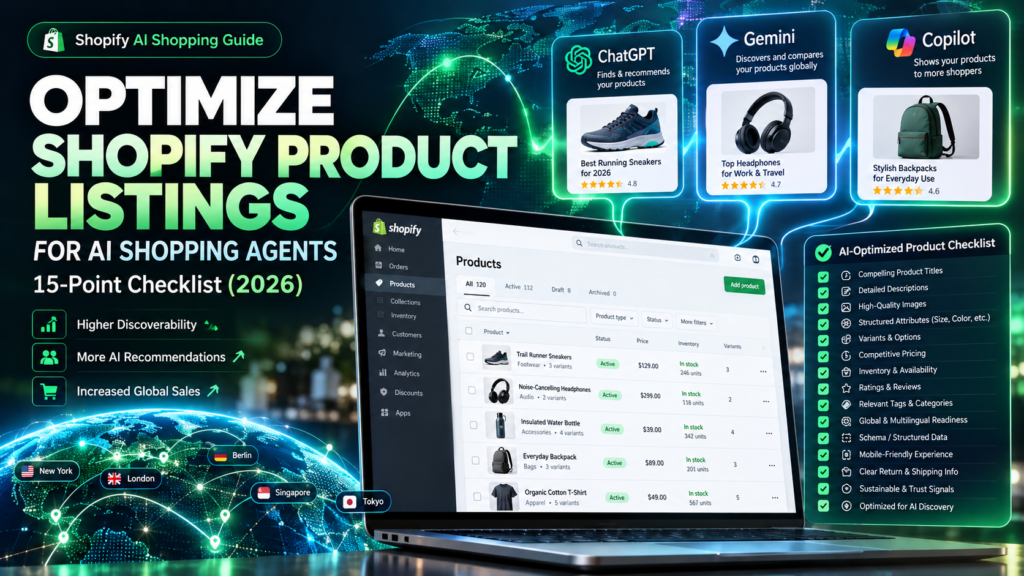
This guide gives you a practical 15-point checklist for improving Shopify product listings for AI shopping agents in 2026. It also explains what matters most for ChatGPT, Gemini, Microsoft Copilot, and related AI shopping experiences, how Shopify Catalog Mapping fits in, and where merchants often waste time on the wrong fixes.
If you’re still working on channel setup or troubleshooting product visibility, start with our related Vervecta guides on Shopify products not showing in ChatGPT, setting up Shopify agentic storefronts for ChatGPT, Gemini, and Copilot, and fixing Shopify Catalog Ineligible errors.
Quick answer: What makes a Shopify product listing more AI-friendly?
A Shopify listing becomes more AI-friendly when it is eligible, descriptive, well-structured, and up to date. According to Shopify, AI shopping platforms can consider product details such as title, description, images, organization data, barcodes, variants, and URLs. Shopify also recommends keeping store policies current and using the Shopify Knowledge Base app to improve how AI systems answer questions about your store.
That means optimization is not just about keyword stuffing the title. It’s about making sure the listing helps an AI system confidently answer questions such as:
- What is this product?
- Who is it for?
- What are its variants, specs, and trade-offs?
- Is it in stock and correctly priced?
- What are the shipping, returns, and policy details that a shopper might ask about?
Before the checklist: understand how AI shopping channels actually work
Many merchants make the mistake of treating every AI platform as if it reads product data in the same way. Shopify’s documentation makes an important distinction:
| Channel | How products are made available | What that means for merchants |
|---|---|---|
| ChatGPT | Eligible products can be discovered through Shopify Catalog when access is enabled. | Clear product data in Shopify Catalog matters; purchases typically lead shoppers back to your store checkout experience. |
| Microsoft Copilot | Eligible products can be accessed through Shopify’s agentic storefronts and related channel setup. | Structured catalog data and accurate availability matter; direct-checkout behavior can vary by channel setup and rollout. |
| Google AI Mode / Gemini | Products are made available through the Google & YouTube sales channel or Merchant Center route, not just by treating Shopify Catalog as the whole story. | In addition to clean product data, merchants need correct Google sync, shipping, and feed quality. |
| Meta surfaces | Products are made available through the Facebook and Instagram by Meta sales channel. | Channel-specific feed and sync quality still matter. |
Takeaway: the same core listing quality improvements help across channels, but you should not assume that one toggle makes every AI shopping surface behave identically.
The 15-point checklist to optimize Shopify product listings for AI shopping agents
Use the following checklist as a structured audit. Start with eligibility and data quality, then move into presentation, policies, and ongoing monitoring.
1. Optimize Shopify Products for AI Search: Check Catalog Eligibility
Optimization starts with eligibility. A beautifully written product description can’t help if the product never enters the relevant catalog or feed. Shopify says products included in Shopify Catalog must meet baseline requirements such as having a title, at least one product image, a price greater than zero, and publication to an eligible channel. Products also need an identifiable product URL, and they can’t be Unlisted or hidden from search engines.
Action: verify that the product is active, publicly available, priced above zero, and properly published. If your store is on the Agentic plan without a standard Shopify storefront, verify the required external product URL.
Why it matters: AI optimization starts at the eligibility layer. Without it, every other step becomes a cosmetic fix.
2. Optimize Shopify Product Titles for AI Shopping Agents
Product titles are one of the clearest signals AI shopping systems can use. Generic titles such as “Model X” or “Premium Bag” may be accurate for internal merchandising, but they’re weak for conversational product matching. A better title tells the system what the item is, often with a meaningful descriptor that reflects how a real customer searches.
Poor: “Trail Runner X2”
Better: “Men’s Trail Running Shoes with Waterproof Upper – Trail Runner X2”
Notice that the stronger version keeps the product identity while adding useful context. That makes it easier for AI systems to match the product to questions like “What waterproof trail running shoes do you sell?”
Action: revise titles so they clearly express product type, core use case, and a differentiating attribute when appropriate. Avoid stuffing titles with repetitive keywords or fake claims.
3. Write AI-Friendly Shopify Product Descriptions
Shopify explicitly recommends accurate, detailed, and descriptive product information. Thin descriptions hurt both shoppers and AI systems because they leave basic questions unanswered. Good product descriptions explain what the item is, who it is for, how it is used, what it’s made from, and which features matter most.
A practical structure is:
- One sentence summarizing the product’s purpose
- A short paragraph explaining the buyer problem it solves
- Bullet points for specifications, dimensions, materials, compatibility, or care information
- Notes on what is included, not included, or how variants differ
Example: Instead of “Comfortable everyday backpack,” write a description that mentions capacity, material, laptop sleeve size, pocket layout, water resistance, and intended use such as commuting or travel.
4) Use high-quality, explanatory product images
Images are not optional extras. Shopify includes them among the product details used by AI platforms, and at least one image is required for Shopify Catalog eligibility. The best product image set answers visual questions without forcing the shopper—or an AI system—to guess.
Action: include a clear primary image plus supporting images that show scale, color options, textures, packaging, and real use when appropriate. For apparel, size and fit imagery can help. For electronics, ports or included accessories may matter more. For home goods, include material or room-context shots if they reflect the actual product.
Important: use truthful imagery. Don’t add misleading props or context that exaggerates product size, function, or included components.
5) Fill in product organization data: type, vendor, collections, and tags
Shopify’s official optimization advice specifically calls out product organization details such as Type, Vendor, Collections, and Tags. These fields help organize product relationships and can support how a product is interpreted in both internal and external discovery systems.
Action:
- Use a consistent product type taxonomy.
- Keep vendor names accurate and standardized.
- Place products in sensible collections.
- Use tags for operational clarity and grouping, not as a dumping ground for random keywords.
Why it matters: if one backpack is tagged “bag”, another “backpack”, and another “travel pack” without any coherent category structure, your data becomes less predictable and harder to map cleanly.
6) Choose the most accurate product category
Product category data affects how Shopify Catalog interprets the item. Shopify Catalog Mapping even allows merchants to choose a different source for the product category field when their best category data lives in structured custom data rather than the standard product record.
Action: review categories across your best-selling products. Avoid leaving items uncategorized or using vague categories that blur distinct product types together. Accurate category selection helps systems understand product class, which in turn can improve comparisons and recommendations.
7) Clean up variants and option names
Variants are another data point that Shopify says AI platforms can consider. If your option names are confusing, inconsistent, or incomplete, the product can become harder to recommend accurately. “Option 1” and “Option 2” are poor labels. “Color”, “Size”, “Material”, and “Length” are much clearer.
Action: standardize option names and make sure variant values are readable and specific. For example, use “Black”, “Navy”, and “Forest Green” instead of internal abbreviations like “BK”, “NV”, and “FGN”.
Merchant tip: when multiple separate products really represent variants of the same product family, explore Shopify Catalog’s grouping features rather than forcing confusing duplication.
8) Add barcodes and other identifiers when available
Shopify explicitly lists barcode information such as ISBN, UPC, and GTIN among the fields that AI platforms or shopping sites may consider. These identifiers aren’t glamorous, but they can help disambiguate products, especially in categories where similar items share names or formats.
Action: populate barcode fields wherever legitimate identifiers exist. Don’t invent them. For books, media, beauty, electronics, and many packaged goods, correct identifiers can strengthen data integrity and reduce confusion with lookalike products.
9) Make price data clear, current, and credible
Price accuracy is essential. Shopify Catalog requires a price greater than zero, and Shopify Catalog can also send compare-at prices to AI agents if you choose to show them. This affects how sale pricing may be presented, including possible strikethrough pricing.
Action:
- Verify each active variant has the correct price.
- Use compare-at pricing only when it accurately reflects a real higher reference price.
- Check market-specific pricing where relevant.
- Avoid stale sale data that implies a discount no longer offered.
Why it matters: incorrect price data erodes trust quickly. For AI shopping, trust signals matter because shoppers often compare multiple options side by side.
10) Keep inventory and availability in sync
Shopify notes that Shopify Catalog continuously updates structured product data so AI channels can use live pricing and stock availability. That means stale availability creates a poor experience. A shopper who clicks an AI recommendation only to find the product unavailable is less likely to trust your store.
Action: confirm inventory is accurately managed for the products you most want discovered. If a product is permanently unavailable, consider whether it should remain promoted as an active listing. If you sell made-to-order or backordered products, make sure the description and fulfillment expectations explain that clearly.
11) Verify the product has a real, identifiable public URL
Shopify requires products to have an identifiable product URL. This matters even more for merchants using a custom storefront or the Agentic plan, where an external product URL may be necessary. AI systems need a stable place to direct the customer.
Action: open the live product URL in a signed-out browser. Make sure it resolves directly to the right product, not a home page, password wall, or broken redirect. If you run a headless implementation, verify route formatting matches Shopify’s documented requirements.
12. Use Shopify Catalog Mapping for AI Shopping Product Data
This is one of the most overlooked opportunities. Shopify’s Catalog Mapping tool lets you choose which source should populate your product title, description, and category for Shopify Catalog. That is especially valuable for merchants who keep richer information in metafields or metaobjects.
Example: perhaps your storefront description is short and promotional, but a custom metafield contains a more structured summary. Mapping lets Shopify Catalog read the more useful source without forcing you to redesign your entire PDP.
Action: in Sales channels > Agentic, review how your product data is sent to Shopify Catalog and preview the output on real products before saving changes.
13) Add complete store policies that answer shopper concerns
Shopify recommends keeping store policies up to date because AI shoppers may ask about returns, shipping, privacy, terms, or cancellation details during a shopping conversation. A product page doesn’t operate in isolation. The AI system may decide whether your store is a suitable recommendation partly based on the quality of policy information it can access.
Action: review your return policy, shipping policy, privacy policy, terms of service, and contact information. Make sure they reflect your actual operations and are easy to understand. Don’t hide key limitations only in tiny print. If you support particular markets or have product-specific return restrictions, make them explicit.
14) Use the Shopify Knowledge Base app to shape AI answers
The Shopify Knowledge Base app doesn’t directly make your store appear more often in AI results, but Shopify says it helps improve the accuracy of AI responses about your business. It lets you preview store facts, review common questions, and create or customize FAQs that AI systems can use as a data source.
Action: build FAQs around the questions customers actually ask before buying:
- Do you ship internationally?
- How long does delivery take?
- Do you offer returns on opened items?
- What materials are used?
- What sizes or compatibility standards apply?
Why it matters: when a product gets surfaced, the quality of the AI’s supporting answer can influence whether the shopper clicks through or keeps searching.
15) Monitor performance and improve based on real AI shopping behavior
Optimization is not a one-time project. Shopify’s Knowledge Base app can show which questions shoppers ask, which products surface, and which questions go unanswered once your store begins appearing in AI shopping conversations. That gives merchants a feedback loop.
Action: monitor query patterns, product performance, and unanswered questions. Update titles, descriptions, FAQs, and policies when you notice repeated confusion. Prioritize your top products first rather than trying to perfect every SKU in one week.
A simple “before vs after” example
| Element | Weak version | Improved AI-friendly version |
|---|---|---|
| Title | Commuter Pack Pro | Water-Resistant 20L Laptop Backpack for Daily Commuting – Commuter Pack Pro |
| Description | Great backpack for everyday use. | Designed for daily commuting, this 20-liter backpack includes a padded 15-inch laptop sleeve, water-resistant exterior, two side bottle pockets, and a front organizer panel for cables and chargers. |
| Images | One front-facing image only | Front, back, inside layout, laptop sleeve close-up, and lifestyle image showing scale |
| Variants | Option 1: BK, GY | Color: Black, Gray |
| Policies | No clear return note | Store return policy linked and reflected in Knowledge Base FAQs |
The improved version does not rely on hype. It simply gives both humans and AI systems more useful factual detail.
How this differs from traditional Shopify SEO
Traditional SEO often focuses on ranking a page in web search. AI shopping optimization overlaps with SEO, but it also has different priorities. The goal is not just to rank a product page; it is to help an AI system understand, compare, and recommend the product in a conversational environment.
That means some classic SEO habits become less useful when used alone:
- Keyword stuffing product titles is less helpful than clarity and specificity.
- Thin PDP copy written only for search engines is weaker than buyer-focused structured information.
- Ignoring policies and FAQs is more costly because AI systems may need those details to answer purchase questions.
- Messy variant architecture can hurt interpretation even if the page is technically indexable.
If your store already follows strong SEO practices, you are not starting from zero. But AI shopping requires a broader operational approach that connects product data, policy content, and structured store knowledge.
How to run a 30-minute audit on your best five products
If your catalog is large, don’t start with every SKU. Start with the five products you most want AI shopping agents to recommend.
- Open each product in Shopify and verify status, price, images, and publication.
- Rewrite the title if it lacks the main use case or product type.
- Expand the description with concrete specs and buyer context.
- Review images and add missing angle, detail, or scale shots.
- Check type, vendor, category, collections, and tags for consistency.
- Rename variants using human-readable option names and values.
- Add GTIN/UPC/ISBN data where appropriate.
- Check the public URL in a private browser window.
- Review Catalog Mapping if your best data lives in metafields or metaobjects.
- Read your return and shipping policies like a skeptical customer would.
- Create or improve FAQs in the Knowledge Base app for buying questions.
By the end of this short audit, you’ll know whether your store’s real bottleneck is eligibility, data quality, policy clarity, or channel setup.
Common mistakes that hurt AI shopping visibility
Using internal naming conventions as customer-facing titles
Internal SKUs, abbreviations, and shorthand may make sense to your team, but not to an AI shopping experience.
Leaving descriptions too generic
“High quality” and “premium” are not informative. Be concrete.
Ignoring policies and FAQs
Product optimization is broader than the PDP itself. Returns, shipping, and common pre-purchase questions can influence shopper trust.
Assuming AI crawler blocking and catalog controls are the same thing
Shopify distinguishes between open-web crawling controls such as robots.txt and product distribution through Shopify Catalog. They are related but not identical.
Expecting guaranteed placement
Even perfectly optimized products are not guaranteed to appear in every AI answer. Shopify explicitly says inclusion does not guarantee placement, ranking, or display on every channel.
Recommended optimization priorities by store type
| Store type | Highest-priority improvements |
|---|---|
| Small catalog DTC store | Titles, descriptions, images, policies, and FAQs |
| Large catalog with custom data | Catalog Mapping, category cleanup, variant grouping, identifier completeness |
| Headless or Hydrogen storefront | Route validity, public URLs, publication, custom data mapping |
| Google-heavy merchant | Core data quality plus Google & YouTube channel sync and shipping accuracy |
| International store | Policies, market-specific pricing, clear shipping expectations, and multilingual clarity where supported |
FAQ: optimizing Shopify product listings for AI shopping agents
Do I need a separate AI feed for ChatGPT?
Not necessarily. Shopify says eligible products are automatically included in Shopify Catalog by default. However, channel access settings and overall eligibility still matter.
Does Shopify Catalog guarantee my product will appear in ChatGPT?
No. Shopify clearly states that inclusion in Shopify Catalog does not guarantee display, ranking, or recommendation in any specific AI answer.
Does the Shopify Knowledge Base app improve rankings?
Shopify says the app improves the accuracy of AI responses about your store, but it does not directly determine how often your store appears in AI platform results.
What fields matter most for AI shopping?
According to Shopify, important fields include title, description, images, product organization details, barcodes, variants, and, where relevant, an external product URL.
Should I stuff keywords into product titles for AI?
No. Focus on clear, natural, factual titles that reflect how buyers actually search and compare products.
Can Shopify Catalog Mapping help without changing my storefront copy?
Yes. Shopify Catalog Mapping lets you choose different sources for certain product fields so Shopify Catalog can read structured data from preferred sources such as metafields or metaobjects.
Do AI shopping agents read my return policy?
They can use store policy information to answer shopper questions. Shopify specifically recommends keeping store policies complete and up to date.
What if my product data is stored in custom fields?
That is exactly where Shopify Catalog Mapping can help. Review which source is currently used for title, description, and category.
Do images really matter for AI shopping?
Yes. Shopify explicitly lists images among the product details that AI platforms or shopping sites can use.
Should I optimize every product at once?
No. Start with your top products or highest-margin categories, then expand once you identify which fixes actually improve data quality and discovery.
Does robots.txt stop my products from being sent through Shopify Catalog?
No. Shopify explains that blocking AI crawlers at the open-web layer affects crawling behavior, but it does not stop your product data from being sent by Shopify Catalog to activated agentic storefronts.
What if I sell through Google AI Mode or Gemini?
Remember that Google AI Mode and Gemini rely on the Google & YouTube sales channel or Merchant Center route in addition to your broader Shopify product data quality.
Final checklist summary
- Verify product eligibility and publication.
- Write clearer titles.
- Expand descriptions with factual buyer-relevant detail.
- Improve image quality and completeness.
- Standardize product type, vendor, collections, and tags.
- Choose accurate categories.
- Clean up variants and option names.
- Add barcodes/GTINs where available.
- Keep price data accurate and sensible.
- Sync inventory and availability.
- Verify public product URLs.
- Use Shopify Catalog Mapping where needed.
- Complete store policies.
- Improve FAQs through Shopify Knowledge Base.
- Monitor performance and iterate.
Conclusion
To optimize Shopify product listings for AI shopping agents in 2026, you don’t need gimmicks. You need cleaner product data, clearer buyer communication, better structure, and more complete store information. Shopify’s own documentation points merchants in that direction: accurate titles, richer descriptions, solid imagery, organized product data, complete policies, and useful FAQs.
If you treat AI shopping as an extension of your product data quality—not a magical black box—you’ll make smarter improvements and avoid chasing the wrong fixes. Start with your most important products, apply the 15-point checklist, and review the results over time.
For the next step, pair this guide with our Vervecta tutorials on why Shopify products might not show in ChatGPT, how to set up Shopify agentic storefronts, and how to fix Shopify Catalog Ineligible.
Official sources
- Shopify – Optimizing your products for AI platforms
- Shopify – Mapping your product data sources for Shopify Catalog
- Shopify – Shopify Catalog and product discovery for agentic storefronts
- Shopify – Requirements for being included in Shopify Catalog
- Shopify – Shopify Knowledge Base
- Shopify – Managing your store FAQs using the Shopify Knowledge Base app
- Shopify – Adding store policies