
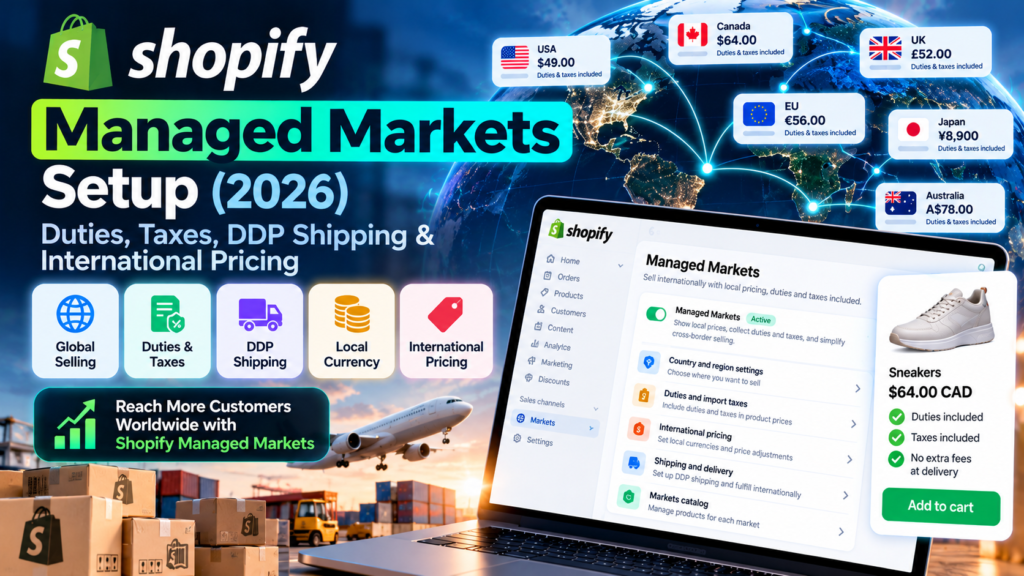
Updated October 15, 2026. Editorial note: This independent Vervecta guide is based on Shopify’s publicly available documentation. We have not activated Managed Markets inside a merchant’s account for this article. Interface labels, regional eligibility, carrier coverage and fees may change. Illustrative examples are clearly labeled and should not be mistaken for quotes, test results or tax advice.
If your Shopify store attracts visitors from other countries, the next problem is rarely just translation. A shopper wants to know the real delivered price: the amount in their currency, how much import duty applies, whether the parcel will be held at customs, and whether a courier will demand another payment at the door. Those questions make Shopify Managed Markets worth evaluating. But the service is not available to every merchant and it is not the same as Shopify Markets.
This Shopify Managed Markets setup guide for 2026 walks through eligibility, activation, merchant-of-record responsibilities, dynamic duty-inclusive prices, delivered-duty-paid (DDP) shipping, product classification, payouts, real-world budgeting, and a controlled launch plan. The priority is to help a business owner make an informed decision rather than treat one feature as a universal shortcut to international expansion.
Quick answer: Managed Markets is a Shopify international-selling service powered by Global-e. For eligible merchants, Global-e acts as merchant of record on covered international orders, handling specified tax, duty and customs responsibilities. Shopify Markets remains the underlying localization and market-management tool. Managed Markets adds duties, cross-border pricing, shipping and compliance capabilities for a transaction fee. Start in Shopify admin → Markets → Managed Markets, review your eligibility and the proposed changes, then activate only after checking your products, shipping and payout assumptions.
Shopify Managed Markets in 2026: What It Does and Who Needs It
Managed Markets is an additional way to sell internationally through a Shopify storefront. Your customers still browse your brand’s product pages and use your store’s checkout. Behind the transaction, Global-e becomes the merchant of record for applicable Managed Markets orders and manages parts of the cross-border transaction, including tax and duty remittance and customs obligations. Shopify says the service can support local payment methods, currency display, classification and eligible prepaid-duty shipping.
The distinction matters. Your business is still responsible for running the store, maintaining accurate product information, packing orders, customer support and returns activities assigned to you. Outsourcing merchant-of-record responsibilities is not outsourcing the entire customer experience. For a detailed description of the split, use the Shopify Managed Markets overview.
Shopify Managed Markets versus Shopify Markets: The Essential Difference
Shopify Markets provides international-selling controls, including market targeting, localized URLs, catalogs, currencies and content depending on your plan and configuration. You remain merchant of record and responsible for applicable legal, tax and customs requirements. Managed Markets builds on these controls and adds Global-e’s merchant-of-record arrangement to eligible cross-border orders. Activating Managed Markets does not mean every market, customer or product is automatically supported.
| Question | Shopify Markets without Managed Markets | Shopify Managed Markets |
|---|---|---|
| Who is generally merchant of record? | Your business | Global-e for covered cross-border orders |
| Tax registration and remittance | Your responsibility, subject to local rules | Certain covered destination responsibilities handled by Global-e |
| Duties at checkout | Can be configured with eligible duty tools | Duties are managed and guaranteed under supported configurations |
| Localized storefront | Available through Shopify Markets features | Uses the same storefront and market-management foundation |
| International shipping | You arrange compatible shipping and customs processes | Eligible Managed Markets services can provide prepaid-duty labels |
| Costs | Your plan, payments, shipping and optional services | Managed Markets per-order fee plus applicable payment/FX and shipping costs |
| Availability | Broad Shopify international-selling controls | Only certain eligible merchants and destinations |
Shopify’s official comparison is the reference for plan-specific and country-specific differences. Treat it as the definitive feature list when making an operational decision.
When Shopify Managed Markets Is a Good Fit
A practical candidate sells physical products that can legally cross borders, has clear country-of-origin data, fulfills from an eligible country, and sees avoidable friction when foreign customers reach checkout. Businesses that already face customs questions, high refusal rates or inconsistent localized pricing may benefit from testing a small number of destination markets.
Managed Markets may be less suitable when you sell subscriptions, unsupported goods, zero-value promotional orders, or business-to-business orders that require a different merchant-of-record process. It is also a poor reason to promise that every package will be delivered duty paid: the supported destination and shipping method determine what is available. Merchants without eligibility should use ordinary Shopify Markets features and seek appropriate tax and logistics guidance instead.
Shopify Managed Markets Eligibility: United States, Canada and United Kingdom
The first setup step is checking eligibility, not clicking Activate. Shopify’s documentation says the service is available to businesses based in the continental United States and certain eligible merchants based in Canada or the United Kingdom. It is not a worldwide program that any Shopify merchant can enable merely by changing their store country. Confirm the current requirements in Shopify’s eligibility documentation.
General Shopify Managed Markets Requirements
Shopify lists Shopify Payments, acceptable shipping arrangements, supported products, and accurate merchant information among the critical prerequisites. Its current guidance also specifies the home-country store currency and availability of product/store information in English. Always check the live eligibility screen, because existing store configurations can affect activation even when the business location otherwise qualifies.
Pre-activation checklist:
- Shopify Payments is activated and eligible for the store.
- Business location and fulfillment addresses meet the location-specific rules.
- Your store currency and required English-language product information comply with the documented requirements.
- Product categories do not fall under prohibited or restricted cross-border rules.
- Your warehouse can satisfy the selected carrier’s packing, labeling and handoff procedures.
- Country-of-origin values are accurate and product descriptions are sufficient for customs classification.
- You understand how fees, dynamic pricing and Global-e’s checkout disclosure change the customer journey.
US, Canadian and UK Store Rules
For US merchants, Shopify specifies a business in the continental United States, at least one non-PO-box US location, and at least one continental-US fulfillment location. US territories do not automatically satisfy this requirement.
For Canadian merchants, the business must be based in Canada and have a qualifying address and fulfillment location. If there are multiple Canadian fulfillment locations, Shopify says they must all be in the same province. Shopify also identifies tax-configuration requirements rather than allowing every manual tax setup.
For UK merchants, the business needs an eligible UK address and fulfillment location. Stores fulfilling from both Great Britain and Northern Ireland have a specific eligibility limitation. UK and Canadian merchants may need to accept a self-billing agreement during activation. These are requirements for the merchant’s base, not simply the shipping country.
Destination Eligibility Is Separate From Merchant Eligibility
A US seller can be eligible for Managed Markets while a particular destination, currency, product or shipment is not. Likewise, appearing on a list of supported buyer countries does not mean a local business in that country can activate the service. This is one of the most common misunderstandings in cross-border Shopify guides.
Use the destination coverage table in Shopify’s help center and run checkout previews for your priority markets. Reconfirm before each major expansion, because sanctions, customs rules, product prohibitions and carrier availability can change. Never use an unrelated business address or false entity information to bypass eligibility requirements.
How to Activate Shopify Managed Markets: Step-by-Step Setup
Shopify says activation takes effect immediately for the selected markets. Work from a prepared checklist and schedule a brief review of live checkout afterward. The following sequence is based on the activation guide; interface wording may vary as features roll out.
Step 1: Open Shopify Managed Markets in Your Admin
Sign in as the store owner or an authorized user. From Shopify admin, go to Markets → Managed Markets. If that option is missing, confirm your store’s location, Shopify Payments setup and supported account configuration rather than searching for an unofficial plugin. In some circumstances, eligibility messages or account-specific setup screens explain the next step.
Before proceeding, save a copy of your international shipping policies, current market list, price-adjustment rules and any custom tax logic. This lets your team compare before-and-after behavior and avoids guessing why customer-facing prices changed.
Step 2: Review the Global-e Merchant-of-Record Terms
Read the service terms and the changes displayed on the activation screen. Global-e’s name will appear in the checkout disclosure for applicable Managed Markets orders; the disclaimer is part of the merchant-of-record relationship and cannot simply be hidden with a theme edit. Customers must be able to understand who is legally selling to them.
Discuss the change with whoever handles accounting, customer support, refunds and fulfillment. A new merchant-of-record arrangement can alter reconciliation workflows even if the storefront looks nearly identical. Confirm where your staff should direct questions: Shopify says support requests relating to Managed Markets generally go through Shopify Support, not directly to Global-e.
Step 3: Review the Default Rest of World Market
The activation flow may propose a managed market called Rest of World. This is a starting point, not a recommendation to sell every product everywhere. Rename or narrow the market if you want to pilot only a few supported destinations. For example, choose two or three countries where you already receive buyer enquiries and can reliably ship.
Check conflicting catalog, currency or market rules before saving. If your store already has international catalogs or country-specific prices, document their interaction with the new Managed Markets configuration.
Step 4: Check Product Eligibility and Shipping Rates
The activation screen can provide product-eligibility information and the ability to review shipping-label rates. Look for unsupported or partially supported SKUs. Read their explanations; a product can be legal domestically and still be restricted in one destination. Large catalogs may take additional time to process.
Inspect available carriers, estimated transit times and the economics of shipping a single low-priced order. A shipping label can make a seemingly profitable sale uneconomic if dimensions, packaging or surcharges were underestimated. Download the available rate table for a baseline, but do not assume the CSV itself is an upload-and-edit interface.
Step 5: Activate and Verify the Customer Experience
Follow Shopify’s instructions, including Start selling internationally and saving the final market configuration. Once activated, visit product pages as a customer from each supported destination, review currency, duties-included language, checkout disclosures, phone-number requirements and available shipping methods. Do this before running paid traffic.
Important: A checkout preview is not an actual order, and a simulated shipping rate is not a completed carrier handoff. Test live fulfillment with a small, legitimate pilot where possible, then record the full order-to-delivery timeline.
Shopify Managed Markets Duties and Taxes: Dynamic Pricing Explained
The headline feature for many merchants is duty-inclusive product pricing. Managed Markets can automatically adjust prices by destination to include estimated duties, import taxes, the Managed Markets fee and currency conversion charges. This changes what customers see on a product page: instead of a low sticker price followed by an unexpected charge, the upfront localized price can be closer to the complete landed cost. Shopify states that duty inclusion is on by default when Managed Markets is activated. See the international pricing guide.
How Shopify Managed Markets Calculates Customer-Facing Prices
When dynamic duty and tax inclusion is on, Shopify adds destination-specific charges to the underlying product price and converts the total to the buyer’s currency. The displayed amount can also be rounded to locally attractive prices. Shopify notes that the rounding itself should not change the merchant’s payout under this feature.
The duties calculation is not a universal global percentage. Shopify explains that the starting estimate for a new store may be informed by similar merchants and product categories. Over time, country-specific estimates can reflect the store’s realized duties. A product qualifying for preferential duty treatment may look conservatively priced initially, so inspect the destination price rather than assuming a fixed markup.
| Pricing component | Who should check it? | Why it matters |
|---|---|---|
| Domestic base price | Merchandising/finance | Underlying selling economics |
| Duty and import-tax estimate | Operations/Shopify configuration | Varies by destination and classification |
| Managed Markets transaction fee | Finance | 3.5% or 3.25% on eligible plans as documented |
| FX conversion fee | Finance | Depends on Shopify Payments region and currency conversion |
| Shopify Payments processing | Finance | Charged separately according to plan/payment type |
| Local rounding | Merchandising | Changes displayed buyer price, not necessarily payout |
| Shipping | Fulfillment | May be separate at checkout or partly reflected in price under eligible flat-rate settings |
Turn Duty-Inclusive Pricing On or Off by Market
From Shopify admin → Markets, open the relevant managed market, find its Taxes and duties configuration, and look for Include duties and taxes in prices dynamically by region. Shopify documents this option under market customization. Save the change and preview at least one item for every priority destination.
Turning the feature off is not a cosmetic change. You become responsible for deciding whether duty and tax appear as checkout line items or are treated as included. The Managed Markets fee is no longer automatically added to prices in the same way, while applicable FX treatment can continue. A higher checkout total can affect conversion; a lower upfront price can be misleading if the buyer discovers more costs later.
Example: Understanding a $150 Domestic Product
Illustrative numbers, not a quote: Assume a product’s domestic price is $150, the estimated destination duty/import-tax allowance is $15, and a 3.5% Managed Markets fee and an assumed 1.5% FX factor apply. These costs can increase the customer-facing local-currency price before exchange conversion and rounding. Shopify’s own official pricing documentation uses a comparable calculation to demonstrate the sequence.
Do not copy this arithmetic into a fixed markup rule. Actual duties depend on destination, commodity, origin, value, trade agreements and the configuration available to your store. Shopify Payments fees vary too. The proper workflow is to preview the exact destination price using Shopify’s View as feature on a product and inspect real-order payout breakdowns after launch.
Guarantee Versus Estimate: Why the Wording Matters
Managed Markets’ guaranteed duty-and-tax program means the covered tax/duty amount assessed at the border can be handled without surprising the merchant or buyer with a later difference, subject to program terms. It does not mean every order is risk-free, every country is DDP-enabled, or that shipping charges, returns and operational mistakes cease to exist.
In some destinations or configurations, the shipment may need to use a delivered-duty-unpaid (DDU) path. Clearly label those exceptional cases. A promise such as “no fees on delivery worldwide” is too broad and can create support complaints.
International Fees and Payouts: What Orders Really Cost
The documented Managed Markets transaction fee is 3.5% for Basic, Grow and Advanced, or 3.25% for Shopify Plus. On top of that, the store has an applicable Shopify Payments processing fee and an FX conversion fee that varies by region. Shopify says Managed Markets itself has no monthly subscription charge and requires no fixed commitment period. Check Managed Markets with Shopify Payments for your circumstances.
Understand What the 3.5% Fee Actually Covers
The Managed Markets transaction fee should not be presented as your complete cost of selling overseas. Product cost, fulfillment labor, postage, packaging, payment processing, returns and marketing still affect profitability. Fees may be reflected in buyer prices when dynamic inclusion is enabled, but accounting should distinguish them from product revenue.
Shopify notes that taxes can apply to the Managed Markets fee depending on the merchant’s legal business address: for example, relevant VAT in the UK or provincial sales taxes in Canada. Review this treatment with your accountant. The arrangement does not eliminate domestic tax obligations or the need to keep business records.
Shopify Managed Markets Payout Reconciliation Checklist
For the first ten international orders, keep a reconciliation sheet with the order number, home-currency base price, destination, buyer currency, dynamic-price adjustment, shipping paid by buyer, label cost, payment fee, refunds and final payout. Match the numbers to the Shopify transaction view rather than relying on screenshots of the product page.
When dynamic duties and fees are included in buyer prices, Shopify explains that merchants’ payouts are calculated from underlying product and shipping values before these adaptations; Shopify Payments fees remain relevant. Verify the specific breakdown inside your account rather than assuming identical settlement across every market.
Worked Example: Compare Two Pricing Strategies
Illustrative merchant scenario: A store sells an item domestically for $80. In Market A, showing $80 and adding duty at checkout may preserve a low product-card price but create an unpleasant last-step surprise. Showing an adjusted duty-inclusive localized price upfront may reduce that surprise, even though the displayed product price is higher. In Market B, high shipping costs may be the bigger obstacle, so a merchant might test minimum-order thresholds or a different carrier instead.
Compare completion rate, contribution margin per completed order, refusal rate and customer-service contacts—not only click-through rates. A variant with more orders but weaker after-shipping profit is not automatically better.
DDP Shipping Setup: Carriers, Rates and Exceptions
DDP (Delivered Duty Paid) generally means applicable import duties and taxes are arranged before arrival, so the recipient is not surprised by a customs bill at delivery under the supported service. DDU (Delivered Duty Unpaid) means the recipient may be asked to pay import charges later. Managed Markets uses DDP in most supported destinations, but Shopify documents exceptions. Shipping method and destination must match the service actually booked.
Shopify Managed Markets Shipping Carriers and Service Options
Depending on where the merchant is based and the destination, supported services can include DHL Express, DHL eCommerce, FedEx and UPS. Do not advertise all carriers everywhere. Shopify’s shipping services page is the best source for the up-to-date list, and the actual label-purchase screen determines which services are available for an order.
For 2026 peak season, Shopify notes carrier surcharges around late September 2026 to early February 2027, with particular services sometimes benefiting from waived surcharges. This makes autumn shipping forecasts especially important for stores preparing holiday offers.
Review Carrier-Calculated Rates Before Your First Order
Open the Managed Markets shipping configuration and check delivery zones, rates, dimensional-weight effects, transit times and unsupported postal addresses. A small but bulky item can cost much more than its scale weight suggests. Pack three representative products and obtain practical dimensions before comparing services.
Shopify can provide a shipping-rate table in the admin. Use it to inspect rather than overwrite carrier configurations. Before you promise expedited delivery, verify whether the rate shown to the buyer can be fulfilled by the label you will actually purchase.
Understand Early-Access Managed Markets Flat Rates
Shopify documents an early-access option for certain merchants that offers flat international shipping rates, with part of the shipping cost potentially incorporated into product prices. This is not guaranteed to be available on every account. It also depends on duty-inclusive pricing being enabled for the market. See the shipping setup guide.
If this option appears, compare an inexpensive product, a heavy product and an order above the free-shipping threshold. Review what the customer pays and what your settlement retains. Do not combine an advertised shipping promise with a different label service that invalidates the rate guarantee.
Fulfillment SOP: From Paid Order to Delivered Parcel
A repeatable operating procedure helps reduce cross-border errors:
- Confirm the order is classified as a Managed Markets order and the destination supports the chosen service.
- Verify the recipient phone number, address, product description, quantity, declared origin and restricted-item status.
- Select a supported shipping label and check DDP/DDU designation before purchasing.
- Print the required label and commercial documents; do not substitute a generic domestic label.
- Record tracking and any handoff scan, then send clear customer updates.
- Handle customs queries promptly and keep a record of delivery exceptions.
- Reconcile label charges, refunds and returned parcels against the order.
This process remains necessary even though a partner takes specific duties and tax responsibilities.
HS Codes, Country of Origin and Restricted Products
Harmonized System (HS) codes classify goods for international trade. Managed Markets can assign or adjust HS codes to help route shipments and calculate duties. However, Shopify says merchants remain responsible for accurate country-of-origin information. A wrong origin can create a materially different duty result.
How Shopify Managed Markets Handles Product Classification
Check the product’s shipping information in Shopify admin and inspect the HS codes or classifications shown. The system may assign destination-specific information, but the absence of a visible code is not a signal that you should fabricate one. Use accurate product names, materials, composition and descriptions. When classification is uncertain, ask a qualified customs adviser rather than importing guesses from an AI assistant.
For products made with materials from several countries, country of origin is often not simply the warehouse location. Manufacturing processes and rules of origin can matter. Enter facts your team can substantiate with supplier documents.
Shopify Managed Markets Product Restrictions and Country Limits
A product may be supported for France but unsupported for another market. Prohibited and restricted categories and value thresholds vary by destination. The official restricted-items guide includes country-specific examples and product limitations; review it before launching a campaign, especially for regulated or sensitive categories.
If a SKU disappears from a local catalog, do not immediately edit the theme to force it back. Determine whether it was filtered because of compliance, inventory, market catalog rules or shipping constraints. An item is not “fixed” for customs purposes simply because it appears on a public storefront.
Product Data Audit Before Expansion
Create a high-priority list of SKUs that account for most international interest. Validate titles, descriptions, dimensions, material attributes, origin, HS data, shipment weight and restricted-ingredient information where relevant. Check variations individually; colors, fabric blends or bundles can be treated differently depending on the product. Save the supplier evidence in your internal records.
Avoid bulk changes until the first sample of products has passed checkout and shipping checks. A single incorrect attribute propagated to hundreds of SKUs is much harder to diagnose than a small pilot catalog.
Local Currencies and International Pricing That Customers Understand
Managed Markets can display local currencies and payment methods, but good localization extends beyond a currency symbol. Customers need to understand whether taxes are included, how long delivery takes, whether returns are accepted, and how refunds are processed. A translated product page with unclear landed cost remains a poor buying experience.
Set Market Prices Without Hiding the True Landed Cost
Use Shopify Markets and Managed Markets controls to decide which countries share a market and which need separate positioning. Set a domestic base price that supports product margin; let dynamic pricing reflect eligible fees and destination taxes when appropriate. Preview product cards, checkout totals and order confirmation from the buyer’s view.
Avoid combining incompatible manual currency rates with dynamic price inclusion. Shopify specifically notes that dynamic inclusion uses its supported stabilized local-currency conversion framework and cannot be combined with certain manual exchange-rate choices. Use documented catalog adjustments if you need targeted market pricing.
Link Shopify Managed Markets With Translate & Adapt
Localization is one reason to connect this guide to Vervecta’s earlier tutorial, Shopify Translate & Adapt: Auto-Sync, Languages and Multilingual SEO. Translate & Adapt helps merchants maintain multilingual storefront content, while Managed Markets addresses eligible cross-border payment, tax and shipping operations. Neither replaces the other.
Before adding paid traffic in Germany or France, check the translated delivery terms, return policy and product details against the original, not merely the SEO title. If the shipping expectation differs from what checkout shows, support tickets and disputed deliveries are predictable consequences.
Keep Legal and Return Pages Consistent Across Markets
Link to your actual shipping, returns, privacy and terms pages. Managed Markets can apply relevant EU cancellation and return arrangements, but Shopify states merchants remain responsible for responding to returns, purchasing return labels and handling return costs. For related store-policy workflows, see Vervecta’s Shopify Automated Store Policies guide.
Do not promise a legally universal return period. Requirements depend on destination, product category and service terms. For contractual or tax treatment beyond Shopify’s documentation, consult qualified local expertise.
Shopify Markets vs Managed Markets vs Self-Managed Cross-Border Selling
Choosing Managed Markets is an operating-model decision. Compare it with staying merchant of record using Shopify Markets plus your own customs, duty and tax setup. A large merchant with specialist tax staff may prefer direct control. A smaller eligible business may value the merchant-of-record structure, even if its transaction fee reduces price flexibility.
Decision Matrix for Three International-Selling Models
| Decision criterion | Shopify Markets, self-managed | Managed Markets | Separate enterprise provider/workflow |
|---|---|---|---|
| Merchant-of-record ownership | Your business | Global-e for covered orders | Depends on provider contract |
| Country tax registrations | Your responsibility under applicable rules | Some destination obligations managed by Global-e | Varies |
| Customs classification | Your operational responsibility | Assisted/managed for covered orders; accurate input still needed | Varies |
| Checkout customization | Per your store, plan and compliance | Includes mandatory merchant-of-record notice | Contract/technical integration dependent |
| Predictability of fee model | You assemble tax, payment and shipping costs | Published transaction fees plus applicable other costs | Negotiated terms |
| Ideal initial test | Existing international operations | Eligible merchant piloting new markets | Higher complexity or specific technical needs |
Avoid simplistic claims that one option is universally cheaper. Calculate contribution margin after all fees, shipping and refunds in at least three countries. A plan may perform well for lightweight accessories but poorly for heavy, low-margin goods.
When Not to Use Shopify Managed Markets
If your business is located outside eligible merchant countries, you cannot activate the feature simply because your customers live in supported countries. If your catalog contains restricted goods or your operations depend on subscriptions, B2B transactions, unsupported bundles or specialized fulfillment, review those restrictions first.
For merchants who remain merchant of record, Shopify supports other ways to configure duties and taxes: read its duties and taxes setup guide. Take separate advice on tax registrations and customs liabilities instead of assuming checkout collection alone transfers legal responsibility.
Realistic Managed Markets Examples for International Merchants
The following scenarios are hypothetical. They demonstrate useful decision-making, not verified customer results or guaranteed savings.
Scenario 1: A US Apparel Store Selling to France
A US clothing merchant already receives orders from France but gets questions about customs fees. Its first task is to verify Shopify Payments, US fulfillment, product material descriptions and French destination eligibility. It activates a limited managed market, previews buyer-facing duty-inclusive prices and ships a small batch of representative items using eligible labels.
The outcome to measure is not simply international revenue. The team compares delivery exceptions, buyer contacts about duties, fulfillment workload, gross margin and returns to its prior process. If the French localized product description promises delivery earlier than the carrier quote, the content must be corrected before scale-up.
Scenario 2: A Canadian Beauty Brand With Multiple Warehouses
A Canadian merchant has warehouses in different provinces and wants to use Managed Markets. Shopify’s Canadian eligibility requirements include rules for fulfillment locations and tax configuration. The business should review these before changing any customer-facing prices or signing an agreement. If it is ineligible, its next step is to adjust the international operating model—not invent an alternate business location.
If eligibility is resolved legitimately, it can pilot only products allowed in selected destinations and confirm how taxes on the Managed Markets fee apply at the legal business address. The finance team should document taxes, returns and payment settlement before advertising worldwide shipping.
Scenario 3: A UK Store Offering Expedited US Delivery
A UK merchant wants to advertise fast US shipping. It verifies eligibility, the permitted UK fulfillment configuration and available international shipping services. Because the exact carrier and service can differ by destination, the merchant bases delivery language on real options displayed in Shopify, including customs and peak-season lead time.
A promotion that discounts the product by 20% is not profitable if oversized boxes and return costs exceed the remaining contribution. The business compares full landed economics under the selected service and the local customer’s actual payable total.
Scenario 4: Heavy Home Goods With Low Margins
Imagine an item selling domestically for $95 but requiring an unusually large box. A duty-inclusive price may be understandable to the buyer, yet shipping and damage risk could dominate the economics. The merchant should run a packing and breakage audit, test carrier quotes, and consider whether the destination should be excluded or offered with a threshold.
The lesson: better duty transparency solves one source of friction but not every cost of exporting physical goods.
Scenario 5: A Store Launching Black Friday International Ads
Before spending on a November campaign, the team reviews selected markets, localized stock availability, peak-season surcharges, cutoff dates and return capacity. It uses Shopify campaign planning and translation workflows to keep checkout promises aligned with advertising. For seasonal scheduling, see Vervecta’s Shopify Rollouts tutorial.
A modest pilot budget and one clear fulfillment route are more informative than advertising every country with the same generic “free worldwide shipping” promise.
Troubleshooting: 14 Common Cross-Border Problems
1. Shopify Managed Markets Does Not Appear in the Admin
Confirm your business country, Shopify Payments eligibility and role permissions. The service is not globally available to merchants. Check the official requirements before assuming a browser issue. If a qualifying store still cannot access the feature, contact Shopify Support with your account details.
2. Activation Is Blocked by Store or Currency Requirements
Review the store’s legal location, default currency, fulfillment configuration and English-language catalog requirements. Do not change business information to false details. Ask support which specific eligibility rule is blocking activation.
3. Products Are Marked Unsupported or Partially Supported
Review the destination and product restriction explanation. Check material, ingredient, origin and HS information. A product may be allowed in one country but not another; a theme workaround cannot override customs restrictions.
4. International Product Prices Look Much Higher
Inspect the market’s Taxes and duties settings, destination-specific duty assumptions, applicable fees, currency conversion and price rounding. Compare the View as preview with your own spreadsheet. A higher price may contain costs previously added at checkout or delivery.
5. Duties Appear at Checkout Instead of in the Product Price
Confirm whether Include duties and taxes in prices dynamically by region is enabled for that market. Other configurations show duties as a checkout charge. Save and check with an eligible destination rather than interpreting domestic checkout behavior as an international test.
6. A Buyer Is Asked to Pay Duties on Delivery
Check whether the destination or shipment is using DDU rather than DDP and whether the correct eligible shipping label was purchased. Review the service selected, tracking and customs documents. Do not promise reimbursement automatically; investigate the order and contact Shopify Support under applicable terms.
7. A Shipping Rate Is Missing or Unexpectedly High
Validate shipping zones, weight, dimensions, postal code, carrier compatibility and the origin warehouse. Peak-season surcharges may affect the estimate. Check whether an early-access flat-rate feature is available before relying on it.
8. A Country or Currency Cannot Be Selected
A destination may be incompatible, unavailable for a product, or excluded from a market. Check the official coverage list and the store’s market configuration. Customer-country eligibility and merchant-country eligibility are separate rules.
9. Payouts Do Not Match Customer-Facing Prices
Dynamic international pricing can include duties, tax and fee adjustments that are not merchant revenue. Review order-level breakdowns and Shopify Payments fees. Reconcile the base order price, shipping amount, payment fee and label charges separately.
10. Refund Values Look Different After Exchange-Rate Changes
Shopify documents a 30-day guaranteed exchange-rate arrangement for certain refunds. Check the original payment date, refund timing and payout records. Outside applicable windows or terms, do not assume the same calculation applies.
11. A Customer Sees Global-e Mentioned at Checkout
That is expected for Managed Markets orders because Global-e acts as merchant of record. Explain it plainly in support materials instead of trying to hide the required legal notice.
12. A Subscription or B2B Order Cannot Use Managed Markets
Check the feature restrictions. Shopify documents limitations for subscriptions and B2B orders. Plan a separate compliant selling and fulfillment route rather than forcing the order through a consumer checkout workflow.
13. The Buyer Cannot See a Product in Their Market
Inspect inventory, market catalog, product eligibility and destination restrictions. Verify whether the same item is available to domestic customers and what the restriction message says. A translated page does not prove the item is legally importable.
14. EU Return Expectations Conflict With Your Store Policy
Review applicable Managed Markets EU withdrawal arrangements, your own return-handling commitments and customer-facing policy pages. Seek professional legal advice for category-specific issues, and make sure staff know who buys return labels and who responds to cancellation requests.
A 30-Day International Launch Plan
Days 1–5: Eligibility, Economics and Baseline
Confirm the official rules and decide whether the service fits your legal entity. Review the top ten exportable SKUs, gross margins, packaging dimensions, existing support tickets and international abandonment signals. Capture your current market and policy configuration. Create a simple financial model with payment, currency, shipping and refund assumptions.
Days 6–10: Activate a Small Number of Markets
If eligible, follow the Shopify activation workflow. Exclude unsuitable countries and unsupported products. Check checkout disclosure, duties-included text, local currency, shipping methods, customer phone collection and translation accuracy. Use a documented test checklist so you can repeat it after future updates.
Days 11–17: Fulfillment and Real-Order Validation
Fulfill a modest number of legitimate orders and track them end-to-end. Verify how shipping labels, commercial invoices, tracking, refunds and settlement appear in the admin. Keep the first ten international orders in a reconciliation sheet. Respond quickly to carrier exceptions.
Days 18–24: Improve Localization and Checkout Clarity
Refine product copy for the top destinations, verify legal pages and update delivery language. Use checkout analytics cautiously: a small sample is not enough for broad causal claims. Compare completed-order contribution margin alongside conversion and duty-related support questions.
Days 25–30: Make a Scale, Adjust or Pause Decision
Review fulfillment success, payment reconciliation, margin, return experience and demand by country. Expand only markets where the model is operationally reliable. Pause destinations with repeated exceptions and resolve root causes before increasing ad spending.
Frequently Asked Questions About Managed Markets (2026)
Is Shopify Managed Markets the Same as Shopify Markets?
No. Shopify Markets provides international storefront and market-management capabilities. Managed Markets adds a Global-e merchant-of-record model and related duties, customs, pricing and shipping functions for eligible cross-border orders.
Can a Merchant Outside the United States, Canada or UK Use Managed Markets?
Not by default. Shopify lists the continental United States and certain eligible Canadian and UK merchants. A buyer country supported for delivery does not make a merchant based there eligible. Check live requirements before planning activation.
Does Managed Markets Require Shopify Payments?
Yes. Shopify lists Shopify Payments as a requirement, and it processes Managed Markets transactions. Verify payments eligibility and supported settlement settings in your own admin.
What Is the Shopify Managed Markets Transaction Fee?
Shopify documents 3.5% for Basic, Grow and Advanced stores and 3.25% for Plus, with separate applicable Shopify Payments and currency-conversion costs. Fee taxes and operating costs can also matter.
Is There a Monthly Managed Markets Subscription?
Shopify says there is no separate monthly Managed Markets fee and no fixed commitment period. Your underlying Shopify subscription and applicable order-level costs still apply.
Do All Managed Markets Orders Ship DDP?
No. Most supported destinations use prepaid-duty shipping, but Shopify documents DDU exceptions. Confirm the country and actual label service before guaranteeing the delivery experience.
Who Is the Merchant of Record on Managed Markets Orders?
Global-e serves as merchant of record for covered international orders. Your domestic selling arrangement is separate, and you continue to manage operational responsibilities assigned to your business.
Does Managed Markets Automatically Register My Business for Taxes Everywhere?
No. Shopify explains that Global-e handles certain destination tax registrations and remittances as merchant of record for applicable orders. That does not remove your domestic tax, recordkeeping or unrelated business obligations.
Are Duties and Taxes Included in Product Prices by Default?
Shopify says dynamic duty-and-tax inclusion is enabled by default when you activate Managed Markets. You can review the market-level configuration under Taxes and duties and decide how costs should be displayed.
Can I Keep My Own International Prices?
Market and catalog pricing adjustments are possible, subject to the service’s rules. Certain manual currency-exchange-rate choices are incompatible with dynamic duty-inclusive pricing. Check the exact setting before saving.
What Are HS Codes, and Are They Automatic?
HS codes are customs classifications. Managed Markets can assign and adjust them, while merchants still need accurate product information and country-of-origin data. Review important SKUs and seek specialist advice where classification is unclear.
Can I Sell Any Product to Any Country?
No. Destination-specific product restrictions, prohibited-item rules and order-value limits apply. Shopify may hide an ineligible SKU for a destination. Check the official restricted-items guidance.
Does Managed Markets Support Subscriptions and B2B Orders?
Shopify documents limitations for subscriptions and B2B within Managed Markets. Set up an alternative compliant route for those transactions if they are central to your business model.
Can Canadian Stores Use Multiple Warehouses?
Specific requirements apply. Shopify says multiple Canadian fulfillment locations must be within the same province, alongside other business and tax requirements. Confirm before activation.
Are Shipping Rates Guaranteed?
Not universally. Some early-access Managed Markets flat-rate arrangements may guarantee a specified eligible shipping option, subject to conditions. Ordinary carrier rates and operational charges can vary. Check the actual label.
Can I Remove the Global-e Notice at Checkout?
No. Shopify says the notice is required for Managed Markets orders. To avoid that merchant-of-record arrangement in a market, you would need to deactivate Managed Markets there and handle the alternative responsibilities.
Who Handles a Lost Package or Return?
Your store remains responsible for important customer-service and returns processes. Carrier claims, refunds and policy obligations depend on the specific order and service. Shopify Support is the documented contact for Managed Markets questions.
Does Managed Markets Guarantee More Sales?
No. Clear local pricing and fewer duty surprises can improve the buying experience, but conversion depends on product demand, competitiveness, delivery speed, trust and many other factors. Measure outcomes instead of promising a fixed uplift.
How Do I Find My Managed Markets GUID for Fulfillment Partners?
In Shopify admin, open Markets → Managed Markets and find the globally unique identifier section. Shopify documents copying this GUID for supported third-party fulfillment integrations. Do not confuse it with a payment processor or merchant account ID.
What Should I Do Before Promoting a New Country?
Verify destination eligibility, product restrictions, local prices, language, return policy, carrier options and realistic delivery times. Test checkout and calculate full order margin. Expand only after successful fulfillment checks.
Final Checklist Before Going Live Internationally
- Confirm the merchant entity and fulfillment locations meet country-specific eligibility rules.
- Confirm Shopify Payments, store currency and required product information.
- Review products, origin data, HS classification and destination restrictions.
- Calculate the full landed-cost and payout model, not only the transaction fee.
- Understand Global-e’s merchant-of-record role and mandatory checkout disclosure.
- Start with a small, controlled set of eligible destination markets.
- Preview duty-inclusive product prices and compare checkout totals by destination.
- Verify DDP/DDU availability and buy only the intended supported shipping services.
- Update translated shipping, refund and customer-service copy to match real operations.
- Review first orders, payouts, label charges, returns and support questions.
- Expand only after confirming reliable delivery and contribution margin.
Conclusion: Build International Trust Before Scaling Traffic
Shopify Managed Markets can simplify difficult parts of international selling for eligible Shopify merchants by combining Global-e’s merchant-of-record services, localized checkout, duty and tax handling, and compatible prepaid-duty shipping. Its biggest value is not that every international rule disappears, but that more of the buyer’s real costs and obligations can be presented and managed predictably.
A responsible launch begins with eligibility, accurate product data, one manageable destination group and a shipping process you can execute. Dynamic prices should be checked against actual margin and buyer expectations. If the first orders reconcile correctly and arrive without avoidable surprises, expanding becomes a business decision supported by evidence rather than a guess.
For connected international growth tactics, explore Vervecta’s Shopify Translate & Adapt multilingual SEO guide, Shopify Sidekick checkout customization guide, and Shopify Knowledge Base setup guide. These address different pieces of the same buyer journey: discover the store, trust its policies, understand the final price, and complete a smooth checkout.
Official Shopify Documentation and Source Notes
This article uses Shopify’s own documentation as the factual basis for eligibility, features, fees and operating restrictions. Feature rollouts, market coverage and carrier terms may change; consult these pages when implementing the guide:
- Shopify Managed Markets overview — merchant of record, duties, fees and benefits.
- Requirements and considerations — US, Canada and UK eligibility, supported countries and limitations.
- Activate Managed Markets — activation workflow and changes made to the store.
- Setting up Managed Markets — configuration after activation.
- International pricing for Managed Markets — dynamic duty/tax inclusion and payout examples.
- Managed Markets with Shopify Payments — transaction fees, FX and payments.
- Setting up shipping — shipping rates and limited early-access features.
- Shipping services — carriers and peak-season considerations.
- Prohibited and restricted items — restricted destinations and product classes.
- Compare Markets and Managed Markets — model selection.
Disclosure: This is an independent educational article, not legal, tax, customs or financial advice. Merchant-specific decisions should be reviewed with the appropriate professionals and verified in the current Shopify administration interface.