
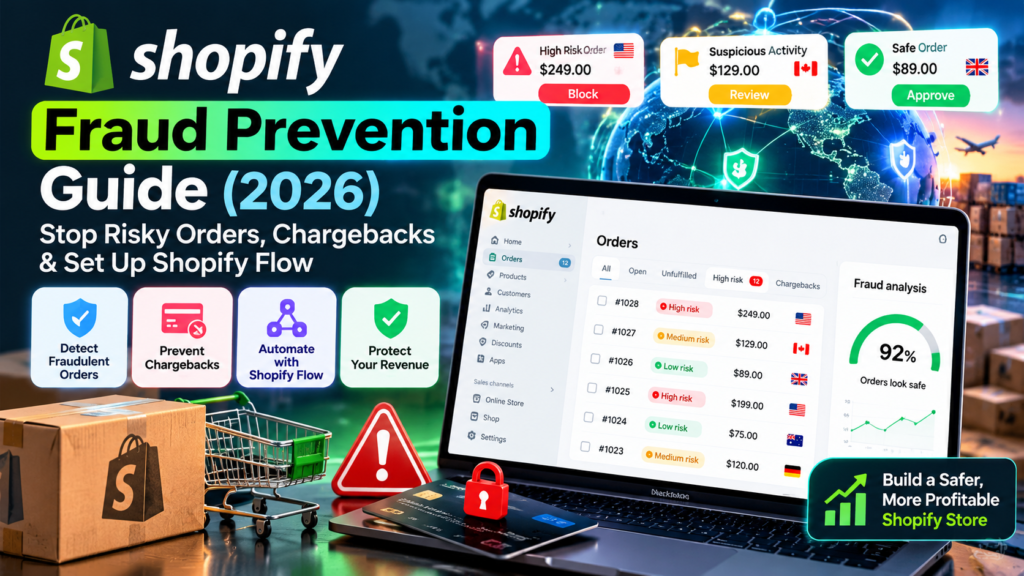
Updated October 15, 2026. Vervecta editorial note: This independent guide explains Shopify’s documented fraud-management tools, not a guaranteed way to eliminate fraud or chargebacks. Menu labels, feature eligibility, fees, and payment-provider rules can change. Confirm the settings available in your own store before enabling blocks, payment capture changes, or automated cancellations. Any order values or conversion calculations below are clearly hypothetical.
Key takeaway: Start with order-risk review and a tested Shopify Flow fulfillment hold; use Fraud Control checkout rules only when eligible and narrowly justified. Shopify Protect coverage depends on the individual order.
A Shopify order can look like a sale and still become a loss. You pay to acquire the customer, reserve inventory, package the product, and sometimes ship it internationally—then discover that the cardholder never authorized the payment. The resulting chargeback can remove the sale proceeds, add fees, consume support time, and put pressure on your payment-processing relationship. Yet the opposite mistake is costly too: blocking a legitimate shopper simply because they use a VPN, buy a gift, or ship to a different address.
Shopify fraud prevention works best as a layered operating process: interpret the order’s risk signals, apply proportionate review, use Shopify Flow to prevent premature fulfillment, configure Fraud Control checkout rules carefully, document payment disputes, and check Shopify Protect coverage on individual orders. No individual label, tool, or algorithm is a substitute for judgment.
This 2026 guide is for merchants, fulfillment managers, operations teams, and agencies. It provides a practical setup that starts with low-risk actions—visibility, tagging, and internal notifications—before considering blocks or cancellations. You will also find a chargeback-evidence checklist, a workflow test plan, metrics, policy examples, and answers to common questions.
Shopify fraud prevention: the quick answer
For most stores, start in Shopify Admin → Orders, open a flagged order, and inspect Order risk evaluation or About this order. Look at Shopify’s overall recommendation and the underlying indicators. If fulfillment is still pending and the case is suspicious, hold fulfillment for review rather than automatically treating the customer as a criminal. Next, add a Shopify Flow workflow that waits until Shopify’s risk assessment is ready, routes high-risk orders to your team, and records your decision. If you use Shopify Payments, consider Fraud Control checkout rules for narrowly defined, repeatedly observed patterns. Check each order’s Shopify Protect status separately, because coverage is conditional. Shopify’s official fraud-analysis guidance explains these distinctions.
| Tool | Main job | What it does not guarantee |
|---|---|---|
| Shopify Fraud Analysis | Shows fraud indicators and, for eligible transactions, a risk recommendation | Correct classification of every order |
| Shopify Flow | Automates tags, notifications, fulfillment holds, and other supported actions | A real-time decision before every payment or shipment |
| Fraud Control | Shows fraud metrics; Shopify Payments merchants can configure checkout-blocking rules | Chargeback insurance or a zero-fraud store |
| Shopify Protect | Offers qualifying coverage for selected eligible orders | Coverage of all payments, disputes, locations, or products |
| Chargeback response tools | Organize and submit available dispute evidence | A guaranteed win at the issuing bank |
The core principle: decide separately whether to accept payment, release goods, and dispute a chargeback. Those are different decisions, with different deadlines and risks.
What counts as fraud, and why Shopify merchants lose money
Unauthorized card use is different from an ordinary refund
A fraudulent purchase may use stolen payment credentials, an account taken over by someone else, or an unauthorized card transaction. A chargeback is a formal reversal requested through a payment network and decided by the card issuer or relevant bank. Some disputes genuinely involve fraud; others concern products not received, subscription expectations, duplicate billing, or a service disagreement. Therefore, a fraud-prevention program must also improve shipping transparency, customer communication, and dispute records. A standard customer refund is not the same event as a bank chargeback, and refunding after a dispute begins does not necessarily erase it.
Chargeback losses exceed the disputed price
The potential cost includes the original merchandise, shipping expense, transaction and dispute fees, handling time, unrecoverable acquisition spend, and the opportunity cost of stock that could have gone to another customer. For a physical product, the inventory may already be gone when the dispute appears. For a digital product, access may already have been granted. Consequently, the lowest-cost intervention is usually before irreversible fulfillment, not after the customer receives the goods.
Too many false positives also damage profitability
Over-aggressive blocking hurts legitimate customers, especially international shoppers, travelers, business buyers using corporate cards, and customers shipping gifts. A buyer’s billing and shipping addresses can legitimately differ; a new email address does not prove fraud; a large order can be normal during promotions. The aim is not the lowest possible number of accepted orders. It is the healthiest combination of legitimate accepted revenue, manageable disputes, low operational friction, and a fair customer experience.
Shopify Fraud Analysis: read the order risk correctly
Shopify fraud prevention: where to find order risk analysis
Open Orders, select an order, and find its Order risk or Fraud analysis area. Depending on Shopify’s current interface, you may see Order risk evaluation, About this order, or another provider-specific risk panel. Review the overall recommendation and any available indicators. If a third-party risk app also assessed the transaction, its findings may be shown separately. Shopify documents that some offline transactions, gift-card-only or zero-value purchases, POS transactions, subscription renewals, and other special order types may not receive a normal recommendation. An absent recommendation should not be interpreted as a low-risk verdict.
Understand high, medium, and low risk recommendations
Shopify’s overall recommendation is different from a list of individual signals. A high-risk order merits a careful pause and verification before dispatch. A medium-risk order calls for contextual review, especially if the value or shipping exposure is high. Low risk indicates a more favorable assessment, not immunity from disputes. Fraud analysis uses machine learning and available payment information; the exact signals can differ by gateway and order. Shopify says fraud indicators are available on Basic or higher, while fraud recommendations generally require Shopify Payments or the Grow plan or higher. See the official fraud-analysis eligibility notes.
What AVS, CVV, IP and device signals really mean
AVS compares parts of the billing address with card-issuer records; CVV checks information associated with the card. A mismatch can justify further attention, but it is not conclusive. Geolocation based on IP is approximate; mobile carriers, VPNs, and travel complicate interpretation. Multiple card attempts, unusually rapid checkout activity, and inconsistent contact details can be relevant in combination. Check the complete set of signals and Shopify’s recommendation rather than making a blanket decision from one red icon.
A workable manual-review checklist
For a suspicious order, record the order number and risk summary, compare shipping/billing details for plausibility, inspect the customer’s purchase history, and check for duplicate orders or repeated declined attempts if visible. Confirm stock, fulfillment status, payment capture state, and shipping deadlines. If clarification is genuinely necessary, contact the customer through the order’s recorded channel using a neutral message. Do not ask for full card numbers, CVV codes, passwords, identity documents, or sensitive details you do not need. Document the result and who approved release. More extensive verification may need legal and privacy review in your jurisdiction.
Shopify fraud prevention policy: set review thresholds before automation
Define four practical order outcomes
Create a concise internal policy with four outcomes: release, review, hold, and cancel/refund. Release means the order may proceed through your normal fulfillment process. Review means a team member checks inconsistencies. Hold pauses goods movement while you review. Cancel or refund is a controlled business decision taken when evidence and your policy support it. These labels are internal process choices, not an assertion that Shopify provides a native four-button fraud console.
Combine order risk with exposure and customer context
A $20 suspicious order and a $2,000 suspicious order may justify different effort even when their algorithmic scores match. Consider merchandise resale value, delivery irreversibility, order history, fulfillment lead time, and how quickly your warehouse acts. A useful operational matrix is: low risk—normal handling, medium risk—selective review, high risk—hold and manual review. For higher-value transactions, add a second human approver. These are suggested safeguards, not Shopify-prescribed risk thresholds or proof of customer wrongdoing.
Protect customers from unfair or unexplained blocks
Do not automatically reject entire countries, certain names, or all customers using unfamiliar technology. Evaluate whether a rule catches a repeatable fraud pattern, whether alternative explanations exist, and whether your terms and consumer-protection duties permit the action. Provide a route to customer support if a legitimate buyer gets blocked. Track false positives and appeals alongside chargebacks. Avoid discrimination and collect only the personal data necessary to handle the case.
How to set up Shopify Flow for fraud prevention in 2026
Shopify fraud prevention Step 1: install or open Shopify Flow
From Shopify Admin → Apps, open Shopify Flow if already installed, or find the Shopify Flow app in the Shopify App Store. Confirm your store’s plan and available actions. Begin with a duplicate-safe, reversible workflow; for example, adding a review tag and notifying a staff mailbox. Do not make automatic cancellations your first deployment. Identify your fulfillment owner and decide who can release holds before building the rule. Keep an internal record of each workflow’s purpose, owner, and change date.
Step 2: Choose the right risk-analysis trigger
In Flow, create a workflow and inspect the Order risk analyzed trigger. According to Shopify’s trigger documentation, it runs after Shopify completes its own risk assessment, not immediately when an order is created, and not for third-party-only risk assessments. This distinction matters if your warehouse fulfills orders instantly. As an alternative or complementary safeguard, examine Fulfillment order ready to fulfill, which is designed to run after risk assessment and when fulfillment can proceed. Trigger behavior and available fields should be confirmed in the editor for your shop.
Step 3: Add a precise high-risk condition
Use the available risk assessment/recommendation condition exposed by your Shopify Flow editor. Configure a branch for high risk, and an else branch for your ordinary order process. Verify the exact field name and possible values in the condition picker rather than copying an unverified variable from a blog post. If your store uses multiple risk providers, remember the Shopify risk trigger does not automatically represent third-party assessments. Where risk data is missing, route orders to a documented fallback instead of treating the missing value as ‘safe’.
Step 4: Tag, hold and notify without immediately canceling
Within the high-risk branch, use Add order tags, a supported Hold fulfillment order action, and an internal staff notification if those actions are available to your trigger. Example tag: fraud-review-required. Name the hold reason clearly, such as ‘Manual payment-risk review’. Shopify’s Hold fulfillment order documentation explains that the action places applicable fulfillment orders on hold; it does not reverse the customer’s payment. Test cases with multiple fulfillment locations to understand whether your chosen trigger holds every relevant fulfillment order or only a specific one.
Step 5: Keep review decisions human-controlled at first
A reviewer checks the order record, the payment situation, and any follow-up. They then record ‘release’ or ‘cancel/refund’ in an internal log, remove the relevant hold through the supported Shopify workflow, and maintain a clear audit trail. Choose an escalation owner for weekends or time-sensitive dispatch. During the first weeks, let the system stop or flag potentially harmful actions—but not automatically make irreversible customer decisions unless your testing demonstrates that this is justified.
Step 6: Test before enabling the live workflow
Shopify documents simulated low-, medium-, and high-risk test orders. For supported test environments, examples include shopify.test.high@shopify.com, shopify.test.medium@shopify.com, and shopify.test.low@shopify.com. A simulated order needs a value above zero and suitable test-mode/payment setup; Shopify Payments in test mode supports these simulated risk levels. The official testing instructions describe conditions. Never place a real unauthorized transaction to ‘test’ a security rule. Verify the tag, notification, hold, and release outcome in the workflow run history. Check an ordinary low-risk test as carefully as the high-risk test.
Step 7: Audit Shopify Flow execution after launch
Review Flow’s run history daily during your initial rollout. Look for runs that failed, duplicate notifications, missed orders, and timing problems caused by the risk-analysis delay. Confirm that paused orders are not shipped by external warehouse software and that manual releases clear the correct fulfillment order. If a workflow causes legitimate-order delays, disable or revise its condition. Use a weekly checklist to compare rule actions with the actual order outcomes; workflow success does not necessarily mean a financial loss was prevented.
Shopify Flow fraud workflow examples you can adapt
Workflow A: high-risk order goes to manual review
Trigger: Order risk analyzed. Condition: Shopify risk recommendation equals high. Actions: add the review tag, place fulfillment on hold when appropriate, notify operations, then leave final decisions to trained staff. Exception: if the transaction is already fulfilled, flag an urgent exception instead of assuming a hold can reverse shipment. Check each step in test mode before enabling the workflow. This is the most sensible initial automation for stores with a small team.
Workflow B: an order has a previous chargeback connection
Start with a Shopify Flow template such as Hold fulfillment orders for customers with chargebacks, where it is available. The official hold-action templates describe looking up prior disputes and holding fulfillment for review. This is a reason to investigate, not an automatic accusation: a previous dispute could have been a shipping or billing problem rather than fraud. Match records carefully and follow applicable privacy rules.
Workflow C: investigate rapid repeated orders
Use a supported Shopify Flow template for customers placing several orders in a short period, with an appropriate time window. A burst of orders may indicate account abuse or card testing, but a wholesale buyer or a customer trying to correct a checkout error might behave similarly. Start with an alert or hold, not a blanket cancel. Document exactly which field identifies repeated attempts; device and account identity can vary across sessions.
Workflow D: notify the finance team of a chargeback
Use a chargeback notification template where available. Route the notice to the dispute owner, capture the response deadline, and create a checklist for evidence. A finance alert does not submit evidence to the issuing bank or imply that Shopify Protect applies. Check the actual dispute record in Shopify Payments or your payment processor’s dashboard. Preserve records relevant to the dispute while respecting your retention obligations.
Shopify Fraud Control setup: dashboards and checkout rules
Install Fraud Control and read the dashboard
Fraud Control is a Shopify app with a dashboard covering metrics such as high-risk orders, chargebacks, and cancellations due to suspected fraud. Install it through the Shopify Fraud Control documentation and open Apps → Fraud Control. Shopify states the app is available on store plans in regions where Shopify Payments is supported, though some dashboard measures require Shopify Payments. Compare consistent date ranges and be cautious about very small samples.
Shopify fraud prevention with Fraud Control checkout rules
For merchants using Shopify Payments, Fraud Control can create conditions that block matching checkout attempts from turning into orders. Shopify’s documented examples include email, address attributes, and IP conditions. Go to Apps → Fraud Control → Rules → Create rule, configure precise conditions, review the impact, and save. Shopify notes that saved rules are automatically activated. A rule should be narrow enough to reflect a known repeated risk pattern and should be reviewed by the staff who handle blocked legitimate customers.
Avoid broad rules that hurt legitimate sales
It is usually unreasonable to block every international IP address, every forwarding address, or everyone ordering a costly item. Broad email-domain filters can block genuine buyers from new services. A privacy-safe manual review is often better for ambiguous signals. Before activating a rule, write down the suspected pattern, affected countries or customers, expected fraud prevented, and likely false-positive cost. Review blocked checkout data and customer complaints during the first days, then deactivate the rule quickly if it harms normal purchases.
Understand the difference between checkout blocks and fulfillment holds
A Fraud Control checkout rule acts before a matching checkout becomes an order; a Shopify Flow fulfillment hold usually acts after an order exists. One prevents specified checkout attempts; the other preserves time for manual review of existing orders. Combining them can be useful, but duplication is not automatically better. Measure how many genuine orders are rejected, and do not apply blocking criteria simply because the dashboard displays a high-risk percentage.
Manual payment capture: another useful decision point
What manual capture changes—and what it does not
Manual payment capture can allow a store to review a transaction after authorization and before collecting the funds, subject to the chosen payment method and processor. This can reduce the need to refund some problematic orders. However, payment authorizations expire, capture limits can vary, and a fraud hold is not the same as an authorization hold. Before using manual capture as a policy, confirm the capture window and staff coverage for every payment method you accept. A high-risk order can still generate a dispute even if the payment was authorized.
Coordinate capture, inventory, and fulfillment timelines
Write down which role reviews the order, which role captures payment, and which role releases goods. An order placed on Friday evening could miss a short authorization window if nobody reviews it until Tuesday. Reserve inventory only as long as justified, communicate any delay truthfully, and configure internal escalation. If you operate with a fulfillment partner, verify how holds are transmitted—an internal Shopify tag alone may not stop a third-party system from shipping.
Shopify Protect in 2026: eligibility, limits, and mistakes to avoid
Shopify Protect is not blanket fraud insurance
Shopify Protect covers qualifying fraudulent or unrecognized chargebacks on eligible protected orders, under the program’s terms. Shopify says merchants generally need to be located in the United States with a US Shopify Payments account; orders must meet Shop Pay and product requirements. Coverage depends on the individual order’s protection status, not just whether a merchant has enabled Shop Pay. See Shopify Protect eligibility.
Eligible products, payment methods, and fulfillment requirements
Shopify documents that coverage normally applies to shipped physical products processed through Shop Pay; orders including digital items or in-store pickup can be excluded. Shop Pay Installments orders are not eligible. For covered shipments, fulfillment must occur within seven days of placement and the carrier must mark the parcel in transit within ten days; valid tracking and supported carriers matter. Shopify lists special treatment for certain Managed Markets orders processed using Shopify Payments. Always consult the exact order status and current program terms rather than assuming an exception applies.
Changes to shipping address may void coverage
Shopify specifically warns that changing the order’s shipping address after checkout voids Shopify Protect coverage. Do not let support staff make such a change without checking the protection implications. Likewise, delayed tracking updates and unsupported fulfillment methods can remove protection. These are operational controls as much as anti-fraud controls: your warehouse and customer service teams must know them.
What to do when a protected order is disputed
If a qualifying fraudulent or unrecognized chargeback occurs on a protected order, Shopify describes a managed process and reimbursement of qualifying amounts and associated fees. Other dispute reasons and unprotected orders follow different rules. Read the chargebacks and Shopify Protect guide, verify the order’s status, and do not imply that all financial losses or non-fraud disputes are covered.
How to respond to Shopify chargebacks effectively
Step 1: classify the dispute and confirm the deadline
In Shopify Payments, inspect the dispute reason, order history, transaction dates, the disputed amount, and the response due date. Shopify says evidence deadlines commonly vary from 7 to 21 days, and the deadline shown in your admin controls. If your store uses a different payment provider, use that processor’s official dispute system. Do not wait for an email from your bank to decide whether a deadline exists. Shopify’s chargeback response guide explains the process.
Step 2: assemble relevant evidence, not a generic wall of text
For alleged unauthorized payment, useful records may include transaction verification results, relevant order history, customer communications, and delivery confirmation. For ‘product not received’, strong tracking and proof of delivery may be central. For product-quality or subscription disputes, use the description, policies, consent and service records that actually match the complaint. Organize the timeline so a reviewer understands what happened. Never manufacture a signature, tracking event, customer message, or verification signal.
Step 3: submit through the correct channel and preserve the record
Check the format and deadline in Shopify or your gateway. Shopify notes that evidence may be editable until submission deadlines, while early final submission can prevent further edits. Record what was submitted, when, and by whom. A winning dispute is not guaranteed; card issuers make the relevant decisions. Review lost cases after closure to identify poor checkout wording, weak address verification, missing delivery documentation, or an overly aggressive fulfillment policy.
Step 4: reduce friendly-fraud and ‘unrecognized’ disputes
Clear statement descriptors, recognizable business branding, accurate dispatch dates, responsive support, transparent subscriptions, and easy-to-find refund policies can reduce avoidable confusion. A customer who forgot the store name may contact their bank before contacting you. Make support links visible in transactional emails and your storefront. A good store policy setup supports prevention without implying the policy alone blocks financial disputes.
Shopify fraud prevention vs chargeback prevention: which tool solves what?
| Business problem | Best first response | Important limitation |
|---|---|---|
| Many suspicious orders | Risk review and a Flow alert/hold | False positives and timing |
| Repeated abusive checkout pattern | Narrow Fraud Control rule, if eligible | Requires Shopify Payments for checkout rules |
| Inaccurate dispatch decisions | Fulfillment hold and team approval | External warehouse integration may bypass tags |
| Cardholder claims an unauthorized charge | Appropriate dispute evidence, check Protect | Coverage is order-specific |
| Buyers report non-delivery | Tracking, communication, shipping process | Not every dispute is fraud |
| A legitimate buyer gets blocked | Review false positives and appeal process | Security controls can harm conversion |
Choose the smallest intervention that addresses the observed problem. Businesses that mostly lose ‘not received’ disputes may need better delivery evidence more urgently than additional fraud-detection apps. Businesses with card-testing bursts need different preventive tactics from stores with a few high-value suspicious orders.
Third-party fraud detection apps: evaluate before buying
When an additional tool may make sense
Specialist risk tools can be relevant for merchants with high transaction volume, multiple payment processors, complicated international traffic, or costly chargebacks that exceed what a small team can review. Evaluate apps against your store’s actual dispute mix. Ask what types of fraud they detect, what decisions they automate, which Shopify data they require, and whether they integrate with your checkout and fulfillment process. An impressive model score is not the same thing as reduced net losses.
What to compare in a fraud app procurement checklist
Request a clear explanation of the pricing basis: monthly fee, per-transaction charge, approved-order percentage, or the cost of any dispute guarantee. Review false-positive rates, supported regions, supported gateways, cancellation/refund behavior, data retention, and customer support. If a provider advertises chargeback protection, read the conditions, exclusions, proof requirements, and maximum reimbursement. Test it first on historical cases and a small controlled sample if the contract permits. Never represent hypothetical cost savings as verified performance.
Beware of overlapping decisions across apps
Two apps can label the same order differently or trigger conflicting actions. One might authorize fulfillment while another places a hold, or both may send duplicate messages. Assign one system as the final decision source and document when an exception requires human review. Audit app permissions and access to customer information. Remove abandoned integrations rather than allowing unnecessary access to checkout and order data indefinitely.
Measure whether Shopify fraud prevention is actually working
Shopify fraud prevention metrics to track every week
Track fraud chargeback rate, gross disputed value, fraud-related net loss, manual-review rate, and false-positive rate. Segment by card processor, payment method, geography, customer cohort, and date where enough data exists. Compare periods with similar volume and seasonality. A decline in chargebacks alone can be misleading if you also turned away a large portion of legitimate demand.
Example: calculate expected net fraud loss
Imagine a hypothetical store processes 2,000 orders in a month. It receives eight fraud-related chargebacks with an average order value of $120, and each incident adds a $15 dispute fee. If product and fulfillment loss averages $35 per case, the simple gross direct impact is 8 × ($120 + $15 + $35) = $1,360. This illustration ignores recovery, fees that may vary, and additional time costs. Its purpose is to show which inputs a merchant should measure—not to claim an industry average or forecast savings from any Shopify tool.
Example: check the cost of false positives
Assume a new checkout rule blocks 60 attempts and subsequent manual review suggests that 15 were legitimate purchases with $45 of contribution margin each. Potential forgone contribution is 15 × $45 = $675, before considering customer lifetime value. That hypothetical cost must be weighed against verified fraud losses prevented, not against the entire sales value of blocked checkouts. Use this reasoning to test rules and choose fewer, better-targeted restrictions.
Run a monthly controls review
Each month, compare the number of high-risk orders held, successfully verified, released, refunded, and disputed. Check whether weekends cause review delays. Confirm that existing Shopify Protect orders still meet tracking and fulfillment conditions. Retire checkout rules that are no longer supported by evidence, and improve customer communication where dispute patterns indicate confusion. Use consistent, documented measures rather than dashboard vanity metrics.
A 30-day Shopify fraud prevention rollout plan
Shopify fraud prevention week 1: establish a baseline and owner
Inspect the last one to three months of disputes and high-risk orders, accounting for small sample sizes. Write a short policy explaining when a reviewer should hold, verify, release, or refund. Assign a primary owner and backup, then ensure the team understands Shopify’s risk recommendations. Check which payment processors you use and whether Fraud Control rules or Protect are available. Do not buy software until you know what category of loss you are trying to reduce.
Week 2: configure Flow alerts and review holds
Install or open Flow, configure a high-risk notification and tag, and test a controlled hold. Validate separate low-, medium-, and high-risk test scenarios. Walk through the order from checkout to warehouse dispatch, particularly if an external app controls fulfillment. Document the steps for releasing a hold and how to escalate questionable orders. After verifying this workflow, enable it gradually.
Week 3: add targeted checkout controls only if justified
If Shopify Payments is enabled and repeat patterns justify it, create a narrowly scoped Fraud Control checkout rule. Track the number of blocks, support tickets and false positives, and be ready to disable the condition. Reassess your payment-capture settings, shipping address edits, and any Shopify Protect timing requirements. Do not launch broad country or demographic restrictions as a substitute for evidence.
Week 4: review chargebacks and calculate impact
Audit workflows, fulfillment delays, dispute notices, and customer experience. Update canned support responses, tracking emails, and policy clarity if customers are confused about transactions. Compare accepted legitimate revenue and fraud loss, then decide whether specialist software is warranted. Record every rule change so its effect can be evaluated in the following month. Security decisions should evolve with actual outcomes.
Troubleshooting Shopify fraud prevention: 14 common problems
Problem 1: Fraud Analysis shows no risk recommendation
First check payment method, order type, and eligibility. Shopify cannot provide a normal recommendation for every transaction. Look for payment-provider limitations and allow time for pending analysis. Missing data is not evidence that an order is safe; record an appropriate fallback review.
Problem 2: A high-risk order has already shipped
A fulfillment hold cannot reverse a parcel already handed to the carrier. Contact your operations lead and, where appropriate and legally permitted, ask the carrier about intercept options. Preserve payment and shipping records and review why fulfillment preceded assessment. Do not promise recovery.
Problem 3: Flow runs after the warehouse has acted
The Order risk analyzed trigger waits for risk assessment. Check whether your fulfillment integration dispatched too early. Evaluate the Fulfillment order ready to fulfill trigger, a dedicated hold process, or warehouse-side gating with a qualified integrator. Test the end-to-end timing, not just the workflow’s successful execution status.
Problem 4: Flow does not run for third-party fraud scores
The Shopify Order risk analyzed trigger reflects Shopify’s own assessment. A third-party provider might expose another trigger or integration. Consult that app’s documentation and do not assume Shopify Flow has received a signal it never processed.
Problem 5: Fulfillment holds do not affect all packages
Orders can split into multiple fulfillment orders and locations. Verify the specific Flow trigger and hold action configuration, then test a multi-location order. Check what the third-party warehouse receives. A tag is not necessarily an actionable shipping hold.
Problem 6: Fraud Control Rules are not visible
Checkout-blocking rules require Shopify Payments. Confirm gateway and regional availability as well as user permissions. Other payment providers may offer their own risk tools. Do not assume the dashboard and the blocking feature have identical eligibility.
Problem 7: Too many good customers are blocked
Suspend the broadest rule, audit blocked checkout patterns, and check support tickets. Replace blanket restrictions with narrower combinations of objective indicators where appropriate. Create a fair route for legitimate buyers to request help, and avoid unnecessary collection of private information.
Problem 8: A chargeback arrives after a refund
Review dates and transaction status. A refund and a dispute can cross in processing, and fees or reversal rules may still apply. Follow Shopify Payments or your provider’s official dispute instructions; do not submit duplicate refunds without confirming the ledger.
Problem 9: Shopify Protect does not appear on an order
Verify the merchant’s eligibility, Shop Pay use, product type, shipping requirements, and the actual order status. Coverage does not automatically extend to digital items, in-store pickup, or Shop Pay Installments. Shopify’s Protect checklist provides the most authoritative criteria.
Problem 10: Changing the address removed Shopify Protect coverage
Shopify warns that a post-checkout shipping address change voids coverage. Review the order timeline and the current program terms. Train support agents to flag protected orders before making address edits; do not represent the coverage as recoverable without Shopify confirmation.
Problem 11: A high-risk order remains on hold too long
Check who owns the review queue, whether notifications work, and whether the payment authorization can expire. Establish escalation times and communicate genuine delays. A long hold can create avoidable cancellations and payment issues even if the customer was legitimate.
Problem 12: The dispute evidence deadline is approaching
Open the exact due date shown by your provider and submit relevant records promptly. Avoid waiting for a perfect set of evidence. Confirm whether early submission locks edits, and save an internal copy. You cannot assume an extension will be granted.
Problem 13: Fraud metrics and accounting totals disagree
Fraud Control, the Orders page, and your bookkeeping system may differ in timing, refunds, attribution, and definitions. Record each metric’s date range, payment method, and calculation. Reconcile chargebacks against processor statements rather than assuming every dashboard percentage is directly comparable.
Problem 14: The team wants a single ‘AI fraud score’ to auto-cancel orders
A score is a risk signal, not proof of wrongdoing. Design a limited human-review workflow first, study false positives, and obtain the appropriate managerial approval for irreversible actions. Use automatic cancellation only with a well-tested, narrow policy and an appeal path.
FAQ: Shopify fraud prevention in 2026
Does Shopify automatically prevent fraudulent orders?
Shopify offers risk analysis and some pre-order protections, but no platform guarantees that all fraudulent transactions will be prevented. Merchant review, risk-based automation, and good fulfillment controls remain important.
How do I find high-risk orders in Shopify?
Go to Orders, look for risk warnings, open the relevant order, and inspect Order risk evaluation or About this order. Read the underlying indicators alongside the overall recommendation.
Is Shopify Fraud Analysis available on Basic?
Shopify says fraud indicators are available on Basic or higher; fraud recommendations generally require Shopify Payments or a qualifying higher plan. Order and processor eligibility still matters.
Is Shopify Flow free?
Shopify Flow availability and any pricing conditions depend on your plan and the current Shopify offering. Review the app’s listing and your store’s entitlements before implementing workflows. Never assume every feature is included for every merchant.
Can Shopify Flow automatically cancel fraudulent orders?
Shopify documents cancellation actions and high-risk templates, but automatic cancellation can reject legitimate customers and may have inventory or refund consequences. A hold-plus-review workflow is safer to pilot first.
Can Shopify Flow block an order before checkout?
Flow generally automates actions tied to supported Shopify events. Fraud Control checkout rules, where available for Shopify Payments merchants, are a different control that can block a matching checkout before an order is created.
Can Fraud Control prevent every chargeback?
No. Shopify explicitly states Fraud Control cannot guarantee against chargebacks. Rules address certain patterns; order disputes can have many causes beyond stolen cards.
Does Shopify Protect cover every Shop Pay purchase?
No. Merchants and orders must meet location, payment, product, protection-status, tracking and fulfillment requirements. Check the individual order’s coverage details.
Is Shopify Protect available outside the United States?
The standard Shopify Protect requirements documented by Shopify specify a United States merchant and United States Shopify Payments account. Check for current program-specific exceptions before assuming eligibility in another country.
Are digital products protected by Shopify Protect?
Shopify’s documented Protect program excludes orders containing digital products, including mixed physical-and-digital orders. Confirm the exact terms in your merchant account.
What is the difference between fraud risk and a chargeback?
Fraud risk is an assessment made before or around fulfillment. A chargeback is a later formal payment dispute process. A risky order may never become a chargeback, and a low-risk order may still be disputed.
Should I cancel every high-risk order immediately?
Not automatically. High-risk orders warrant review, but false positives exist. Consider holding fulfillment, checking the relevant evidence, and applying a consistent policy before a decision.
Does an AVS mismatch prove a stolen card?
No. Address mismatches can arise for legitimate reasons. Treat AVS as one signal among several, especially for international and gift orders.
What if fraud analysis is still pending?
Allow the analysis to complete where possible, refresh the order view, and avoid irreversible shipment until your review rules are satisfied. Shopify notes fraud evaluation can occasionally take additional time.
How long do I have to dispute a chargeback?
Deadlines depend on the case and payment provider. Shopify commonly describes windows of seven to 21 days; the deadline shown in the actual dispute record controls your response.
Can I use a third-party fraud app with Fraud Control?
Shopify says Fraud Control does not inherently conflict with other fraud apps, but you must still manage conflicting rules, overlapping decisions, app access, and review responsibilities.
Can I test Shopify fraud analysis without a real fraudulent card?
Yes, Shopify documents simulated risk recommendations using specific test values in supported payment-test configurations. Follow Shopify’s test instructions and use no real unauthorized payment credentials.
How do I measure whether a fraud app saves money?
Compare verified fraud losses and operational costs with genuine accepted revenue and false-positive losses. A lower chargeback rate alone does not tell the entire financial story.
Final Shopify fraud prevention checklist
- Review the store’s fraud-analysis eligibility and document payment methods.
- Confirm the operations team knows how to open and interpret order risk.
- Establish a review, hold, release and refund decision policy.
- Test Shopify Flow alerts and fulfillment holds using supported test orders.
- Coordinate internal holds with warehouses and shipping apps.
- Add narrow Fraud Control checkout rules only if your store is eligible and evidence supports them.
- Monitor false positives, manual-review backlog and unrecognized disputes.
- Confirm Shopify Protect status and tracking deadlines per order.
- Record chargeback deadlines and submit relevant evidence on time.
- Review the policy, reports and workflow history monthly.
Related Vervecta guides
Fraud prevention is strongest when aligned with clear checkout experiences, predictable policies, and reliable fulfillment. These independent Vervecta guides can support the surrounding work:
- Shopify Sidekick Checkout Customization (2026) — simplify the buyer’s payment and account journey without promising fraud-free checkout.
- Shopify Automated Store Policies (2026) — keep important return and shipping terms accurate.
- Shopify Knowledge Base Setup (2026) — make customer-facing policy answers clearer across AI shopping channels.
- Shopify Campaign Autopilot (2026) — coordinate campaigns with inventory and risk-review capacity.
- Shopify Rollouts Tutorial (2026) — plan changes with predictable implementation windows.
- How to Track ChatGPT Sales in Shopify (2026) — connect order analytics to channel attribution rather than assuming every new sale is equally profitable.
Official Shopify documentation and further reading
- Shopify Help Center — Reviewing orders with fraud analysis
- Shopify Help Center — Fraud Control app and checkout rules
- Shopify Flow — Order risk analyzed trigger
- Shopify Flow — Hold fulfillment order action
- Shopify Flow — Fulfillment order ready to fulfill
- Shopify Help Center — Shopify Protect eligibility and deadlines
- Shopify Help Center — Addressing chargebacks with Shopify Protect
- Shopify Help Center — Resolving chargebacks
Conclusion: safer orders without unnecessary friction
The best Shopify fraud prevention program does not depend on one app or a dramatic promise to stop every chargeback. It combines an understandable risk assessment, a reliable fulfillment hold, careful checkout rules, trained reviewers, clear communication, and disciplined dispute documentation. Start with visibility and reversible actions; use real store data to decide where stricter controls are justified. Treat Shopify Protect as conditional coverage, not blanket insurance, and keep the path open for genuine customers to complete their purchases. That’s how an e-commerce team can protect revenue while preserving trust.