
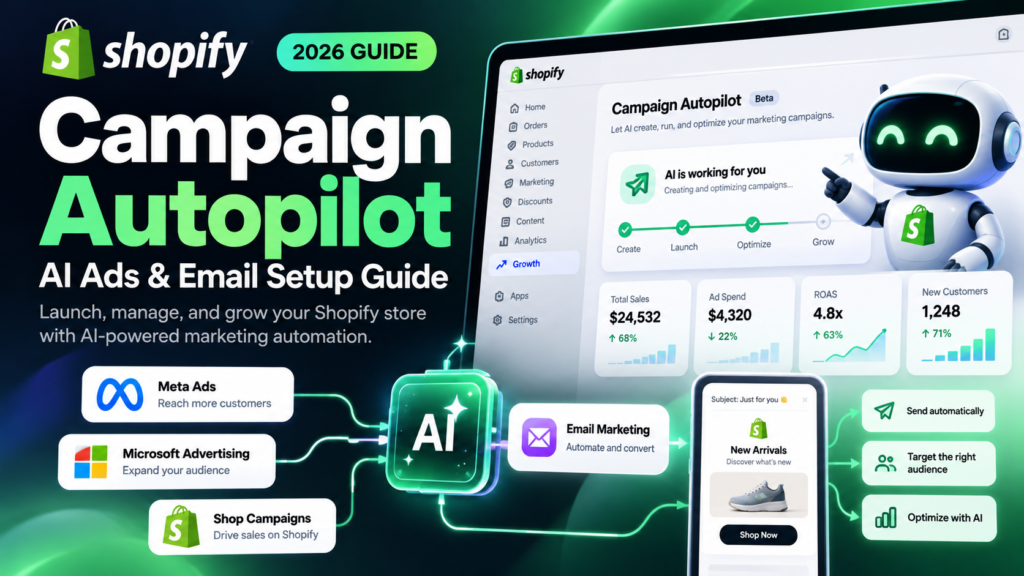
Updated October 15, 2026. Editorial disclosure: Vervecta is an independent publication and is not affiliated with Shopify, Meta, or Microsoft. This guide is based on official product and help documentation, not on access to an individual merchant’s live Autopilot dashboard. Interface labels, early-access eligibility, supported regions, and channel requirements can change. All budget and performance examples are illustrative, not actual campaign results or earnings promises.
A promising Shopify product is not enough to produce profitable growth. Someone must decide which customers to reach, how much to spend, when to send messages, and what to change if results disappoint. Shopify Campaign Autopilot is designed to reduce that workload by bringing AI-assisted marketing recommendations, campaign execution, and performance monitoring into the Shopify admin.
But setting it up is not simply pressing a button marked “automatic.” You must qualify for early access, connect the right channels, set a monthly spending limit, choose appropriate guardrails, review campaign suggestions, and confirm that customer communications and advertiser accounts meet the rules. A sensible setup protects margin and trust while giving automation enough room to learn.
This independent 2026 Shopify Campaign Autopilot setup guide explains exactly where to start, which channels work, how approval and billing operate, and what you should measure before increasing spend. It includes an eligibility checklist, step-by-step walkthroughs for Meta Ads, Microsoft Advertising, Shop Campaigns and Shopify Messaging, practical worked examples, troubleshooting, and a first-month launch plan.
Quick answer: If your store has access, open Shopify admin → Growth → Autopilot. Connect an eligible channel, set your monthly ad budget and guardrails, choose permissions, and review the recommended tactics in Pending actions. Approve only campaigns and automations that fit your business. Campaign Autopilot itself has no additional platform fee, but connected advertising and messaging can incur charges. Not all stores can use it yet.
What Is Shopify Campaign Autopilot in 2026?
Shopify Campaign Autopilot is an early-access AI-assisted marketing feature announced in June 2026. It uses information already present in an eligible Shopify store—its product catalog, customers, sales history, and connected marketing—to recommend tactics across supported channels. When approved, Autopilot can create and manage those tactics while reporting activity back in Shopify.
This is a different product from a standalone ad-writing chatbot. Campaign Autopilot is part of the Growth area of the Shopify admin, which replaced the old Marketing tab in June 2026. Its value is not merely the ability to draft advertising text: it connects store data, channel setup, budget controls, campaign recommendations, and measurement in one workflow.
Shopify Campaign Autopilot vs. manual advertising
With manual advertising, a merchant generally configures ad accounts, selects campaigns, decides budgets and audiences, checks platform reports, and revises the strategy. Autopilot can handle portions of setup and ongoing optimization, but it does not eliminate the merchant’s responsibilities for truthful product claims, privacy, pricing, profitability, or approval of proposed tactics.
Official Shopify documentation states that Autopilot creates its own marketing tactics rather than modifying campaigns you already run manually. That is helpful for a controlled test: your existing campaigns can serve as a separate comparison group, although attribution overlap and audience competition still require care.
What Campaign Autopilot does—and what it does not
It can: analyze store information; propose campaigns and email automations; connect supported channels; work within configured monthly spending and targeting guardrails; surface tactics for approval; and report activity and outcomes in Growth. Its Meta integration can synchronize eligible Shopify catalog products and set up tracking connections.
It cannot: guarantee revenue, return on ad spend, or a specific cost per acquisition; repair an uncompetitive offer automatically; make a noncompliant store eligible for ads; or replace human review of compliance and customer experience. Shopify says Autopilot uses your existing product images and catalog rather than automatically inventing new product photography. The exact creative assembled for a channel should still be reviewed.
For the wider context of AI-powered Shopify workflows, see Vervecta’s guide to connecting Shopify to ChatGPT. That is a different use case: store operations rather than advertising execution.
Shopify Campaign Autopilot Eligibility: Requirements Before Setup
Early access is the first requirement. As of October 2026, Campaign Autopilot has not been released to every Shopify merchant. An otherwise eligible store may have to request access and wait. The presence of Growth in your navigation does not by itself mean Autopilot is available.
According to Shopify’s current Help Center documentation, the store must also satisfy these conditions:
- Use an eligible Shopify subscription plan; the Agentic plan is excluded.
- Have Shopify Payments activated.
- Contain at least one product.
- Be publicly accessible rather than password-protected.
- Have shipping configured and accessible refund and shipping policies.
- Be in good standing with Shopify.
- Give the staff member configuring Autopilot the Marketing permission.
- Meet any additional requirements for the specific advertising channel, region, product category, or customer list.
Shopify periodically rechecks eligibility. A store that no longer meets the requirements may have active tactics stopped. Do not assume that switching on an eligible plan alone guarantees access or that an unsupported market can use every channel.
How to check whether your store has access
Sign in to your actual store’s Shopify admin, open Growth, and look for Autopilot. If it is available, follow the onboarding prompts. If you see an early-access request, complete that request and wait for Shopify’s confirmation. Do not install an unrelated third-party app or provide login credentials to a site claiming to bypass the queue.
If Shopify Payments is not available or cannot be activated for your business, that is a meaningful eligibility blocker. Consult Shopify’s supported-country and payment requirements before spending time on the other steps.
Checklist: get your store and customer journey ready
Before starting, audit the storefront as a buyer would. Open a best-selling product on mobile, confirm inventory and variants, inspect the final delivered price, calculate shipping, and complete a genuine test of the checkout flow using an appropriate testing method. Validate your return policy and support contact details. Ads amplify the state of your website; they do not fix broken landing pages.
Next, identify one commercially sensible product group. Select items that have sufficient stock, compelling images, accurate product descriptions, acceptable shipping times, and healthy contribution margin. Avoid launching advertisements for a product that will go out of stock tomorrow. If listing quality is weak, work through Vervecta’s Shopify AI product listing checklist first.
Finally, check your customer consent and data-handling practices. Marketing automation relies on subscriber and customer information; legal obligations vary by country and message type. Confirm that your Shopify privacy and consent settings, email subscription processes, and connected ad accounts meet applicable requirements before a campaign goes live.
How to Set Up Shopify Campaign Autopilot: Step by Step
This workflow follows Shopify’s official documentation. The interface might differ slightly as early-access features evolve. Work from the Growth → Autopilot page rather than relying on an older tutorial that points to Marketing.
Step 1: Open Shopify Campaign Autopilot in Growth
From your Shopify admin, select Growth → Autopilot. If Autopilot is not displayed, confirm that you are using the correct store, have the Marketing staff permission, and have actually been granted early access. Shopify’s official Campaign Autopilot page includes access information. Do not assume a hidden menu is a browser malfunction when a feature is restricted to a subset of merchants.
Step 2: Connect one appropriate marketing channel first
In the Channels section, select Connect next to the available channel you want to use. Follow the Shopify setup prompts, then finish external account authorization, advertiser verification, or payment setup if required. The connected channel should appear as active in Growth → Autopilot.
For a first test, choose a channel that matches your goal and data readiness. A merchant with a healthy opted-in subscriber base may start with Shopify Messaging; another with proven product-market fit may test Meta Ads. There is no universal best starting channel.
Step 3: Set a monthly advertising budget
Locate the Budget section and select Edit. Enter a monthly spending limit you can afford even if the campaign returns no incremental profit in its first learning period. Shopify describes the monthly budget as a maximum across connected paid advertising channels, not a promise to spend exactly that amount or a guaranteed profit target.
Keep the budget separate from your fixed business costs, product acquisition costs, taxes, shipping subsidies, and other cash commitments. Ad accounts may bill in their own currencies and on their own schedules; record that distinction in your bookkeeping.
Step 4: Configure campaign guardrails
Open Guardrails → Edit and review the available controls such as target return on ad spend, regions, and ad languages. Set geography to markets where you can legally and reliably deliver orders. Use languages you can support through actual product pages, customer service, and policies. Set a performance target based on your economics rather than choosing a spectacular number because it looks attractive.
Guardrails are restrictions and preferences, not guarantees. A specified ROAS target does not ensure Shopify will achieve it or that all reporting views will use the same attribution method.
Step 5: Review permissions and required approvals
In Permissions → Edit, choose how much authority Autopilot has when creating campaigns or email tactics. Shopify’s setup interface documents approval options; the Help Center also describes reviewing tactics in Pending actions before they run. For a first rollout, choose the stricter review path wherever offered and confirm the exact approval behavior shown in your account.
You should always inspect proposed audience, claims, budget, schedule, destination URL, creative, and customer message before letting a new tactic run. Set a weekly owner for approvals; unreviewed pending tactics do not create value.
Step 6: Evaluate the recommended growth strategy
Once at least one channel is connected and guardrails are configured, Autopilot analyzes your store and builds a recommended strategy. Navigate to Pending actions, open a proposed tactic, and review its channel, audience, budget, offer, and schedule. Approve only if the tactic makes commercial and legal sense; otherwise choose Dismiss or revise the surrounding settings.
A tactic is an individual recommended action, not an entire guarantee of a successful marketing strategy. Shopify labels tactics by their status, including pending and active, so distinguish recommendations from running campaigns when reading reports.
Step 7: Monitor outcomes and change course deliberately
Check Growth → Autopilot → Activity, then open active tactics for available outcome details, which can include reach, sessions, orders, and sales. Cross-check the detailed platform report and Shopify order economics before deciding to raise spending. Resist the urge to rewrite every setting after one or two days of noisy results.
If you need to stop one tactic, open that active tactic and use Stop. To halt all connected Autopilot activity, Shopify documents Autopilot configuration → More actions → Pause all channels. Be careful: pausing all channels can stop active ads and cancel scheduled email automations. Record what must be resumed afterward.
Shopify Campaign Autopilot Channels Compared
Autopilot supports different channel types. Their billing models, available markets, account requirements, optimization logic, and customer audiences are not interchangeable. The table below is a practical starting comparison, not a complete list of eligibility rules.
| Channel | Core use | Account or app | Billing consideration | Best first check |
|---|---|---|---|---|
| Meta Ads | Product discovery and paid social reach | Meta Business account and ad authorization | Meta bills ad spend directly | Catalog quality and Meta payment method |
| Microsoft Advertising | Ads across Microsoft’s network | Microsoft Advertising account | Microsoft bills spend directly | Supported region and verification |
| Shop Campaigns | Customer acquisition through Shop ecosystem | Shop Campaigns eligibility | Shop Campaigns offer and acquisition pricing | Region, offer, acquisition cost |
| Shopify Messaging | Retention and email automations | Shopify Messaging app | Email/message charges under applicable terms | Subscriber consent and duplicate workflows |
Meta Ads: Facebook and Instagram customer acquisition
Autopilot’s Meta integration can connect to an eligible Meta Business account, synchronize eligible products to a separate catalog path, and configure purchase-event tracking through Meta’s Conversions API. Meta Advantage+ is the campaign family described in Shopify’s help documentation.
To connect it, open Growth → Autopilot → Channels → Meta Ads → Connect, then authorize the business and ad account shown. Complete Meta’s billing and advertiser requirements. Shopify’s documentation notes that Autopilot’s Meta campaigns remain separate from your existing manual campaigns; product changes should be made in Shopify because subsequent catalog synchronization can overwrite edits made directly in Meta.
Before approval, verify the target countries, promoted products, images, advertising claims, landing pages, exclusions, and budget. After launch, use Meta Ads Manager for detailed impressions, clicks, spend, and campaign status, and Shopify for merchant-side orders and sales. Expect discrepancies due to different attribution methodologies rather than assuming one system is always wrong.
Microsoft Advertising: Performance Max campaigns
Microsoft Advertising was added to Campaign Autopilot in August 2026, according to Shopify’s product changelog. Shopify’s current help documentation covers Microsoft Performance Max campaigns. The channel is available in regions where Microsoft Advertising operates, subject to overall Autopilot eligibility and Microsoft account requirements.
From Growth → Autopilot, connect Microsoft Advertising and follow the prompts to use or create the relevant account. Complete payment setup, advertiser verification, and any domain checks demanded by Microsoft. Shopify also requires an acknowledgment concerning Microsoft Advertising’s political-advertising restrictions during connection.
Once connected, review the proposed Microsoft tactic in Pending actions before approval. Use Microsoft Advertising’s own reporting for detailed ad metrics and billing. Editing an Autopilot-managed campaign manually inside Microsoft may be overwritten on a later update. The safer workflow is to manage supported settings through Autopilot when possible.
Shop Campaigns: acquisition through the Shop ecosystem
Shop Campaigns focuses on acquiring customers with offers through the Shop ecosystem and supported placements. Eligibility is not global: Shopify has identified US and Canadian availability for Shop Campaigns in its launch communication, and merchants must check the current Shop Campaigns requirements for their location and offer type.
Connect Shop Campaigns if your store qualifies. Review Autopilot’s proposed audience, acquisition offer, budget, and schedule. Think beyond the visible ad cost. A generous introductory offer may attract new shoppers but reduce first-order contribution margin; that trade-off can be acceptable only if you have a defensible plan for repeat purchases and customer retention.
The broader Shop Campaigns program can surface offers through third-party placements, but availability and specific routing may change. Do not describe every Shop placement or the separately announced ChatGPT Ads channel as universally enabled within Autopilot. Confirm what your own channel dashboard actually offers before making campaign promises.
Shopify Messaging: automated email and lifecycle marketing
Shopify Messaging is the email and messaging component of the setup, not an ad account. It can support welcome messages, abandoned checkout reminders, customer follow-ups, and one-time campaigns depending on the available tactic and subscriber requirements. You must install and configure Shopify Messaging to use the associated Autopilot email tactics.
A major operational risk is duplicate automation. If an abandoned-checkout sequence already runs in Shopify Messaging or another app, approving a second sequence can cause the same customer to receive overlapping messages. Audit your existing flows first, compare triggers and segments, then pause the redundant automation or dismiss the proposed tactic.
Shopify says Autopilot-created emails and automations can be identified by an Autopilot label in Messaging. You can review available email outcomes such as clicks and conversions within Shopify Messaging reporting. Check unsubscribe behavior, marketing permissions, brand tone, accessibility, and regional compliance before sending anything.
For related workflow ideas, Vervecta’s AI CRM software comparison explains the broader customer-data landscape; an external CRM is not required merely to try Campaign Autopilot.
How Much Does Shopify Campaign Autopilot Cost?
Shopify does not charge a separate Campaign Autopilot software fee, according to its 2026 documentation. That does not mean the marketing activities it manages are free. Merchants remain responsible for their Shopify subscription, advertising charges, eligible Shop Campaigns costs, and any billable messages under Shopify Messaging’s current terms.
- Meta Ads: Meta handles ad spend billing directly in the relevant Meta account.
- Microsoft Advertising: Microsoft bills its advertising spend directly.
- Shop Campaigns: Charges follow that program’s offer and acquisition settings.
- Shopify Messaging: Email and message charges depend on the applicable messaging terms and usage.
Always inspect payment methods, billing thresholds, taxes, currencies, and fee statements on each connected platform. A centralized Shopify interface is not necessarily a centralized invoice.
Example: a hypothetical $900 monthly advertising budget
Imagine a merchant sets a $900 monthly paid-ad budget for testing across connected channels. This is a hypothetical management limit, not a prediction of Shopify’s suggested spend or allocation.
| Metric | Illustrative amount | Meaning |
|---|---|---|
| Monthly paid-ad budget | $900 | Upper limit selected by merchant |
| Revenue attributed to ads | $2,700 | Example attributed revenue, not total profit |
| ROAS | 3.0x | $2,700 ÷ $900 |
| Product, shipping and payment costs | $1,620 | Assumed direct costs associated with the orders |
| Contribution after ad spend | $180 | $2,700 − $1,620 − $900, before other expenses |
A three-times ROAS can look impressive yet leave only a modest contribution after direct costs. Returns, discounts, taxes, software, staff time, and attribution overlap can further reduce true profit. The right number is therefore contribution margin, not just the ROAS number in a dashboard.
Calculate break-even ROAS before setting a target
If your contribution margin before advertising is 40%, the simple break-even ROAS on an otherwise perfectly attributed first purchase is 1 ÷ 0.40 = 2.5x. For a 25% margin, the equivalent is 4.0x. This simplified model ignores additional fixed costs and customer lifetime value, but it gives your target a financial foundation.
For acquisition campaigns, you may also monitor CAC, or customer acquisition cost: the advertising amount assigned to acquiring a new customer divided by the number of genuinely new customers acquired. Compare CAC with first-order contribution and responsibly estimated customer lifetime value. Avoid combining returning-customer orders and brand-search conversions in a way that flatters acquisition performance.
Budget Guardrails That Protect a Small Shopify Store
Autopilot can optimize toward objectives, but your business decides which customers and costs are acceptable. Treat guardrails as a written marketing policy translated into settings.
Set location and language based on delivery reality
Advertise only where products can be delivered legally, reliably, and economically. If shipping to another country takes three weeks and costs more than the item, an AI-generated campaign attracting those customers may damage trust. Include target-country languages only when your storefront, checkout, customer support, and transactional information can serve buyers appropriately.
Choose an approval process that matches your risk
Use stronger manual review for new brands, regulated categories, higher budgets, or limited inventory. Review both the offer and operational implications: a product might be technically eligible for marketing while having an inaccurate image, an expired discount, or a misleading delivery promise.
Do not optimize by the most flattering metric
Paid social may generate impressions and low-cost clicks without enough profitable orders. Email can generate attractive revenue attribution while reaching people who would have bought anyway. Determine what success means before launch: new-customer contribution, repeat-order rate, revenue quality, unsubscribes, or the recovery of abandoned checkouts.
Control overlapping campaigns and promotional calendars
Autopilot’s paid campaigns may be separate from your manual campaigns, yet they can still reach similar shoppers. Document active promotion dates and product exclusions. Watch for inventory depletion and promotions that undercut your existing offers. If two campaigns promote one item in the same market, assess blended acquisition cost rather than celebrating both platform dashboards independently.
Build Effective AI Email Automations With Shopify Messaging
An automated email can be valuable because it reaches a customer at a meaningful stage of their journey. But consent, frequency, timing, personalization, and usefulness matter more than merely sending more messages.
Welcome series: start with a useful promise
For a new opted-in subscriber, a welcome message should set expectations, introduce your differentiator, and lead to a clear, relevant next action. Avoid invented urgency or discounts that are not actually valid. A simple brand story and one curated collection often provide a better first impression than a catalog dump.
Editorial example (not a live Autopilot template): Subject: “Your next favorite everyday essential starts here.” Preview: “Meet our best-selling pieces and find the right fit.” Body: a concise statement of value, three relevant product choices, and a straightforward contact link.
Abandoned checkout: remove uncertainty, not create pressure
A useful abandoned-checkout reminder answers common buyer hesitations: Is shipping clear? Can the item be returned? Is the size right? Is customer support available? Do not claim that a cart is about to expire unless that is true. Also consider whether another abandoned-cart or checkout sequence already exists; duplicate messages can undermine your brand.
Post-purchase and win-back: respect the customer’s stage
A customer who purchased yesterday may want delivery guidance rather than another immediate sales promotion. A well-timed post-purchase message can reduce support questions, explain care instructions, and request feedback without pressuring the buyer. Win-back messages should use reasonable timing and should not overstate exclusivity or discounts.
Review the metrics that matter
Monitor email click-through rates, downstream conversions, revenue per send, unsubscribe activity, and complaints when the relevant data is available. Open rates can be less reliable as a primary success measure because privacy features can affect them. Compare outcomes by segment and message purpose rather than expecting one benchmark to apply to every industry.
Measure Shopify Campaign Autopilot Performance Accurately
Successful automation is not the number of tactics running. It is the amount of incremental profitable business produced with acceptable customer experience and operational effort. Shopify’s Autopilot dashboard provides activity history and available tactic-level metrics. Ads platforms provide their own detailed reports. Those views can disagree because they measure different things.
Shopify Campaign Autopilot metrics: what to inspect each week
Track sessions, attributed orders, sales, spending, and—where available—cost per acquisition. Then connect those numbers to fulfillment, refunds, variable margins, and repeat purchases. Note which tactics started or stopped before comparing periods. For high-ticket or slow-decision products, short reporting windows can understate performance; for low-margin products, topline revenue can overstate success.
A practical weekly scorecard has six questions: How much was spent? How much revenue is attributed? How many new customers were acquired? How much contribution remains after variable costs? Were any customers harmed by duplicate or inappropriate messages? Which action will we take next and why?
Why Meta, Microsoft and Shopify numbers can differ
Attribution windows, identity matching, consent settings, click-versus-view credit, conversion APIs, return timing, and time zones vary across platforms. A shopper might see a Meta ad, search the brand on Microsoft, receive an email, and then purchase directly. Several reports may claim credit for the same order.
Use order counts and revenue within Shopify as an operational reference point while understanding that attribution labels still require interpretation. Use the platform dashboards to diagnose delivery, creatives, reach, placement, and spend. Never add together each platform’s attributed revenue and call it net-new total sales without de-duplication.
Make UTM conventions consistent
When you also run manual campaigns, use clear UTM naming conventions to distinguish platforms and campaigns. For example, manual links might use parameters such as utm_source=meta, utm_medium=paid_social, and a clearly named utm_campaign. Do not add arbitrary parameters to a tool-managed link if the integration already controls its URLs. Confirm which data Shopify’s Autopilot actually exposes before building custom analytics around it.
If you are exploring AI-driven sales attribution outside ad campaigns, see Vervecta’s independent tutorial on tracking ChatGPT sales in Shopify. ChatGPT shopping referrals and Campaign Autopilot advertising are related but distinct tracking problems.
When to increase, reduce or pause spending
Before scaling, look for a representative number of qualified transactions, stable tracking, healthy stock, and margin that remains positive after ad costs. Increase budgets deliberately and record the change. If a tactic creates low-quality traffic, repeated refunds, excessive acquisition cost, or customer complaints, pause or reduce exposure and fix the underlying issue before resuming.
A short-term underperformance does not automatically mean AI is broken. Equally, a promising first day is not proof that the system has found an enduring winning strategy. Maintain a simple decision log with dates, changes, reasons, and observed outcomes.
Realistic Campaign Autopilot Use Cases for Different Merchants
New Shopify brand with a small product catalog
A new merchant has a short catalog, limited sales history, and a constrained marketing budget. The safest first step is to check eligibility and data quality, connect one channel, use strict approval settings, and favor a small learning budget. The first objective may be identifying which products and landing pages resonate, not instantly reaching a target ROAS.
Established store with consistent Meta advertising
An established merchant already runs profitable manual Meta campaigns. Rather than replacing them, the team can test Autopilot-managed campaigns as a separate controlled stream while checking overlap and blended business results. Shopify’s documented separation of Autopilot campaigns helps operationally, but does not make incrementality measurement automatic.
Subscription or repeat-purchase business
A brand with legitimate, opted-in subscribers may initially see more leverage from carefully segmented welcome or replenishment messaging than from another prospecting campaign. Start with Shopify Messaging if eligible, audit existing flows, and measure actual customer value, not inflated attributed sales.
International store with several fulfillment markets
A merchant shipping to multiple countries should choose supported channel regions, segment markets based on delivery economics, and align language with localized storefront content. A campaign that acquires a customer in a market you cannot fulfill reliably is not a success. Microsoft and Meta eligibility and creative rules should be confirmed separately.
Shopify Campaign Autopilot vs. Other Marketing Tools
Autopilot is not automatically the best choice for every marketing department. The key distinction is the work you want to control.
| Option | Strength | Trade-off |
|---|---|---|
| Shopify Campaign Autopilot | Shopify-native recommendations and multi-channel tactics | Early-access requirements, limited supported channel scope |
| Manual Meta or Microsoft campaigns | Detailed direct advertiser controls | More hands-on management and coordination |
| Shopify Messaging without Autopilot | Direct control of email campaigns and flows | You design, launch and maintain the automation yourself |
| Dedicated email/CRM software | Specialized segmentation and complex lifecycle programs | Additional integrations, billing, and data governance |
| Agency or freelancer | Human strategy, creative and channel expertise | Recurring cost and varying service quality |
Businesses with complicated B2B funnels, advanced legal review, highly customized campaigns, or specialized lifecycle requirements may still prefer manual controls or dedicated software. Shopify’s campaign management guidance explains how merchants can continue managing marketing outside Autopilot.
For workflow platform comparisons, read Vervecta’s Zapier vs. Make vs. n8n guide. Such tools may help connect surrounding business processes; they are not substitutes for eligible advertiser accounts or an approved Campaign Autopilot invitation.
Troubleshooting Shopify Campaign Autopilot: 12 Common Problems
Problem 1: Campaign Autopilot is missing from Growth
Confirm the feature’s early-access status and whether your store has received access. Check that you are on the correct store, that the admin navigation says Growth, and that your staff profile has Marketing permission. If no access was granted, request it through Shopify’s official page; a refresh cannot override eligibility.
Problem 2: My Shopify store is marked ineligible
Review the required plan, Shopify Payments activation, active product, public storefront, shipping settings, published refund and shipping policies, account standing, and staff permission. Check any additional region and channel restrictions. If the requirements are satisfied but the status remains unclear, contact Shopify Support with the specific reason shown in your admin.
Problem 3: A marketing channel will not connect
Check that the external account belongs to the intended business and that the person connecting it has authorization. Complete advertiser verification, payment setup, permissions, or platform-policy acknowledgments in the relevant external service. If the connection fails only on Meta or Microsoft, inspect that platform’s account status too.
Problem 4: Meta product images or listings are missing
Confirm that the products are active in Shopify, have acceptable images and details, and are not draft, unlisted, or suspended. Allow time for synchronization, then check Meta catalog diagnostics. Fix product data in Shopify rather than only editing the Auto-managed Meta catalog, which may be overwritten.
Problem 5: My approved Meta campaign is not delivering
Check its active status, budget headroom, target regions, and any audience or policy issues. Ensure the correct Meta payment method and required business verification are complete. Use Meta Ads Manager to inspect delivery, not just Shopify’s high-level activity timeline.
Problem 6: Microsoft Advertising asks for verification
Complete Microsoft’s account, advertiser, payment or domain checks, and confirm that your region is supported. Shopify’s Autopilot connection cannot skip Microsoft’s advertising policies. If necessary, reconnect the channel after resolving the underlying account issue.
Problem 7: Autopilot has no pending recommendations
Check that at least one supported channel is active, the store has eligible products and usable data, your guardrails leave room for activity, and the overall service is not paused. Recommendations are not guaranteed to appear on a fixed schedule for every merchant.
Problem 8: My tactic remains pending and nothing happens
Open Pending actions and check whether the tactic still needs approval or has been dismissed. Verify that any required payment or consent steps are complete. An idea displayed by Autopilot is not necessarily a live campaign; only active tactics are running.
Problem 9: Ads stopped after I changed the budget
Check whether you reduced the monthly limit or changed guardrails so that additional spend no longer fits. Review activity history and platform status. Remember that changing guardrails can affect future recommendations differently from tactics already active; confirm the current state rather than assuming a new setting retroactively reconfigures every campaign.
Problem 10: Customers receive duplicate abandoned-checkout emails
Inspect Shopify Messaging, the Automations page, and any external email apps for overlapping triggers. Identify the Autopilot-labeled flow, compare recipient criteria and timing, and disable the duplicate before sending again. A higher message volume is not a worthwhile trade-off for customer frustration.
Problem 11: Reported ROAS looks better than actual profitability
Check attribution, discounts, returns, taxes, shipping and product costs, as well as the difference between reported ad revenue and incremental sales. Verify tracking in the ad platforms. An order attributed to several channels is still only one customer order.
Problem 12: I paused Autopilot but some campaigns need restarting
Use Growth → Autopilot → More actions to review whether all channels are paused. Shopify documents that a global pause affects live advertising and scheduled email activity. Check the original ad platform and Shopify Messaging when resuming; do not assume every previously running tactic restarts exactly as before.
A Practical 30-Day Shopify Campaign Autopilot Launch Plan
Days 1–3: Verify eligibility and economics. Confirm early-access invitation, Shopify Payments, shipping and refund policies, permissions, product quality and legal consent. Calculate contribution margins and define one concrete acquisition or retention goal.
Days 4–7: Connect one channel. Select a relevant channel, finish billing and verification, set a conservative monthly budget and geographic restrictions, and configure stricter review permissions. Approve only a small number of clearly relevant tactics.
Week 2: Validate tracking and customer experience. Check campaign delivery, events, email duplication, landing pages, stock levels and order reporting. Document discrepancies between Shopify and ad platforms and fix obvious errors before changing budgets.
Week 3: Compare outcomes against a baseline. Analyze spend, new customers, sales and contribution margin. Identify underperforming tactics and inspect whether creative, audience, product offer, shipping, or checkout is the actual issue. Stop anything that violates compliance or customer-experience expectations.
Week 4: Decide whether to continue or scale. Review enough data to support a cautious decision, adjust one major variable at a time, and consider adding a second channel only if operations can handle it. Keep a record of approvals, spend changes, and the reasons behind each decision.
A 30-day plan is a management structure, not a forecast that campaigns will mature or become profitable within 30 days. Some products need longer consideration periods and more customer data.
Frequently Asked Questions About Shopify Campaign Autopilot
Is Shopify Campaign Autopilot available to every merchant in 2026?
No. Shopify describes Campaign Autopilot as an early-access feature, with access limited to selected eligible merchants. Even a store that meets baseline requirements may need to request access and wait.
Where do I find Shopify Campaign Autopilot?
Sign in to Shopify admin and open Growth → Autopilot. Growth replaced the former Marketing tab. If Autopilot is absent, check account permissions, store eligibility and early-access status.
Is Campaign Autopilot free?
Shopify says the Autopilot feature itself has no additional software fee. However, advertising and messaging activities still cost money according to the connected channel’s applicable terms, and merchants still pay for their normal Shopify plan.
Does Campaign Autopilot replace my existing Facebook ads?
Shopify’s documentation says Autopilot creates separate Meta campaigns and catalog paths rather than editing your manually managed campaigns. It is still possible for audiences or attribution to overlap, so monitor overall results carefully.
Can Shopify Campaign Autopilot run Microsoft Advertising?
Yes, where eligible. Shopify announced Microsoft Advertising availability in August 2026. Its official help documentation describes Microsoft Performance Max campaigns, subject to account, region, billing and verification requirements.
Does Campaign Autopilot work with ChatGPT Ads?
Shopify has listed ChatGPT Ads as a coming-soon Autopilot channel. Do not mistake third-party placements available through some Shop Campaigns arrangements for a universally launched, independently configurable ChatGPT Ads channel within Autopilot. Check Shopify’s current channel menu.
Can I limit how much Shopify Campaign Autopilot spends?
Yes. The Shopify setup workflow provides a monthly budget and other advertising guardrails. Review the actual billing and spend in the connected platforms too, and distinguish ad spend from any separate messaging charges.
Can Autopilot send email marketing campaigns?
Yes, through supported Shopify Messaging tactics and automations when your store has the necessary app and subscriber data. Review consent and existing sequences before approval to prevent duplicate messages.
Can I approve campaigns before they go live?
Shopify supports reviewing tactics under Pending actions and configuring permissions in Autopilot. Choose and verify the approval mode in your store; approval controls and interface wording can evolve during early access.
Does Shopify Campaign Autopilot create AI product photos?
Shopify’s launch information says Autopilot draws on existing store product images and catalog content rather than generating new AI product photography for campaigns. Merchants should still inspect all advertising material before it goes live.
Does it change product prices or inventory automatically?
Shopify’s help documentation says Autopilot does not change product prices, descriptions or general store settings. It uses existing catalog and sales data to inform marketing tactics; do not confuse it with a full inventory-management platform.
What payment system is required for Campaign Autopilot?
Shopify lists activated Shopify Payments as a general eligibility condition. Individual advertising channels can also require separate external payment methods, such as Meta or Microsoft Advertising.
Can stores outside the US use Campaign Autopilot?
Some channels support eligible merchants beyond the US, but availability varies by region and early-access enrollment. Shop Campaigns has its own narrower geographic requirements. Check the exact channel and store eligibility for your location.
Which metrics should I track first?
Start with spend, orders, attributed sales, cost per new customer, contribution after advertising, and negative customer-experience signals. Use the Shopify Autopilot Activity view together with detailed reporting from Meta, Microsoft or Shopify Messaging.
What if Shopify Campaign Autopilot makes a poor recommendation?
Dismiss the pending tactic, change applicable settings or guardrails, and review why the recommendation is commercially inappropriate. The merchant remains responsible for approving marketing claims, targeting and budget decisions.
Can I stop one campaign without shutting down everything?
Yes. Shopify documents an option to stop an individual active tactic. A global Pause all channels action stops activity more broadly and can affect ads and scheduled emails, so use the more targeted action when appropriate.
Is Campaign Autopilot suitable for a brand-new store with no sales?
It can be relevant if the store meets all access requirements, but a new store has limited data for recommendations. Validate the product offer, checkout, margins and customer service first, then start with modest controls and realistic expectations.
How long does Shopify Campaign Autopilot take to produce results?
There is no reliable universal timeframe. Shopify explicitly says results are not guaranteed and that the system needs time to learn. Your outcome depends on audience, products, margin, seasonality, creative and the validity of tracking.
Final Checklist: Before You Activate AI Marketing
- Confirm early access, Shopify Payments, eligible plan and Marketing staff permission.
- Test the customer journey, product accuracy, shipping and refund policies.
- Calculate your contribution margin and a realistic acquisition-cost ceiling.
- Connect only channels whose region, policies and billing you understand.
- Enter an affordable monthly paid-ad budget and sensible geographic guardrails.
- Use documented permissions and review proposed tactics before approval.
- Audit pre-existing abandoned checkout and welcome automations.
- Check product catalog data and advertising creative for accuracy.
- Monitor actual orders, spend, margin, refunds and subscriber complaints.
- Know how to stop one tactic or pause all channels safely.
Conclusion: Use Shopify Campaign Autopilot as a Controlled Growth Tool
Shopify Campaign Autopilot could simplify a particularly fragmented part of ecommerce operations: connecting product and sales data to paid advertising and lifecycle email marketing. Its attraction is practical—fewer disconnected dashboards, better-informed recommendations, and shared controls—but it remains a feature with early-access limits and real media costs.
The strongest approach is to start with accurate catalog data, one viable channel, realistic budget constraints, deliberate human approvals, and a disciplined performance review. Make the customer experience and contribution margin your measures of success, rather than the number of automated campaigns launched. If your store is not eligible yet, improve the parts you can control now and use Shopify’s official early-access request process.
For a complementary next step, see how to design a stronger storefront with Shopify Canvas and Sidekick. A dependable storefront and a disciplined campaign strategy work better together than either one alone.
Official Sources and Further Reading
These official sources are the primary references for eligibility, setup, channel behavior, billing and restrictions. Shopify may revise details during early access; recheck them before changing a live account.
- Shopify — Introducing Campaign Autopilot (June 17, 2026)
- Shopify — Campaign Autopilot product page
- Shopify Help Center — Campaign Autopilot overview
- Shopify Help Center — Requirements and considerations
- Shopify Help Center — Setting up Campaign Autopilot
- Shopify Help Center — Managing tactics and campaigns
- Shopify Help Center — Meta ads with Campaign Autopilot
- Shopify Help Center — Microsoft Advertising with Autopilot
- Shopify Changelog — Microsoft Advertising added August 4, 2026
- Shopify Help Center — Shop Campaigns with Campaign Autopilot
- Shopify Help Center — Email marketing with Campaign Autopilot
- Shopify Changelog — Marketing is now Growth
Editorial methodology: Feature availability, integrations, navigation, and billing descriptions come from the Shopify sources above. Illustrative campaign economics, checklists, operating procedures, and example email copy are Vervecta’s independent educational recommendations. No live merchant campaign was tested for this article; no earnings or ad performance is promised.