
Updated October 15, 2026. Editorial note: This independent Vervecta guide interprets Shopify’s October 13 launch announcement and the official Shopify-maintained shop CLI documentation. Command examples are documentation-based illustrations; Vervecta has not performed a live paid checkout, audited every tool, or measured conversion uplift. Availability, permission prompts, regional shipping, and checkout flows may vary by client and merchant. Always verify the current behavior before deploying an agent or placing a real order.
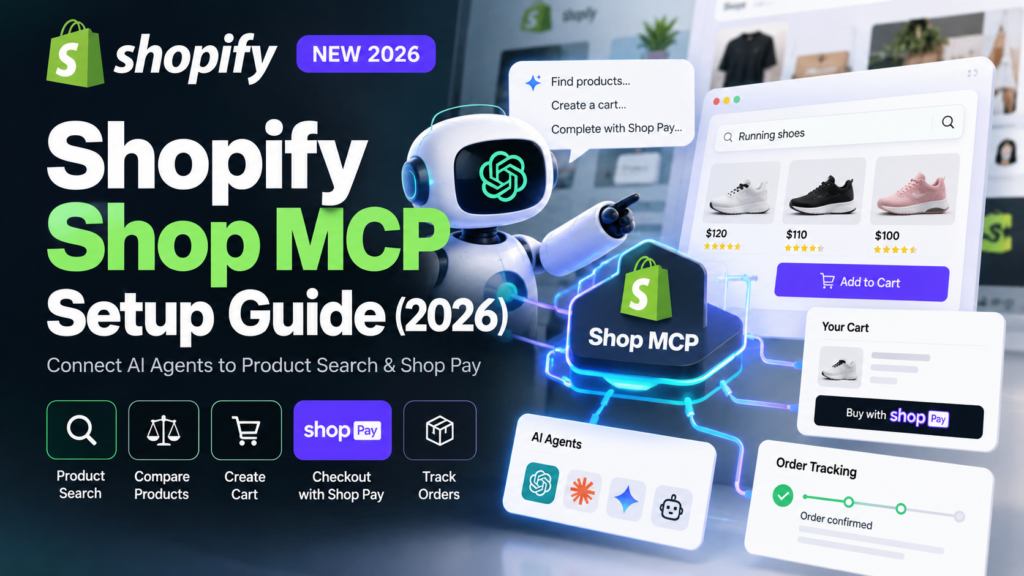
If you are building an AI shopping assistant, Shopify Shop MCP is one of the most important commerce integrations to examine in late 2026. It brings product discovery, cart creation, checkout, and order lookup into an MCP-compatible agent through a single hosted service. Instead of treating a product recommendation as the end of the conversation, an agent can help the buyer move toward a purchase—with the shopper in control of sign-in, authorization, price review, and payment.
Shopify announced Shop MCP on October 13, 2026. The service runs at https://mcp.shop.com, advertises 17 tools, and searches a catalog Shopify describes as containing more than one billion products. Product search does not require an API key. An authenticated Shop account adds personalized results and access to saved checkout preferences. These are Shopify’s launch claims, not independently verified totals from our own testing.
This Shopify Shop MCP setup guide starts with a safe, search-only proof of concept and then explains carts, Shop Pay, purchase approvals, order tracking, implementation pitfalls, and merchant-side SEO implications. It also distinguishes the new Shop MCP server from Shopify’s separate ChatGPT merchant plugin and the per-store UCP MCP endpoints—a distinction that prevents many integration mistakes.
Quick answer: To connect an MCP-compatible agent to Shopify shopping, add
https://mcp.shop.comas an MCP server or install Shopify’sshopCLI withnpm install --global @shopify/shop@latest, then runshop search "trail running shoes" --ships-to US --limit 3. Search can work before sign-in. For personalized shopping and Shop Pay completion, ask the buyer to authenticate with Shop, review the proposed cart and total, and explicitly authorize the purchase. Never treat creating a checkout as proof that an order was placed.
What Is Shopify Shop MCP in 2026?
Shop MCP is Shopify’s hosted Model Context Protocol (MCP) service designed for AI agents that help people shop. MCP is a way for an AI client to discover and call tools exposed by an external server. Here, the external server offers commerce actions rather than a generic search engine: search for products, inspect variants, assemble carts, open checkout sessions, and follow up on orders. The MCP client provides the conversation and decides which tool to invoke; Shopify and the merchant remain responsible for commerce data and checkout behavior.
The central benefit is a shorter path from intent to transaction. A buyer might say, “Find waterproof trail shoes in my size for under $150, available in the United States.” An agent can search a structured catalog, compare variants and eligibility, and present options. If the buyer selects one, the agent can create a cart at the selling store. When supported and authorized, Shop Pay can carry the purchase through to completion without a separate browser-based shopping session.
That does not mean every product, every merchant, or every agent supports frictionless purchases. Inventory, shipping destinations, payment eligibility, account settings, merchant configuration, and the MCP host’s capabilities all matter. Treat the service as an integration interface, not a guarantee of order fulfillment or a universal replacement for a storefront.
Shopify Shop MCP: Official Endpoint, Tools, and Launch Date
The public endpoint is https://mcp.shop.com and the skill description is https://mcp.shop.com/skill.md. Shopify’s launch post identifies 17 tools spanning catalog discovery, Shop sign-in, cart and checkout operations, purchase support, and order information. Because tools may change after launch, use shop tools in the official CLI to inspect the actual exposed schemas instead of copying an unverified list from a blog.
Shopify’s launch announcement explicitly says existing Catalog API integrations continue working and do not require migration. That makes Shop MCP particularly useful for new agent experiences, rather than an emergency replacement for integrations your business already runs successfully.
Who Should Use Shop MCP?
The strongest initial audience includes developers creating shopping copilots, consumer shopping apps, retailer discovery assistants, and AI-powered comparison interfaces. Agencies can use a controlled pilot to understand what an agentic shopping journey looks like before committing to a customer-facing product. Product teams can use the CLI to map a shopping journey without building a complete payment integration first.
For a Shopify merchant who only wants to make their own catalog appear in AI search, adding the Shop MCP endpoint to a personal ChatGPT account is not the main task. Merchants should instead focus on eligible products, accurate catalog data, fulfillment information, availability, and storefront configuration. We cover that distinction later, with direct links to related merchant-side tutorials.
Shop MCP vs Shopify Agentic Storefronts vs the ChatGPT Plugin
Three related Shopify features serve different users. Confusing them can lead to incorrect setup instructions and unrealistic expectations.
| Feature | Main user | What it does | Typical setup |
|---|---|---|---|
Shop MCP (mcp.shop.com) |
Developers and shopping-agent users | Finds products across Shopify Catalog, builds carts, supports checkout and order workflows | Connect MCP client or install shop CLI |
| Shopify plugin for ChatGPT | Shopify merchants and authorized staff | Helps manage an existing Shopify store through ChatGPT, subject to permissions | Authorize Shopify store access in the supported ChatGPT integration |
| Agentic Storefronts / UCP store endpoints | Merchants and commerce developers | Exposes a store’s offerings and commerce capabilities to supported shopping channels and agents | Follow Shopify’s merchant and developer guidance; merchant UCP endpoints differ from the global Shop MCP server |
The distinctions matter in practice. Shop MCP does not grant a shopper administrator access to a merchant’s store. A global shopping agent can search listings and start a purchase, but it cannot simply change a seller’s product price or edit the seller’s internal order records. Likewise, setting up a merchant’s ChatGPT management plugin does not automatically configure a bespoke shopping agent to use mcp.shop.com.
For merchant setup, see Vervecta’s guide to connecting Shopify to ChatGPT. For seller visibility in AI channels, read Shopify Agentic Storefronts setup.
Shopify Shop MCP Requirements: What You Need Before Setup
For the beginner route, gather a computer with a supported Node.js/npm installation, a terminal, and an internet connection. Shopify’s official shop CLI is published as the npm package @shopify/shop. An MCP-compatible AI host provides an alternative: if your host allows adding a remote MCP server, you may not need the CLI at all.
Before enabling purchases, decide which customer account will be used for testing, which countries the products must ship to, and whether you are permitted to run a real checkout. A sandbox or non-purchasing search test is the safer first milestone. Check your organization’s data-handling policy before exposing account information to an AI host or third-party application.
Do You Need a Shopify Store or API Key for Shop MCP?
No Shopify store ownership is needed to search the global catalog as a shopper. Shopify says search works without an API key or account. A signed-in Shop account is useful when the shopper wants personalization, saved addresses, eligible Shop Pay instruments, and order-history features. According to the Shopify launch note, developers seeking higher rate limits can create an API key in the Shopify Dev Dashboard.
Do not confuse the API-key-free search path with anonymous payment. Checkout creation, checkout completion, and access to a customer’s saved payment details have different requirements and authorization boundaries. Search and carts may work anonymously, but a real payment must follow the supported buyer authorization flow.
Can You Use ChatGPT, Claude, or Another AI Agent?
Shop MCP works with MCP-compatible clients. The exact “Add server,” “Connect,” or “Tools” menu depends on the AI product and plan. Shopify says MCP clients such as ChatGPT and Claude can handle sign-in where their MCP support is enabled; do not infer that every ChatGPT workspace or every mobile client exposes a manual MCP-server field. If your host lacks remote MCP configuration, the official CLI is a reliable documentation-backed path for a prototype.
A coding assistant can also read Shopify’s Shop MCP skill description. The skill provides usage guidance; the server endpoint is what actually exposes tools. Review third-party skills or wrappers before installing them, and prefer Shopify-maintained sources.
How to Set Up Shopify Shop MCP: Step-by-Step Guide
Start with a read-only test. It proves your environment and catalog access work without risking a charge. Once search behaves correctly, move toward carts and only then toward a supervised checkout.
Step 1: Install the Official Shopify Shop CLI
Shopify maintains the open-source Shopify/shop repository and documents this install command:
npm install --global @shopify/shop@latest
shop skill --install
The first command installs the shop command-line tool. The second installs its guidance for a supported coding agent. If you only want to call the CLI directly, the key deliverable is the shop executable. Confirm your operating system recognizes it before trying an advanced transaction. If installation fails, check that Node.js and npm are present, that your user can install global packages, and that your terminal is using the expected executable path.
The official package version and command flags can change. Rather than trusting screenshots from an older tutorial, run shop --help for available commands and shop search --help for relevant flags.
Step 2: Test Shopify Shop MCP Product Search Without an API Key
Use a broad query with an explicit destination and a small number of results:
shop search "trail running shoes" --ships-to US --currency USD --limit 3
A successful response should include product and variant information, seller details, available pricing, and pagination fields where applicable. Shopify’s examples express prices in minor currency units: for USD, a price amount of 14500 represents $145.00, not $14,500. Always check the currency field before presenting formatted prices. Do not assume that every result is deliverable to the buyer’s exact postal code until merchant fulfillment restrictions are evaluated.
A search result is not a purchase commitment. It may be a preliminary indication of product availability or eligibility. Your interface should still distinguish “search result,” “cart created,” “checkout ready,” and “order confirmed.”
Step 3: Connect an MCP-Compatible Agent to the Shop MCP Server
If your AI host supports remote MCP servers, configure its server URL as:
https://mcp.shop.com
Follow your host’s instructions for adding an MCP connection, choosing permissions, and approving any OAuth sign-in. Ask the client to list available tools or perform a harmless catalog search before using actions that create or modify resources. If the host offers tool approval settings, require confirmation for cart, checkout, payment, and account-related actions.
For clients that recognize skills, Shopify publishes https://mcp.shop.com/skill.md as guidance. Do not enter the skill URL as the MCP server URL unless your host specifically asks for a skill file. The main server remains https://mcp.shop.com.
Step 4: Inspect Shopify Shop MCP Tools and Schemas
Before coding, list the actual tool interface:
shop tools
shop search --schema
Shopify’s CLI exposes schemas so developers can discover required arguments without guessing field names. For example, the direct low-level call described in the official repository uses the search_catalog tool. The exact JSON envelope is important: it is structured data, not a natural-language string substituted for required arguments. Prefer the high-level shop search command during early testing, then move to raw MCP calls if you are building a custom client.
An agent that handles errors properly should report malformed arguments, authorization requirements, and service-side limits rather than silently trying multiple purchase actions. Log tool names and non-sensitive diagnostic metadata, but do not log credentials or personal payment information.
Step 5: Add Useful Shopping Constraints
The CLI provides destination, price, sizing, and product-similarity options. Shopify’s official examples include:
shop search "trail shoes" --intent "wide feet, wet trails" --price-max 20000 --size 11
shop search --like-image ./jacket.jpg --ships-to US
In the first example, --price-max 20000 uses the currency’s minor-unit representation and should be interpreted alongside the effective currency. Some filters are hard constraints while an --intent hint helps guide relevance. A production assistant should tell the buyer which constraints were enforced and which were inferred. If a shopper asks for a specific size, waterproof rating, delivery date, or refund policy, do not fabricate missing attributes from the product title alone.
Step 6: Sign In to Shop for Personalized Shopping
Search can remain anonymous. When the shopper explicitly wants saved preferences or a Shop Pay transaction, the CLI documents this sign-in flow:
shop account login --device-name "My Shopping Agent"
The device flow can return a verification URL and code; the customer opens the legitimate Shop verification experience to approve access. The CLI can wait for that approval and then report whether the account is signed in. Never ask a buyer to paste a password, full card number, or one-time verification code into an ordinary chat message. Use the supported authentication flow and allow the shopper to withdraw authorization later.
After sign-in, shop account can retrieve a customer-account summary and eligible stored preferences. Only request these details if necessary for the shopper’s current task. The customer should understand why you are asking to use a saved address or payment preference.
Step 7: Create a Shopify Cart Through Shop MCP
After the shopper selects a specific variant and selling store, use the variant ID from the current search result. Shopify’s CLI documentation shows this pattern:
shop cart create --shop example-store.com --variant gid://shopify/ProductVariant/1001 --quantity 1
Here example-store.com and the variant ID are placeholders, not a live merchant or valid purchasable item. Replace them with values returned by the real tool. The cart belongs to the actual selling merchant: you should not assume that items from multiple unrelated merchants can share a single checkout. Present a concise cart summary showing item name, selected size, quantity, currency, estimated subtotal, and the store handling fulfillment.
Cart creation is not checkout completion. It is a reversible staging step for confirming variants, availability, and user intent. Use the cart’s returned ID for subsequent commands, not an invented ID or a previous shopper’s identifier.
Step 8: Create a Checkout and Review the Returned Status
When the buyer is ready, convert the cart into a checkout session using a valid cart ID:
shop checkout create --shop example-store.com --cart gid://shopify/Cart/REPLACE_WITH_REAL_ID
Shopify’s documentation distinguishes statuses such as ready_for_complete and requires_escalation. The former indicates the service has enough information to proceed; the latter generally means the buyer needs to provide or confirm something, often through a continue_url. Even when a checkout is ready, payment must not proceed without appropriate buyer consent. Check the line items, tax, shipping, discounts, grand total, and delivery destination against the shopper’s instructions before offering a final confirmation.
A merchant may require the shopper to continue on the merchant site. If that happens, treat the returned URL as a handoff and explain that the order is not yet completed. Presenting a checkout link is not equivalent to charging a card.
Step 9: Complete Shop Pay Only After Explicit Buyer Approval
A supported, signed-in Shop buyer may have eligible payment instruments and addresses saved. Shopify’s reference CLI can complete an eligible checkout using the instrument selected from the checkout’s actual returned choices. Because this is a real money-moving operation, the safest tutorial pattern is not to provide an executable payment command with invented credentials.
Implement an explicit confirmation screen: merchant, product variant, quantity, final amount, currency, delivery information, and payment option. Capture the buyer’s clear approval, then invoke the supported completion flow. Finally, inspect the server’s confirmed outcome, not the agent’s prose response. Shopify identifies a successful completion as a checkout with status: completed plus an order object. A timeout or missing confirmation is an ambiguous state that must be reconciled before any retry to prevent duplicate purchases.
Step 10: Check Shop Orders and Track Fulfillment
Signed-in shoppers can use the Shop CLI to search purchase history, including orders Shop tracks across stores:
shop order search "trail running shoes"
A successful order lookup may include a merchant name, order identifier, item details, fulfillment events, and tracking URLs. Tell the shopper which status comes from the commerce system and when it was last retrieved. Do not invent a carrier scan or delivery date. If a transaction is not yet visible, distinguish a pending status from an outright failure and provide a merchant support route where appropriate.
Shopify Shop MCP: End-to-End Workflow Example
Consider a fictional buyer in the United States looking for a pair of men’s trail shoes under $180. A responsible AI agent should: (1) clarify the buyer’s size and shipping country, (2) search the catalog, (3) compare at least two qualifying results, (4) display variant-level price and availability, (5) ask which product to add, (6) create a cart at the chosen store, (7) show the estimated and then final total, (8) obtain explicit approval, (9) complete the supported checkout, and (10) share a verified order link.
This workflow matters more than a flashy one-line prompt because it separates discovery, decision, commitment, and verification. If a shopper changes their mind after a cart is built, the system should stop. If the price changes between search and checkout, the agent should surface the difference before payment. If the merchant requires a hosted checkout page, the assistant should lead the shopper there rather than pretending an in-chat payment occurred.
Example Shopping-Agent Prompt That Does Not Authorize Payment
Find three waterproof trail-running shoes in US men’s size 10.5, priced below $180, that can ship to the United States. For each option, show the merchant, variant, price, material information if available, and any uncertainty. Do not add items to a cart, sign in, or initiate checkout until I select a product and explicitly approve the next step.
The final sentence is an important control. It prevents a simple comparison request from silently becoming an order-creation workflow. An agent prompt is not a complete security mechanism—the application should separately enforce permission checks—but it helps communicate expected behavior clearly.
Example Developer Acceptance Criteria
A useful pilot has measurable success conditions. Search should return structured products with accurate currency formatting. Variant selection should preserve the seller and chosen size. Creating a cart must not charge a shopper. A checkout must show the latest totals and status. Payment completion should be reported only when an order object is returned. A failed or timed-out completion should go to a reconciliation state, not to an automatic retry loop.
Keep test data labeled as test data, and do not claim conversion-rate improvements until you have collected a meaningful amount of real user behavior under an appropriate measurement setup.
How Shopify Shop MCP Product Search Works
Shop MCP reads from Shopify Catalog. Shopify highlights search_catalog, lookup_catalog, and get_product as important catalog tools. Use search to discover candidates; use lookup when you have identifiers; use a more detailed product call when the user needs variants or a fact omitted by search. A shopping assistant should not fetch full product records for every search result if the preview already answers the customer’s request.
The richer the query, the more carefully the interface must distinguish constraints from preferences. A maximum budget is a real constraint. “Looks minimalist” is a preference that may influence ranking. “Will arrive tomorrow” requires supported shipping evidence and cannot be assumed because a listing appears in the catalog.
Compare Products Without Inventing Ratings or Availability
An AI agent should compare only fields returned by the source or verified on the seller’s page: price, currency, selected variant, product specifications, condition, seller, and shipping eligibility. If reviews or ratings are missing, state that they are unavailable rather than creating a score. Similar products may have different fulfillment options, return policies, and payment methods. Label differences clearly.
Be especially cautious about stale data. Product availability, promotions, taxes, and freight charges can change during a shopping session. Always refresh the relevant merchant-side state before the irreversible step of completing payment.
Shopify Shop MCP Search API Limits and Authentication
The official launch note says no API key is required for search, with an API key available through the Shopify Dev Dashboard for higher rate limits. It does not follow that calls are unlimited, that every query is anonymous, or that all 17 tools expose the same authorization scope. Use the current documentation and tool response headers or error messages to decide retry timing; use backoff for throttling rather than rapidly repeating requests.
For a production service, apply per-user budgets, query caching where appropriate, request timeouts, and protection against repeated agent loops. Avoid using an unauthenticated search endpoint as an excuse to scrape user-specific records or bypass merchant access policies.
Shop Pay Checkout: Buyer Consent, Payments, and Failure States
Shop Pay can reduce checkout friction for a signed-in customer with eligible saved payment details. Shopify describes a path where a shopper can complete an eligible purchase within the agent experience. But a payment integration has more failure states than a product search: authorization can expire; price or inventory can change; a payment instrument may be declined; a merchant may need a buyer review step; or a network timeout may occur after the server has already processed an action.
The practical solution is a visible confirmation boundary and idempotent handling of retries where supported. Store the checkout identifier, capture non-sensitive status transitions, and verify the order outcome with the official tool before telling a shopper that the charge succeeded. Never infer the payment succeeded merely because a local function returned without an exception. If verification is incomplete, say that the status is pending and help the shopper check the merchant or Shop order record.
Shopify Checkout Statuses: Ready, Escalation, Completed
A helpful interface maps raw states to simple explanations. ready_for_complete means the checkout has the necessary inputs for the next supported step, not that money moved. requires_escalation means the shopper must provide or review something, often through a trusted merchant URL. completed, accompanied by an order object, is the documented successful end state. Other error states should be treated according to the tool’s current schema and message content, not forced into these three categories.
What About Shopping on Non-Shopify Stores?
The Shopify-maintained CLI documentation also discusses spend requests for merchants that do not support an agent checkout interface. In that separate workflow, the buyer approves a specific purchase, and a one-time credential can be used at the merchant’s own checkout. This is not a general fallback whenever a Shopify checkout errors or requires user review. It also introduces unusually sensitive payment-handling obligations; most beginner implementations should leave such flows out of scope until they have a mature security and compliance review.
Shop MCP vs the Per-Merchant UCP MCP Endpoints
Advanced developers will encounter Shopify documentation for Universal Commerce Protocol (UCP) services at store-specific routes, such as https://merchant.example/api/ucp/mcp. Those endpoints use capability negotiation and agent profiles; some checkout operations require bearer tokens, buyer IP information, or stronger signatures. That is a different integration architecture from simply adding the global Shop MCP server URL.
Shopify’s Cart MCP documentation explains carts at the merchant layer, and its Checkout MCP documentation documents authentication and store-specific checkout details. Read them when you are implementing a direct merchant protocol integration, rather than assuming the global shop CLI examples automatically translate into the same HTTP request format.
For example, Shopify’s per-merchant UCP flow uses an agent profile to negotiate capabilities. If you call the wrong endpoint, omit required profile metadata, or use a catalog-only profile for a checkout tool, the server may reject the request even though Shop MCP search worked earlier. Always identify the server family before debugging request parameters.
How Shopify Merchants Can Prepare Products for AI Shopping Agents
From the merchant perspective, the launch is about making accurate, purchasable product data useful to conversational shopping experiences. The goal is not simply to insert the term “MCP” into your title tags. A merchant should provide clean titles, variant details, prices, availability, shipping regions, structured categories, descriptive images, and reliable fulfillment information in Shopify.
A customer may ask for a size, material, compatibility detail, shipping destination, or budget range. If critical attributes are missing, an agent may not be able to recommend the product confidently. The seller also benefits from distinguishing product-level facts from variant-specific facts: a running shoe may exist in multiple colors and sizes, but the requested variant can be out of stock or ineligible for a specific destination.
Shopify Product Data Checklist for Shop MCP Discovery
- Keep product titles specific enough to distinguish the item, model, and intended use without keyword stuffing.
- Add accurate descriptions, materials, dimensions, compatibility, and care or safety information where relevant.
- Review product categories, options, variants, SKUs, and identifiers for consistency.
- Check price, currency, sale-price validity, and inventory accuracy for every market served.
- Make delivery regions, shipping costs, expected lead times, and return conditions clear.
- Use original, well-lit product images and truthful accessibility text.
- Audit whether the intended product is actually eligible for the relevant discovery channel.
- Test actual search phrases that buyers use, then review the real result—not only your Shopify Admin listing.
For a full merchant checklist, read How to Optimize Shopify Product Listings for AI Shopping Agents and Shopify Catalog Ineligible? 12 Causes and Fixes.
Does Shop MCP Guarantee My Shopify Products Appear in ChatGPT?
No. Shop MCP is an integration service that an agent must actually use. A product being present in Shopify does not guarantee eligibility in every commerce channel, selection by an AI agent, prominent ranking, or visibility in every ChatGPT interface. Shopify’s global product index, individual channel policies, customer preferences, geographic availability, and recommendation logic can affect outcomes.
If your products are missing from a particular experience, begin with basic catalog health and the specific channel requirements. Our separate guide, Shopify Products Not Showing in ChatGPT? 12 Fixes, focuses on those merchant-side checks rather than MCP server configuration.
Analytics: How to Measure Shop MCP Traffic and Sales
Measurement for agentic shopping is evolving. A purchase handled inside an agent, a referral to a merchant checkout, and a regular click to a storefront may show up differently in your analytics. Do not assume that every Shop MCP transaction will be labeled “ChatGPT” in Google Analytics 4, or that a checkout originating from the Shop ecosystem can always be attributed to a single conversational session.
Start with verified sales and order reports in Shopify, available channel attribution, and the actual behavior of your agent’s analytics instrumentation. If an agent offers campaign parameters on a supported merchant checkout URL, use a consistent UTM convention and preserve it through the referral where possible. Keep a separate funnel for product impressions, selections, carts created, checkouts started, buyer escalations, and confirmed orders. Never merge estimated cart values with paid revenue.
KPIs to Watch During a Shop MCP Pilot
| Metric | Why it matters | Important limitation |
|---|---|---|
| Product search success rate | Can the agent find relevant candidates? | Relevance is not a sale |
| Variant selection accuracy | Did it preserve size/color/seller? | Requires real validation |
| Cart creation rate | Did buyers express purchase intent? | A cart is not revenue |
| Checkout escalation rate | How often is user handoff needed? | Varies by store and buyer |
| Confirmed checkout completion | Were paid orders actually created? | Confirm from authoritative order state |
| Error and duplicate-prevention rate | Are retries safe and transparent? | Needs operational logging |
| Support contacts and refunds | Are the purchases appropriate? | Requires longer observation |
Shopify announced no webhooks at Shop MCP launch, so its launch note advises polling get_checkout for relevant checkout status changes. That is specifically a Shop MCP launch characteristic; separate Shopify UCP order documentation discusses webhooks as a primary notification channel. Do not mix the two systems’ update semantics. For an extended tracking walkthrough, see How to Track ChatGPT Sales in Shopify.
Shopify Shop MCP Security Best Practices
MCP tools are powerful because they turn agent output into actions. Treat the agent as an untrusted decision-making layer that must request permission to cross important boundaries. Apply least privilege to tokens and accounts; restrict domains, tools, spending limits, and external network access where your MCP host supports those controls. Keep a durable record of purchase approvals without storing raw payment details in general application logs.
Protect against prompt injection in product descriptions and other third-party content. A merchant-controlled description is data, not an instruction for your agent to change its permissions, reveal credentials, or bypass user confirmation. Implement a policy that catalog results cannot authorize spending or tool configuration changes. If an agent discovers a suspicious instruction embedded in a listing, it should ignore the instruction and continue evaluating the product as data.
Practical Safeguards Before Enabling Payment
- Use catalog search and cart previews before you permit checkout actions.
- Require explicit buyer consent for charges; present final totals and currency.
- Validate product IDs and merchant domains from trusted tool responses.
- Never store unmasked card numbers, security codes, or authentication secrets in prompts.
- Keep credentials and account state scoped to the correct customer session.
- Handle ambiguous payment outcomes through reconciliation, not uncontrolled repeats.
- Review the MCP server’s current permissions and tool list after upgrades.
- Give the customer a clear route to merchant support, returns, and account revocation.
For production deployments, involve payment, security, privacy, accessibility, and legal reviewers appropriate to your business and markets. Technical feasibility is not the same as merchant authorization or regulatory compliance.
Shopify Shop MCP Troubleshooting: Common Setup Errors
Most integration failures belong to one of four categories: environment, schema, identity, or commerce state. Identify the category first so you can fix the problem without accidentally triggering a transaction.
Shopify Shop MCP Is Not Showing in My AI Client
Confirm that your client actually supports remote MCP servers and that the feature is enabled for your account or workspace. Enter https://mcp.shop.com as the server URL, not the documentation or skill URL. If the application only supports local MCP processes or doesn’t let you add servers, start with the official shop CLI rather than trying unofficial connectors that request excessive permissions.
The Shopify Shop MCP CLI Command Is Not Found
Check that Node.js/npm are installed and that the global package installation succeeded. Open a new terminal session and run shop --help. If your shell still cannot locate the command, examine the npm global binary directory and your PATH according to your operating system. Avoid downloading random executable copies from third-party sites when Shopify already provides the official package.
Shopify Catalog Search Returns No Matching Products
Simplify the query; remove overly strict destination, size, or price filters; and confirm you’re reading the tool’s returned diagnostic messages. A no-results response does not prove the entire catalog is down. Try an ordinary broad product search first, then reintroduce constraints one by one. If the missing products are from your own store, check channel eligibility and catalog quality separately.
Shopify Shop MCP Says Authorization Is Required
Ask whether the action is a public search or an account-specific operation. An account lookup, personalized preference, or payment-related request can require Shop sign-in. Use the supported device or OAuth flow and obtain approval from the actual shopper. Do not bypass authentication by switching to another customer’s token or reusing a shared session.
The Cart Has the Wrong Variant, Price, or Quantity
Stop before checkout and compare the selected product variant with the current catalog result. Check currency minor units, variant IDs, seller domain, and quantity. Recreate or update the cart using the current tool schema as appropriate. If pricing changed, show the revised total and obtain fresh buyer approval rather than treating the original budget as an irrevocable purchase instruction.
Checkout Shows requires_escalation
This generally means the shopper or merchant must finish a step that cannot be completed fully through the current API interaction. Inspect the returned messages and send the buyer to the trusted continue_url when applicable. Do not announce an order as completed merely because a checkout was created; wait for the authoritative completed state or an order confirmation from the merchant.
The Agent Times Out During Shop Pay Completion
A timeout is not definitive proof of failure. Retrieve the checkout or order state using the supported workflow before trying again. Use idempotency controls where the service supports them and keep duplicate-purchase protection in your application. If the status remains uncertain, ask the buyer to verify Shop or merchant order records rather than issuing another charge automatically.
Shop Orders Do Not Show the Purchase Yet
Confirm the user is signed in to the right account, the order was actually completed, and the relevant merchant transaction is supported by the order lookup. Some fulfillment updates arrive later. Separate “not yet found” from “cancelled” and provide accurate customer-service next steps rather than inventing shipment details.
Shop MCP Production Checklist: Launch an AI Shopping Agent Safely
A useful rollout sequence is search-only prototype → variant validation → supervised cart creation → checkout handoff → limited payment pilot → monitored production. At each step, establish who approves actions, what data is retained, and how the team responds when a merchant rejects or changes a transaction.
Create a small test matrix covering at least two currencies, multiple product variants, one unavailable item, one shipping-restricted destination, a returning signed-in shopper, an anonymous shopper, a checkout escalation, and an ambiguous network timeout. Do not run live payment tests without explicit authorization and a valid reimbursement or test-order plan. Separate the testing environment from real customer sessions and make logging redact personal data automatically.
Seven-Day Shopify Shop MCP Implementation Plan
Day 1 — Research: Read Shopify’s launch announcement and the official Shopify/shop README; document the endpoint and tool surface. Day 2 — Search: Install the CLI and confirm non-purchasing catalog queries work. Day 3 — Variants: Build a comparison view with correct currency conversion and seller attribution. Day 4 — Carts: Verify that one selected variant creates a correct merchant cart without charging the shopper. Day 5 — Identity: Test sign-in and consent boundaries with an authorized account. Day 6 — Checkout: Rehearse escalation and confirmation behavior with a controlled scenario. Day 7 — Review: Assess security, error handling, analytics, accessibility, and readiness for a tightly scoped pilot.
A one-week plan is a learning sequence, not a promise that an enterprise commerce integration can be production-ready in seven days. Teams managing real payment flows may need longer reviews, documentation, and testing.
Frequently Asked Questions About Shopify Shop MCP
What Is the Shopify Shop MCP URL?
The Shopify-announced server URL is https://mcp.shop.com. A separate skill description is published at https://mcp.shop.com/skill.md for compatible agents and tooling.
Is Shopify Shop MCP Free to Use?
Shopify says catalog search does not require an API key and recommends the Shopify Dev Dashboard for higher rate limits. That does not establish that every tool, shipping service, hosted AI client, or purchase workflow is free of charges. Check current developer terms and commercial costs before production use.
How Many Tools Does Shop MCP Provide?
Shopify’s October 13, 2026 launch announcement describes 17 tools. Run shop tools to inspect the current set and schemas, since offerings may evolve.
Do I Need a Shopify Merchant Account?
Not for a shopper-oriented, public product search. Merchant administration and seller-side configuration are separate workflows with their own access requirements.
Can I Connect Shopify Shop MCP to ChatGPT?
Only where the specific ChatGPT account, client, or workspace provides compatible MCP connection functionality. If manual MCP configuration is unavailable, use a supported development host or the official CLI; do not assume every ChatGPT interface has identical capabilities.
Does Shop MCP Require a Shop Login to Search?
No. Shopify states that product search works without credentials. Sign-in becomes important for personal preferences, stored details, order searches, and eligible checkout completion.
Can Shop MCP Complete a Purchase Using Shop Pay?
Yes, when supported and authorized. The shopper must review the order and payment details through the applicable flow. A documented successful completion returns a completed checkout status with an order record.
Can Shop MCP Buy From Non-Shopify Merchants?
The Shopify-maintained CLI describes a distinct, buyer-approved spend-request mechanism for external merchant checkouts. It is not the normal default checkout flow and deserves a separate security and payment-compliance review.
Can Shop MCP Track Orders?
The CLI documents shop order search for signed-in shoppers to find orders and relevant tracking information. Availability and freshness depend on what Shop tracks and what the underlying merchant has reported.
What Is the Difference Between Shop MCP and Shopify Catalog MCP?
Shop MCP is the hosted shopper-oriented aggregation service at mcp.shop.com. Shopify also documents global Catalog MCP and merchant-specific UCP services with their own endpoints and agent-profile requirements. Choose the interface that matches the application and do not interchange request examples blindly.
Will Shop MCP Automatically Improve My Store’s SEO?
No. An MCP integration is not a ranking guarantee. Product discoverability still depends on catalog quality, eligibility, relevance, market restrictions, and the particular AI channel’s behavior. Traditional search-engine SEO and structured commerce-data quality remain related but distinct workstreams.
How Should I Measure Purchases From AI Agents?
Separate search activity, cart actions, checkout attempts, and verified paid orders. Reconcile sales through authoritative commerce reports. Attribution labels and reporting capabilities depend on the agent, merchant, and underlying channel, so do not assume every agent order will appear as a regular website visit.
Are There Webhooks for Shop MCP at Launch?
Shopify’s October 13 announcement says there were no webhooks at launch for Shop MCP checkout status and indicates polling get_checkout. This should not be confused with webhook guidance for other Shopify UCP merchant services. Check the latest documentation for changes.
What If My AI Agent Places the Wrong Item in the Cart?
Do not continue to payment. Reconfirm the merchant, variant ID, size, quantity, and currency; rebuild or update the cart, then present a new total for approval. A strong user interface makes variant selection explicit.
Where Can I Find Official Shop MCP Documentation?
Start with the Shopify developer announcement, the Shopify-maintained CLI repository, and the Shop MCP skill. Use shop --help, shop tools, and the command schema flags for implementation-specific detail.
Final Verdict: Should You Build With Shopify Shop MCP?
Yes—if you are creating an AI agent intended to help people shop, Shop MCP is a compelling new interface to evaluate. A single connection can take the shopper from catalog search to an appropriately authorized checkout, while the official CLI offers a direct route to prototyping. The particularly valuable improvement is not “AI writes shopping copy”; it is that tools can carry structured commerce information across the buyer journey.
For merchants, the next best action is different: keep product attributes, variants, prices, inventory, and channel eligibility accurate so commerce agents have reliable information. For developers, start with anonymous search, validate the product/variant mapping, require explicit authorization for purchases, and reconcile completed orders through authoritative state. Neither group should mistake an enthusiastic agent reply for a verified purchase.
The fastest safe first step: install the official shop CLI, run one catalog search, inspect the returned fields, and only then decide which merchant, checkout, and security capabilities your product genuinely needs.
Official References and Further Reading
- Shopify Developer Changelog — Add shopping and Shop Pay checkout to any agent with Shop MCP (October 13, 2026)
- Shopify’s official
shopCLI and MCP integration guide (GitHub) - Shop MCP skill description
- Shopify Developer Docs — Cart MCP
- Shopify Developer Docs — Checkout MCP
- Shopify Developer Docs — Global Catalog MCP
- Vervecta — How to Connect Shopify to ChatGPT
- Vervecta — Optimizing Shopify Product Listings for AI Shopping