
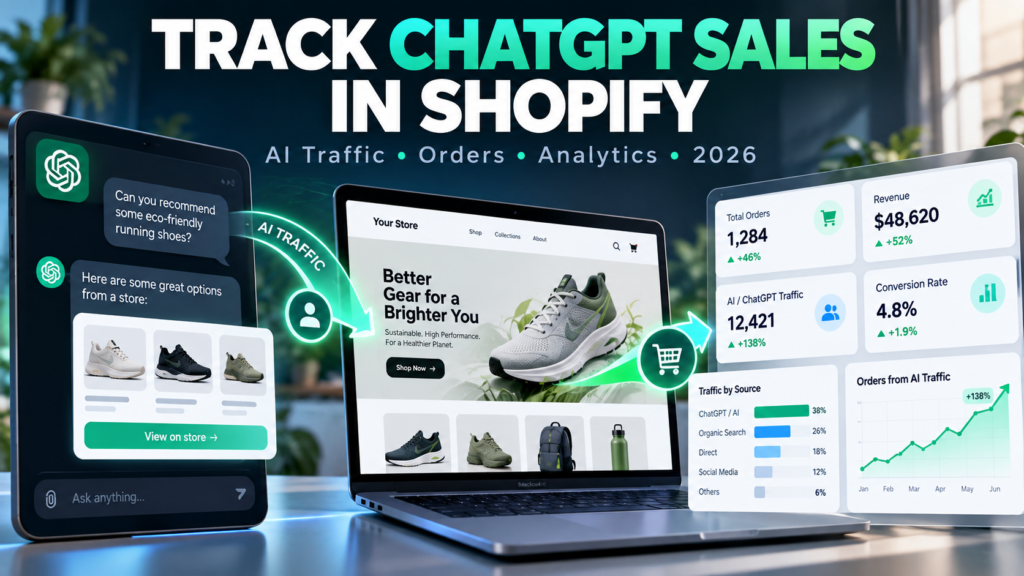
Updated October 15, 2026. Independent Vervecta implementation guide. The paths and measurement definitions below reflect official Shopify and Google Analytics documentation available at the time of writing. No merchant analytics account was accessed or independently tested for this article. Platform availability, report labels and attribution rules can change; validate your own dashboards before making budget decisions. All numeric case studies below are hypothetical, not merchant results.
A shopper asks ChatGPT for “water-resistant running shoes under $150,” follows a product recommendation to your Shopify store and purchases a pair. Did ChatGPT generate the sale? Can you see the order, source and revenue in Shopify? And if your Google Analytics 4 report says direct, did the customer really arrive without a referrer? These are different measurement questions, and answering them with one metric can be misleading.
This guide explains how to track ChatGPT sales in Shopify using Shopify’s Agentic storefronts performance data, order and referrer information, Shopify acquisition reports and GA4 traffic acquisition. We separate confirmed channel reporting from inferred AI referral traffic, show a repeatable reconciliation method, and explain why some AI-assisted purchases cannot be measured as ordinary website sessions.
For your Shopify setup and merchandising prerequisites, also see Vervecta’s guides to Shopify Agentic Storefronts setup, products not showing in ChatGPT, Shopify Catalog ineligibility and AI-optimized Shopify product listings.
Quick answer: How do you track ChatGPT sales in Shopify?
Start in Shopify Admin → Sales channels → Agentic. Shopify documents per-channel reports for sales, orders, online store sessions, and online store conversions. Select the metric, date range and ChatGPT channel, if available to your store. Review the reported orders and sales, then cross-check the relevant Shopify order/referrer data. Use GA4’s Traffic acquisition report to analyze website sessions whose source is identifiable as ChatGPT; do not treat GA4 as a complete record of all AI-commerce orders. Shopify’s Agentic storefronts performance documentation.
- Check eligibility and availability. Verify that Agentic is enabled, you have permission to view the reports, and the chosen channel exists for your store.
- Set an exact date range. Use the same dates, currency and time zone for comparisons.
- Record channel sales and orders. Keep these distinct from online-store sessions and conversion rates.
- Inspect Shopify acquisition and order attribution. Look for ChatGPT or related referrers when present, without assuming every AI sale must have a browser referral.
- Filter GA4 session traffic. Review session source/medium, landing pages and ecommerce events when tags are working.
- Reconcile, document differences and monitor trends. Compare like with like; never add Shopify and GA4 revenue totals together.
Critical caveat: a user merely seeing your product mentioned in an AI conversation is not the same as visiting your site, completing checkout or placing an attributable order. Shopify and GA4 report different parts of the journey.
What counts as a ChatGPT sale, an AI referral, or an AI-assisted order?
| Term | Meaning | What you can verify |
|---|---|---|
| AI discovery or mention | A shopping assistant suggests your product inside a conversation. | Not equivalent to a site visit or sale; no universal cross-platform impression count. |
| AI referral visit | A shopper follows an identifiable link from an AI experience to your store. | Sometimes visible in a session or referrer report. |
| Agentic-channel order | An order attributed to an enabled AI commerce channel under Shopify reporting definitions. | Agentic sales/orders report where available. |
| AI-assisted, unattributed purchase | A shopper learns about your item in an AI answer, then returns through search, a bookmark, or another device. | May have no reliable AI label. |
| Direct checkout | A customer buys in a supported AI channel checkout rather than via the usual store-page path. | Can appear in Shopify channel sales without an ordinary on-site GA4 session. |
Shopify describes ChatGPT primarily as a discovery and referral surface: shoppers finish their purchase on the merchant’s online-store checkout, including through the ChatGPT in-app browser or a web tab. In contrast, other agentic channels may support direct checkout, subject to store/channel configuration. The distinction matters whenever you compare channel sales with online store sessions. Official Shopify agentic storefronts overview.
Why “AI traffic” is not one standardized marketing channel
Shopify, GA4 and a browser do not necessarily categorize visits identically. A ChatGPT recommendation might produce a recognizable referrer, a browser window with missing referrer details, or no website visit at all. The source of a session, the credit assigned to a purchase and the channel reporting the transaction can differ without any system being broken.
Why Shopify’s Agentic channel numbers matter more for channel sales
For evaluating your Shopify Agentic performance, use the channel’s own reported sales and orders as your starting point. Shopify explicitly says Agentic sales totals aggregate both referral-based sales and direct-checkout sales across eligible channels. That is not the same population as GA4-tagged site visitors. See the measurement definitions.
Method 1: Track ChatGPT sales with Shopify Agentic analytics
Step 1: Track ChatGPT Sales in Shopify Agentic Analytics
In Shopify Admin, select Sales channels → Agentic. This location is documented by Shopify for managing agentic storefronts. Your exact presentation depends on channel participation and feature rollout. If the section is missing, first confirm you are on an eligible setup and that your account has permission to access that sales channel; don’t install tracking scripts as a substitute for eligibility.
Step 2: Compare ChatGPT Sales, Orders, Sessions and Conversions
Shopify says the Agentic analytics area offers Sales by default, plus Orders, Online store sessions and Online store conversions. Choose one, then select the desired time frame, for example Last 30 days or a custom period. Click the specific AI channel name—such as ChatGPT—to inspect that channel rather than the aggregate across every agentic destination.
These metrics answer different questions: sales reflect monetary performance; orders count purchases; online store sessions count visits; and online store conversion compares checkout-completing sessions with sessions under Shopify’s definition. Don’t describe all four as “clicks from ChatGPT.”
Step 3: Read channel numbers in context
Imagine that ChatGPT shows 50 attributed orders and $4,000 in sales over a month, while its online-store sessions display 1,250. A naïve calculation gives 4% orders per session, but that may not match Shopify’s official online-store conversion definition. One customer can place multiple orders, a checkout may be attributed differently, and session-level calculations follow Shopify’s own reporting rules. Use Shopify’s reported conversion metric when discussing the dashboard’s conversion rate.
Step 4: View the broader agentic sales report
Shopify documents a Total sales report for all your enabled agentic channels. From Agentic → Explore, review the Understand your performance on agentic channels panel, then use Review to open the detailed report. This is useful when a business sells through ChatGPT plus Copilot or another channel and wants a combined view. Avoid treating this total as “ChatGPT revenue” unless you have filtered to ChatGPT specifically.
Step 5: Save a consistent reporting baseline
Export or record the same fields weekly: reporting start/end dates, channel, sales, orders, online-store sessions, online-store conversions, currency and any notes about special campaigns. Keep reporting dates stable; a chart whose period is “last 30 days” today will not match the same label next week. Shopify’s documentation notes that Agentic performance analytics are not yet available for headless stores, so alternative measurements may be needed for those implementations. Shopify Agentic performance instructions.
Method 2: Identify ChatGPT referrals in Shopify acquisition and marketing reports
Use Sessions by referrer before guessing where a visit came from
Shopify Analytics provides Sessions by referrer and other acquisition reports, including sessions over time and by location. Navigate to Analytics → Reports and search for Sessions by referrer. In the report, review available referrer dimensions to see whether identifiable AI domains appear. A recognizable referral is evidence of a landing session—not proof that the visitor purchased. Official acquisition reports.
If ChatGPT is not listed, several explanations are possible: no measurable visits, missing referral details, a privacy-related limitation, a different landing context, or a channel experience that did not generate a normal website session. Zero visible ChatGPT referrers is not proof that AI discovery had zero business value.
Use marketing reports to review attributable sales without double counting
Shopify marketing reports can show performance by channel and support analysis of how marketing interactions contribute to orders. Their attribution rules and included traffic populations matter. In September 2026, Shopify consolidated its marketing reports, so a dashboard or old tutorial may use outdated report names. Look for current options including Performance by marketing channel, and read its date filters and attribution model instead of simply searching for an old menu label. Shopify marketing report documentation.
Inspect an individual order as supporting evidence
When you have access to relevant order details, inspect the available conversion and referral information. Record the evidence in a secure analytics worksheet: order identifier, date, attributed channel/referrer (if provided), order amount and whether it was a test, canceled or refunded order. A browser referrer is not a signed certificate of causality; do not infer a precise AI prompt or claim the shopper saw a particular ChatGPT answer unless you actually have that evidence.
Method 3: Track ChatGPT website sessions and conversions in GA4
Step 1: Install or verify GA4 on Shopify
Shopify supports connecting a Google Analytics 4 property through the Google & YouTube sales channel. Shopify says ecommerce events can be tracked after GA4 setup, and some additional events may require manual implementation. You do not need a Google Merchant Center account solely to connect GA4. Follow Shopify’s official GA4 setup instructions and the connected channel’s tag guidance. Avoid running duplicate GA4 purchase tags through separate apps without a clear event strategy.
Check that a test visit generates page_view and session events in the appropriate GA4 property, then verify relevant ecommerce events are present before interpreting source-level revenue. A successful purchase recorded in Shopify is not proof that GA4 recorded the corresponding event.
Step 2: Find ChatGPT Traffic in GA4 Traffic Acquisition
In Google Analytics 4, go to Reports → Acquisition → Traffic acquisition (menu names can vary with customization). Choose Session source / medium rather than a first-user dimension when your question is “Where did this particular visit originate?” Filter or search for recognizable sources related to ChatGPT, such as a referral from chatgpt.com when present. Do not assume every AI-origin visit will use the same referrer. GA4 traffic-source dimension scopes.
The distinction matters: First user source attributes the original acquisition of a person, while Session source describes the acquisition of a visit. If a person first came from Google six months ago and returns from ChatGPT today, a first-user report may still identify the person as Google-acquired.
Step 3: Add landing pages to the analysis
Use the GA4 Landing page report and add Session source / medium as a secondary dimension, or adjust Traffic acquisition to show landing page alongside the source. This identifies which product detail pages and collections visitors open from detectable ChatGPT links. It helps distinguish a general homepage recommendation from product-specific buyer intent. Google’s official landing-page instructions.
Step 4: Evaluate product engagement and purchase events
When your GA4 implementation collects ecommerce events, compare view_item, add_to_cart, begin_checkout and purchase for the filtered sessions. Events might be missing because of consent restrictions, ad blockers, browser limitations, an incomplete implementation or checkout measurement gaps. Use this as a behavior funnel—not a guaranteed one-to-one mapping to Shopify orders.
Step 5: Avoid counting all AI sessions as conversions
If 400 recognized ChatGPT sessions generate 16 GA4 purchase events, the arithmetic purchase-event-per-session ratio is 4%. That does not automatically equal unique purchasing customers or Shopify’s Agentic conversion rate. Document exactly which denominator and event you used. If a shopper bought twice in one session, purchase events and purchasing sessions would differ.
Method 4: Use UTM tags carefully without inventing ChatGPT attribution
UTM parameters are useful for links you control: a newsletter, a creator partnership, a campaign landing page or a trackable promotion that you own. A typical link has fields such as utm_source, utm_medium and utm_campaign. Google documents their use for manual campaign tagging. GA4 campaign tagging guide.
A correct example for a link you actually publish
Here is a fictional merchant example for a link the merchant places in an AI-shopping educational email, not a link secretly inserted into ChatGPT:
https://example-store.com/products/trail-shoes?utm_source=merchant_newsletter&utm_medium=email&utm_campaign=ai_shopping_launch_2026If you share this tagged link in your own campaign, your analytics can recognize that campaign. But you cannot force ChatGPT to append utm_source=chatgpt to arbitrary recommendations made independently by its shopping system. Manually assigning such a tag to unrelated traffic would misrepresent origin.
Why UTMs can vanish or be misread
Redirects may remove query strings, browser privacy features may suppress referral information and landing on a different domain may break attribution. Google explains that visits lacking clear source information can appear as (direct) / (none), including some traffic with lost UTM or referral data. A reported direct session is therefore not necessarily a typed-in URL. Google’s direct-traffic explanation.
A practical policy for partner-tracked AI promotions
Use honest labels—for example utm_source=partner_name on a partner referral link or utm_campaign=ai_product_guide for your owned guide. Keep a register of links you distribute. Separate measured ChatGPT referrals from marketing campaigns about AI shopping. Those categories should never be merged just because both names contain “AI.”
Why Shopify and GA4 ChatGPT numbers often disagree
| Possible cause | What you might see | Correct response |
|---|---|---|
| Different attribution models | Shopify attributes an order to an AI channel; GA4 attributes a session differently. | Compare reporting definitions and scopes first. |
| Direct checkout in some AI channels | Shopify counts sales while GA4 has no ordinary storefront visit. | Do not infer missing website sessions from direct-channel transactions. |
| Consent/privacy or blocked scripts | Shopify order exists but GA4 purchase is absent. | Audit consent and tag execution, respecting user preferences. |
| Missing referrer or removed UTMs | Visit shows as direct or another source. | Inspect redirects and source handling; do not backfill guesses. |
| Different time zones/currencies | Revenue differs near a reporting boundary. | Align date range, currency and timezone. |
| Canceled, refunded or test orders | Gross sales differ from completed paid revenue. | Define inclusion/exclusion rules and compare matching metrics. |
| September 2026 session update | Sessions change without corresponding order change. | Use the updated session measurement as a new baseline. |
| Headless reporting limitations | Agentic performance dashboard may not be available. | Use verified alternative records and state the gaps. |
These differences are normal enough that Shopify maintains dedicated analytics discrepancy guidance. Treat a discrepancy as a diagnostic question, not instant evidence that one platform is broken. Shopify analytics discrepancies overview.
The September 2026 Shopify session measurement change
Shopify rolled out updated session measurement from September 21–23, 2026. Its current documentation says sessions now follow continued customer activity rather than ending automatically at midnight UTC; some sessions with no pageview can be counted, and identified bot sessions are filtered from session reports by default. Those changes can shift sessions and conversion rates without changing order counts or sales. Treat period-over-period comparisons across the rollout with care. Shopify’s September 2026 session update.
Check that you are comparing the same metric population
An AI-channel sales number, GA4 total purchase revenue and net paid orders after refunds are three different definitions. Before sharing a performance claim with your team, write the metric definition next to the result. Always separate reported, estimated and unattributable outcomes.
How to calculate ChatGPT sales performance without misleading yourself
Start with a simple monthly scorecard. Keep raw metrics in separate columns and clearly label every derived calculation. The following is a hypothetical illustration, not actual Shopify or Vervecta data.
| Metric | Illustrative value | Interpretation |
|---|---|---|
| Shopify Agentic: ChatGPT-attributed sales | $6,400 | Channel report amount for defined reporting period. |
| Shopify Agentic: ChatGPT-attributed orders | 80 | Orders associated with the channel report. |
| Shopify Agentic: online store sessions from ChatGPT | 2,000 | Sessions under Shopify Agentic reporting. |
| GA4: identified ChatGPT-source sessions | 1,420 | Recognizable browser sessions—can be lower than Shopify. |
| GA4: purchase events in filtered sessions | 49 | Tracked events, not necessarily unique purchasing sessions. |
| Illustrative attributed revenue ÷ channel orders | $80 | Average channel-reported sales per attributed order, under these sample metrics. |
Revenue per attributed order
Divide AI-channel sales by the number of AI-channel orders for the same reporting period. In the hypothetical example, $6,400 ÷ 80 = $80. This is a rough revenue-per-order ratio based on the reported sales definition; it is not necessarily Shopify’s gross or net average order value.
What about conversion rates?
Use Shopify’s own Online store conversion field for its reported rate. If you calculate a ratio independently, label it precisely (for example, “GA4 purchase events per tagged session”) so readers know the units are different. A rate can be misleading when direct checkouts or multiple orders are involved.
Contribution margin is not the same as attributed sales
To judge commercial value, consider product costs, shipping, refunds, payment fees, any paid promotion and support expenses. A channel showing $6,400 in sales may create much less contribution profit. An accurate business decision needs a margin calculation, not just a rising revenue chart.
A repeatable 30-minute monthly reporting workflow
- Lock the date window: choose the full calendar month in the merchant’s preferred reporting time zone.
- Capture Shopify Agentic numbers: ChatGPT sales, orders, online-store sessions and reported conversion rate, where available.
- Record other AI channels separately: Copilot, Gemini/Google and other enabled surfaces should have separate rows.
- Open Shopify acquisition reporting: export recognisable AI referrer sessions and noteworthy landing pages.
- Open GA4 Traffic acquisition: filter session source / medium for identifiable sources and note GA4 purchase events and revenue if correctly tracked.
- Check order exceptions: identify refunds, cancellations and material return patterns using an agreed accounting rule.
- Write a short interpretation: identify where channel attribution and web analytics do or do not align; note uncertainty.
- Prioritize one merchant action: improve a product listing, fix reporting, or test an honest marketing experiment.
Store the result in a restricted spreadsheet or analytics system. Do not include personal customer data in a shared marketing sheet if aggregated figures will do. Shopify Agentic reporting is the anchor for channel commerce; GA4 and acquisition reports provide supporting context.
A simple AI-commerce reporting template
Copy the following column layout into a spreadsheet. It intentionally distinguishes sales reporting from observed web sessions and from analyst notes.
| Month | AI channel | Shopify sales | Orders | Shopify sessions | Shopify conversion | GA4 identifiable sessions | Notes |
|---|---|---|---|---|---|---|---|
| 2026-10 (sample) | ChatGPT | $6,400 | 80 | 2,000 | Use dashboard value | 1,420 | Illustrative only; check attribution differences |
| 2026-10 (sample) | Microsoft Copilot | — | — | — | — | — | Keep direct-checkout caveats separate |
| 2026-10 (sample) | Google AI Mode / Gemini | — | — | — | — | — | Review Google & YouTube route and channel availability |
Add optional columns for currency, timezone, refund treatment, marketing costs, product category and whether the report is complete. If a report is unavailable, enter N/A, not zero: unmeasured and no activity are not the same.
Five troubleshooting scenarios for AI shopping analytics
Scenario 1: ChatGPT Traffic Shows but Shopify Sales Are Zero
First establish whether there were purchases. Check Shopify orders for the period, the Agentic channel report and your normal order processing. A visit alone is not a sale; low conversion might reflect poor product fit, shipping costs, missing stock, checkout friction or a very small sample. Resist conclusions based on a dozen sessions. Review the target product pages and the buyer promise made by your own listing copy.
Scenario 2: Shopify reports a ChatGPT sale, but GA4 reports none
Verify the definition and date range, then inspect GA4 purchase tracking and consent. The customer may have completed checkout in a context whose web events were not captured, or GA4 may attribute the visit to another source. Do not delete valid Shopify orders or invent a referral value to make the dashboards match.
Scenario 3: GA4 shows mostly direct traffic after AI mentions
Direct traffic means the available signals did not identify a source. Check redirects, cross-domain behavior and tracking configuration, and respect privacy choices. Avoid labeling every direct purchase as “AI-driven” simply because the store has been mentioned by an assistant.
Scenario 4: AI channel sessions increase while conversion falls
Read orders and sales alongside conversion. If sessions increased faster than orders, the rate may decline for real reasons. But the September 2026 Shopify session measurement changes can also affect reported sessions and conversion rates. Compare data collected under the same methodology rather than over-interpreting an abrupt boundary-period change.
Scenario 5: The analytics menu is missing on a headless store
Shopify currently states that Agentic performance analytics are not available for headless stores. Confirm the current feature availability before diagnosing a missing menu as a permissions or analytics installation error. Use your ecommerce order records and compliant server-side analytics as a partial alternative, with transparent limits. Headless analytics caveat.
How to improve AI-attributed sales after measurement is working
Prioritize products attracting identifiable AI visitors
Inspect product landing pages and which categories generate engagement. A product with many AI referrals but few purchases may need more factual specifications, accurate sizing, transparent shipping costs or better alignment between the AI-facing data and the actual detail page. Make one targeted change at a time so you can evaluate impact.
Keep catalog data accurate and complete
Shopify emphasizes clean titles, descriptions, images, options, prices and availability for AI shopping discovery. Review your best-selling SKUs for inconsistencies before spending money on unrelated apps. Our 15-point Shopify AI product optimization checklist explains those improvements without implying that changing a field guarantees placement.
Improve your post-click experience
AI referrals still need a trustworthy store. Make variant selection obvious, surface shipping estimates early, state returns clearly and ensure the mobile checkout is usable. If you see visitors but few checkouts, solve buyer friction before attempting to attribute more traffic. Content accuracy and checkout quality can matter more than a small variation in a dashboard graph.
Build a question-driven content loop
If shoppers repeatedly ask about compatibility, materials or delivery, incorporate verified answers into appropriate product descriptions and store FAQs. Avoid creating exaggerated claims or fake customer reviews to improve recommendations. Good measurement should lead to better merchant decisions, not pressure to manufacture social proof.
Privacy, consent and data integrity considerations
AI attribution does not remove privacy obligations. Configure GA4 and Shopify tracking under your applicable consent, privacy and retention rules. Avoid exporting full order records or customer identifiers to an unsecured tracking document. When direct-checkout AI channels process an order, Shopify explains that customer and order information can be shared with the channel as part of the transaction. Review the relevant channel terms and your privacy notice where required. Shopify agentic data-sharing guidance.
For analytics integrity, keep a record of tag changes, store migrations, campaign launches, consent-banner updates and reporting model changes. If you suddenly gain 30% more “ChatGPT traffic” on the day a redirect was added, investigate measurement before presenting it as new consumer demand.
Checklist: Verify your ChatGPT sales reporting setup
- You have an eligible, enabled Agentic channel and permission to view its performance reports.
- The ChatGPT channel is selected when you claim ChatGPT-only sales.
- Reporting periods, currencies and time zones are consistent.
- Sales and orders are recorded separately from online-store sessions and conversion rates.
- Shopify acquisition reports are used for observable referrals rather than assumed AI impressions.
- GA4 receives real ecommerce events and uses the correct property.
- GA4 Session source / medium—not only First user source—is examined for referral visits.
- Direct checkout on other AI channels is considered in reconciliation.
- Refunded, canceled, test and duplicate transactions are handled consistently.
- The September 2026 Shopify session measurement change is considered in trend comparisons.
- Headless store reporting limitations are explicitly documented where relevant.
- UTM labels describe links you actually control rather than fabricating ChatGPT-origin visits.
- Privacy notices, consent and access controls are respected.
- You have a repeatable monthly dashboard with notes about uncertainty.
Frequently asked questions about tracking ChatGPT sales in Shopify
Where do I find ChatGPT sales in Shopify?
Start at Sales channels → Agentic and inspect the specific ChatGPT channel’s sales and orders performance if available for your store. Shopify’s channel reporting is separate from normal web acquisition reporting.
Can Shopify tell me exactly which ChatGPT prompt caused an order?
Do not assume so. Channel sales and session metrics are not a complete transcript-level attribution system. Shopify’s documented dashboard focuses on channel performance, not universal reconstruction of every assistant conversation.
Does ChatGPT send shoppers to Shopify checkout?
Shopify describes ChatGPT as a discovery-focused referrer in which customers complete purchases on the merchant’s own store checkout, through a web tab or in-app browser depending on the experience.
Is a GA4 session from ChatGPT proof of a sale?
No. A referral session proves an observed website visit under GA4 measurement, not a purchase. Purchase events or orders must be evaluated separately.
Why does GA4 show direct instead of ChatGPT?
Missing referrer information, URL redirects, privacy restrictions or untagged links can produce direct / none traffic. Do not automatically reclassify all direct sessions as AI referrals.
Can I add utm_source=chatgpt to every product link?
You can tag URLs you distribute, but doing so does not make independent ChatGPT recommendations use those parameters. Do not assign misleading source labels to traffic you did not actually acquire from ChatGPT.
Can I track Copilot or Gemini sales with the same method?
Start with their individual Shopify Agentic channel reports where available. Direct-checkout behavior and Google’s separate product-feed route can make their website-session picture different from ChatGPT.
What is the difference between Agentic sales and online store sessions?
Sales represents revenue attributed to a channel under Shopify’s definitions; online store sessions count visits. Shopify says aggregate Agentic sales can include referrals and direct checkout.
Is Shopify Agentic analytics available for headless stores?
Shopify currently says performance analytics for Agentic storefronts are not yet available for headless stores. Verify rollout changes before planning around this feature.
How often should I review my ChatGPT revenue?
A weekly directional check and monthly reconciled scorecard is practical for many small stores. Shorter intervals help only when there is enough volume to support meaningful conclusions.
Why do Shopify and GA4 purchase totals disagree?
They can use different attribution models, tracking scopes, consent signals, session definitions and transaction inclusion rules. Start by comparing date ranges, currencies, ecommerce tracking and refund treatments.
Did Shopify change its session calculations in 2026?
Yes. Shopify documents a September 21–23, 2026 rollout that changed session measurement and bot filtering. Comparisons across that change can be misleading even when orders stay constant.
Should I use first user source or session source in GA4?
For the origin of a particular visit, start with session-scoped source and medium. First-user dimensions answer where the user was initially acquired, which might have occurred long before a ChatGPT visit.
How can I tell which product pages AI visitors prefer?
Use GA4’s Landing page report with Session source / medium, or its Traffic acquisition report with landing-page information. This only covers visits the tool can recognize.
Does higher ChatGPT-attributed revenue equal higher profit?
Not necessarily. Account for gross margin, refunds, shipping, fees and marketing costs before evaluating channel contribution.
Conclusion: Measure orders first, then explain the customer journey
The most reliable way to track ChatGPT sales in Shopify in 2026 is not to search for a magic URL parameter. Start with Shopify’s Agentic storefronts performance dashboard, record ChatGPT-attributed sales and orders, inspect site sessions and referrals as supporting data, and use GA4 to understand the behavior of visitors who can be measured. Keep direct checkout, privacy restrictions, changes to session measurement and missing referrers in view.
An actionable report should answer three different questions: What revenue did Shopify attribute to the channel? What visitor behavior could we directly observe? and What remains uncertain? Once those are separated, your team can improve real shopping experiences rather than endlessly trying to make two different analytics systems produce the same number.
Next: if you need the setup steps rather than measurement, use our guides to activate Shopify Agentic Storefronts and fix ChatGPT product visibility.
Official documentation and further reading
- Shopify: Managing agentic storefronts and performance data
- Shopify: Agentic storefronts overview and checkout differences
- Shopify: Acquisition reports
- Shopify: Marketing reports
- Shopify: September 2026 session measurement update
- Shopify: Analytics discrepancies
- Shopify: Google Analytics 4 setup
- Google: Traffic source dimensions
- Google: Traffic source dimension scopes
- Google: Landing page report
- Google: Understanding direct / none traffic
- Google: Manual campaign tagging
- Shopify: Data sharing and privacy for agentic storefronts