
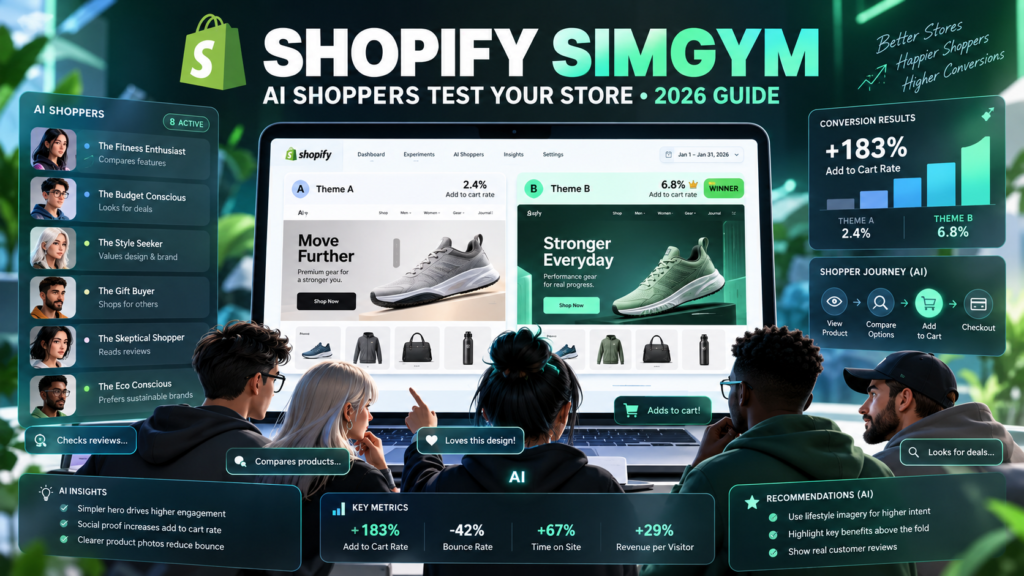
Updated October 15, 2026. Editorial disclosure: This is an independent Vervecta tutorial based on Shopify’s published documentation, not a hands-on evaluation of a merchant’s private store. Example stores, calculations, shopper comments and test outcomes below are illustrative, not reported SimGym measurements. App availability, credits, features and interfaces can change. Check your own Shopify admin before authorizing access or paying for a simulation.
Building a beautiful storefront is one thing. Knowing whether shoppers can actually find the products they want is another. Shopify SimGym approaches that second question with simulated buyers: AI-powered shoppers navigate an online store, browse merchandise, interact with collections and carts, then provide feedback about what worked and what got in their way. Instead of publishing an untested redesign and hoping for the best, a merchant can gather directional feedback before making that redesign live.
The distinction matters. Shopify SimGym is an AI Research Preview, not a magical conversion predictor or a replacement for real customer experiments. Its simulated add-to-cart patterns are useful clues, not a statistically validated forecast of actual revenue. In this guide, you will learn how to install SimGym, choose between a single-theme analysis and a theme comparison, interpret an AI shopper report, prioritize improvements, account for credits, and combine the tool with actual store analytics.
Quick answer: To use Shopify SimGym, confirm your store is eligible, install the official app from the Shopify App Store, open Shopify admin → Apps → SimGym, select Create simulation, choose Analyze a theme or Compare two themes, select the appropriate theme and optional focus area, and start the simulation. When it finishes, review the aggregate analysis and individual shopper journeys. Make one controlled design improvement at a time and validate meaningful changes with real shoppers. Shopify’s SimGym help guide documents this flow.
What Is Shopify SimGym? The 2026 Beginner’s Explanation
Shopify SimGym is a Shopify-developed app for simulated storefront user research. AI-powered shoppers attempt tasks on your store and generate feedback related to navigation, product discovery, collection pages and cart interactions. Shopify announced broader availability for eligible merchants in its March 11, 2026 changelog.
Unlike a generic AI chatbot, SimGym interacts with an actual storefront theme. Unlike a conventional live A/B test, however, it does not randomly split your real paying customers between two published variants and measure their purchases. It uses virtual shoppers to surface possible friction. That makes it a useful pre-launch screening tool rather than conclusive evidence that one design will earn more money.
How Shopify SimGym AI shoppers explore a store
A simulation creates a population of AI shopper journeys that resemble browsing behavior. Shoppers may look for a product, inspect alternatives, use navigation, explore collections and attempt to add an item to a cart. You receive a synthesis of their experiences plus individual shopper details. The objective is to reveal confusing page structures, weak merchandising, misleading search results and unhelpful product information before those weaknesses affect real visitors.
Think of a store selling running shoes. An AI shopper looking for wide-fit footwear may struggle to distinguish product variants; another might be unable to find the returns policy; a third could successfully compare two products. These are hypothetical examples, but they show how behavioral traces can create more actionable design questions than a simple visual review.
Simulation versus a normal theme preview
The standard Shopify theme preview lets a merchant manually inspect a storefront. SimGym adds simulated shopper behavior and consolidated qualitative feedback. A preview answers, “Does the page look right to me?” A simulation is designed to raise questions such as, “Can a visitor find the right category?” or “Does the product page communicate enough to justify an add-to-cart action?” You should use both, because automated shoppers cannot verify every real-world device, assistive technology or checkout scenario.
Who benefits most from simulated storefront research?
The clearest audiences are stores preparing a redesign, merchants changing collection navigation, agencies evaluating draft themes, small teams without dedicated user-research budgets, and marketers preparing seasonal landing pages. New stores may also use a single-theme analysis, but Shopify says simulations work best when the store already contains realistic products and content. A practically empty storefront cannot provide useful evidence about discovery or purchase confidence.
Shopify SimGym Eligibility: Check These Requirements First
Do these checks before investing time in a test plan. Eligibility restrictions explain many installation failures, and they are not problems you can necessarily solve by reinstalling the app.
Shopify SimGym requires a Liquid online storefront
Shopify lists Liquid storefronts as eligible and explicitly excludes Hydrogen and headless storefronts. If your shopping experience is powered by a separate headless frontend, do not assume SimGym can simulate that environment. Identify your storefront architecture first. An agency managing several environments should record which domain and theme the selected Shopify store actually publishes.
Shopify Network Intelligence must be enabled
Shopify also requires Shopify Network Intelligence (SNI) to be activated. This is an account setting with privacy implications; don’t turn it on automatically just to complete an experiment. Have the store owner review Shopify’s current explanation and policy obligations, especially if your business operates across different privacy jurisdictions. If SNI cannot or should not be enabled, treat SimGym as unsuitable for that store rather than bypassing a legitimate eligibility rule.
The storefront cannot be password-protected
A password-protected store is not supported under Shopify’s current eligibility description. Do not remove password protection casually from a confidential prelaunch store. Confirm with the store owner whether a public storefront is acceptable before changing access. For a private product launch, a manual staging review and conventional usability tests may be safer alternatives.
Your store needs real products and usable content
Shopify requires at least one product listing before using the simulation. In practice, make sure product titles, pricing, variant selectors, images, collection links and core informational pages are representative. A site with generic placeholder text will cause misleading feedback. If the simulated shoppers cannot find a realistic product, this can reflect incomplete test material rather than bad theme design.
Comparing themes requires an active theme and a draft theme
A single-theme analysis can examine a live or draft theme independently. A theme comparison uses your active theme against another installed theme from your draft library. Create a duplicate or prepare a draft alternative before selecting Compare two themes. Shopify’s instructions do not say you must publish the challenger theme, so you can keep risky design changes offline while you assess them.
How to Install Shopify SimGym: Step-by-Step Setup
The official listing is Shopify SimGym in the Shopify App Store. Confirm the developer is Shopify. Be wary of similarly named apps or screenshots claiming to be official support representatives. Shopify lists the app as free to install, while the cost of running simulations depends on current credit and billing rules.
Step 1: Open the official app listing
Visit the listing while logged into the intended Shopify account. Verify the app name, developer and current description. Read the required data access and charging information before proceeding. Multiple-store organizations should check which store is selected; installing into the wrong test shop can lead to confusing results or a billing surprise.
Step 2: Check permissions and the store you are authorizing
The install flow may request store information and theme-related access. Review Shopify’s current permission screen rather than relying on a guide that may become outdated. Use an owner or appropriately authorized administrator for installation, and document which team member is responsible for subsequent runs. In agency work, avoid installing under shared credentials; maintain an auditable account trail.
Step 3: Open the app from Shopify Admin
After installation, go to Shopify admin → Apps → SimGym. You should see the app’s simulation interface or an eligibility notice. If Shopify explains why the store is not compatible, address the stated condition instead of repeatedly starting the installer. The likely checks include theme architecture, Network Intelligence and password protection.
Step 4: Create your first simulation
Click Create simulation. Choose either Analyze a theme or Compare two themes. Name the simulation so the purpose is obvious later: for example, “Homepage navigation audit — October 2026” or “Current theme versus new collection navigation.” Avoid ambiguous names such as “Test 1” when several people collaborate.
Step 5: Select the theme and optional focus area
For Analyze a theme, choose a live or draft theme. You can focus the investigation on Home page, Products, Collections, Cart or Search. For Compare two themes, select the draft alternative to test against the active theme. Record version names, relevant customizations and the chosen focus so that a later report can be interpreted in context.
Step 6: Review the credit cost and start
Read the app’s current credits and price information before clicking Start simulation. Don’t assume a monthly allowance or specific dollar amount from old blog posts; Shopify’s current help documentation describes a credit-based system and says promotional free credits may be allocated during the research preview. When your simulation starts, it enters a queue and later shows progress as AI shoppers interact with your store.
Step 7: Inspect the completed report, not just the headline
Open Apps → SimGym → Simulations, select the completed run and review both its summary and individual shopper journeys. In a comparison, Shopify identifies a winner based on simulated add-to-cart rate; a zero-to-zero tie is treated as inconclusive. In a single-theme analysis, expect strengths, weaknesses and prioritized recommendations. A headline result without the underlying journeys is not enough to justify a high-risk site launch.
Shopify SimGym Single-Theme Analysis: Find Storefront Friction
Use a single-theme analysis when your real problem is unclear: low product discovery, a confusing menu, unexplained cart abandonment or a new design that has not received customer feedback. You do not need to prepare a second theme. The output is a qualitative audit, not a statistically controlled comparison.
Shopify SimGym homepage analysis: test the first impression
Choose the Home page focus when shoppers struggle to understand the brand, value proposition or next step. Examine whether hero content tells people what the store sells, whether category links are obvious, and whether sales claims are credible. Look for repeated observations across shopper journeys rather than one isolated complaint.
For example, a report might indicate that several simulated shoppers overlooked the category menu because the hero image dominated the screen. A good response would be to move category links into a clearer navigation position, then repeat the analysis. It would not be to assume the revised design will lift revenue by a particular percentage.
Product-page analysis: reduce purchase uncertainty
Choose Products when you want to evaluate whether product detail pages support a confident decision. Are variant names understandable? Are essential dimensions, materials, shipping expectations and returns links easy to find? Are price and availability displayed consistently? Check the actual Shopify product data as well as the theme, because SimGym cannot fix inaccurate merchandise facts.
For a footwear store, an actionable hypothesis might be: “Making the size guide visible near the selector will reduce confusion for size-sensitive buyers.” For a cosmetics store, it might be: “Shade comparison guidance is missing.” Treat these as proposed tests, not proven shopper psychology.
Collection analysis: improve discovery paths
Choose Collections to investigate category organization, filters, sorting and long product lists. A store may have hundreds of products but only a handful of useful category labels. Review whether shoppers can distinguish broad collections from specific use cases. Compare common intents such as “gift under $50,” “organic cotton,” or “wide-fit shoes” with the labels you actually provide.
Cart analysis: check shopping friction
A cart-focused analysis can surface confusing quantity controls, hidden cost information, conflicting discount messages or weak reassurance about shipping and returns. Shopify describes checkout experience feedback in terms of ease of adding a product to cart. Do not reinterpret that as proof that SimGym has completed live payments or that it validates every third-party payment gateway.
Search analysis: identify broken expectations
Choose Search if customers arrive with a specific item in mind and often leave without finding it. Review synonym handling, variant names, merchandising and empty-results messaging. A simulated shopper searching for “waterproof jacket” might miss a product labeled only by its collection name. Check the underlying product tags and search settings before making sweeping changes to theme code.
Compare Two Shopify Themes With SimGym Before Publishing
Theme comparisons are among the app’s most practical workflows. You keep the current theme live and test it against a draft alternative. That reduces the operational risk of publishing an unfamiliar layout merely to gather feedback, although it does not remove the need for real-world measurement later.
Prepare a clean A/B-style theme comparison
Despite the popular “A/B test” shorthand, SimGym is not a live randomized A/B testing platform. Keep everything possible constant: catalog, price, promotions, shipping rules and content. Change only one meaningful design factor between themes, such as the hero CTA position, collection navigation or product information layout. If theme B simultaneously changes colors, prices, image composition and collection structure, you will not know which element produced different simulated behavior.
Create a safe draft theme without touching the live storefront
In Shopify’s theme management interface, duplicate the current theme or select an unpublished draft that can be compared. Label it clearly, document the change and check for app integration differences. Test the draft manually on mobile and desktop before running AI shoppers, because a damaged layout can bias the exercise. A duplicate protects the live storefront from premature publication; it is not a substitute for normal backups and review procedures.
Read SimGym’s winner and add-to-cart rate carefully
Shopify’s comparison report identifies a winning theme using the highest simulated add-to-cart rate. Consider a hypothetical report in which theme A records 8 simulated add-to-cart outcomes from 100 simulated journeys and theme B records 12 from 100. The illustrative rates are 8% and 12%, an absolute difference of 4 percentage points. That is not evidence that B will raise your real-world conversion rate by 50%. Different simulated tasks, paths and shopper assumptions can all affect the observation.
Look for reasons in the journeys: did shoppers find product categories faster, understand variants more easily or see clearer availability information? Then make a decision proportional to the evidence. For a low-risk button-label update, this might be enough to warrant a real test. For a full checkout redesign, the bar should be much higher.
What to do when the report calls a tie inconclusive
A zero-to-zero add-to-cart tie is specifically inconclusive under Shopify’s described comparison method. Check whether the store had meaningful products, whether pages loaded and whether the simulated shoppers’ tasks matched your catalog. Do not declare the design with more appealing visuals the winner simply because the tool cannot distinguish them. Revise the test conditions or collect human feedback.
How to Understand Shopify SimGym AI Shopper Reports
The value is in the combined evidence, not one numerical tile. Shopify says feedback covers navigation, ease of adding to cart, overall layout, individual shopper behavior and recommendations. Use these different layers to move from symptoms to testable hypotheses.
Separate an AI shopper’s action from its interpretation
“Shopper navigated to page X and then used search” is a behavioral observation within the simulation. “The homepage is confusing” is an interpretation. The first can help investigate a pattern; the second should be checked against the page and other journeys. If a shopper searches for a product you do not sell, its failure does not necessarily indicate poor UX.
Prioritize repeated patterns over outliers
Suppose several shoppers fail to locate a sizing guide, while one comments that a background color feels untrustworthy. The repeated sizing issue is a stronger candidate for investigation, especially if live customer support tickets mention the same problem. Individual simulated personas may have unexpected preferences and do not represent a scientifically sampled customer population.
Create a clear evidence-to-action table
| SimGym signal | Question to verify | Candidate change | Real-world validation |
|---|---|---|---|
| Shoppers miss collections | Are menu labels ambiguous? | Rename and reorder categories | Navigation events, usability sessions |
| Add-to-cart attempts fail | Is the variant selector usable? | Clarify variant labels and button state | Product-page event funnel |
| Search returns unrelated results | Are catalog terms incomplete? | Improve titles, tags and synonyms | Search exits and zero-result rate |
| Shoppers hesitate on price | Is total value explained? | Add factual benefits and shipping clarity | Product-to-cart conversion |
| Returns link is not found | Is the policy buried? | Surface policy near purchasing decisions | Support questions and user testing |
This workflow forces every suggested fix to become a falsifiable question. It also helps teams avoid committing expensive development time merely because a dashboard reports a concern.
Shopify SimGym Pricing and Credits in 2026
Do not rely on fixed prices quoted in older tutorials. Shopify’s current SimGym help page says that a simulation uses one credit, that free credits may be allocated during the research preview, and that additional credits can be purchased through top-ups. The app listing says the app is free to install and that additional charges may apply. The actual credit package and payment flow should be checked inside the account at the time of purchase.
Is Shopify SimGym free?
Installing it is listed as free in Shopify’s official App Store. That does not mean every simulation is free. Preview allocations may vary or change. Before starting, open the credit or billing information displayed in the app, understand how many credits remain, and read any confirmation screen showing the costs involved.
Estimate the number of simulations you actually need
Start with one well-scoped baseline, then run a second simulation only when a meaningful change has been made. Avoid dozens of poorly defined runs that generate feedback without resolving a business decision. If your team has multiple candidate themes, rank the most important questions before allocating credits.
A simple decision budget could include a navigation audit, one single-change theme comparison and a follow-up after the revision. This is a planning example, not a promise that three credits will be sufficient for every merchant or that Shopify provides a fixed number of free credits.
How to avoid unexpected research-preview costs
Check the currently available credits and top-up options; designate one person to authorize runs; document why each simulation is needed; and review monthly Shopify app charges. When the preview terms change, update the team’s assumptions rather than continuing to use old price tables. Shopify lists relevant app-access information on its store listing, so an internal procurement review may be warranted for larger organizations.
Nine Practical Shopify SimGym Testing Scenarios
A simulation becomes more useful when it answers a concrete launch question. These scenarios translate common e-commerce projects into narrowly scoped experiments. For each, write a hypothesis before running the tool, keep a record of the version tested, and define what would count as a useful result.
Scenario 1: Test the homepage hero before Black Friday
A merchant replaces a general brand headline with a seasonal message. The hypothesis is that shoppers will understand the featured offer and reach relevant collections faster. Run a homepage-focused analysis against the draft, inspect where shoppers click, and confirm that promotions are accurate. The result should inform a human review; it does not validate actual discount eligibility or guarantee holiday revenue. If you’re scheduling the campaign, see Vervecta’s Shopify Rollouts tutorial for complementary rollout planning.
Scenario 2: Compare a mega menu with a simpler navigation
An electronics retailer has overlapping categories such as “Accessories,” “Devices,” and “Essentials.” The new draft groups items by buyer goals instead. Keep product prices and page content unchanged and compare navigation behavior. If several simulated shoppers find the intended collection more directly in the draft, examine whether the new structure is also understandable to humans and accessible with keyboards and screen readers.
Scenario 3: Test whether product variant information is discoverable
A clothing brand has multiple sizes, fits and colors. The draft moves size guidance closer to the variant selector and makes availability more explicit. A product-focused analysis may identify fewer confusing paths, but check the underlying product configuration too: a better-looking selector cannot compensate for incorrect stock data. Do not infer that SimGym verifies warehouse quantities or the accuracy of shipping promises.
Scenario 4: Evaluate collection filters for high-intent shoppers
A retailer adds filters for size, material and intended use. Focus on Collections and review whether shoppers interact with categories in a logical order. Validate the filters with actual product attributes so “waterproof” does not appear for items that merely resist splashes. If the search index is out of sync with catalog data, fix that operational problem before attributing failures to the theme.
Scenario 5: Prepare a gift shopping landing page
Holiday gift buyers often enter with a budget and a recipient rather than a product model. A draft page might offer “Gifts under $50,” “For runners,” and “For travelers.” Use SimGym to gather directional evidence about discoverability, then check live search terms and buyer support questions. Keep any example budgets realistic for the store’s actual currencies and local purchasing power.
Scenario 6: Check a brand refresh before publishing
A brand redesign may modify typography, contrast, product photography and information density. These are several variables at once, so one simulation can act as a screening audit for obvious issues, but it cannot isolate the causal impact of each element. After identifying major friction, split the redesign into smaller controlled comparisons where feasible. Pair automated feedback with accessibility review and actual mobile-device testing.
Scenario 7: Audit the cart before a paid advertising push
A store plans to increase acquisition spending, but its cart hides delivery estimates and has conflicting discount messaging. A Cart analysis can suggest where simulated shoppers hesitate. Confirm the concern with checkout event data, customer interviews and the actual behavior of shipping and tax calculations. Spending more on ads before fixing a genuine cart problem can amplify lost opportunities.
Scenario 8: Review a new store created with Shopify Canvas
Teams can design with AI and then test what they built. If your store has access to Canvas, create a candidate theme, verify all content and integrations, then use SimGym to check discovery and navigation issues before release. Our Shopify Canvas guide explains the design workflow. Remember: a visually convincing AI-generated draft still needs factual content, device checks and human sign-off.
Scenario 9: Investigate confusing product listings for AI shoppers
If simulated shoppers repeatedly misinterpret titles, benefits or category assignments, you may need content changes rather than new colors or animations. Review the product data, make specific factual improvements, then retest. Vervecta’s AI shopping product optimization checklist offers a related audit of listings for broader AI-assisted discovery, which is a different problem from SimGym’s storefront simulation.
Shopify SimGym Versus Live A/B Testing, Analytics and Human Research
Calling every comparison an A/B test can lead to costly decisions. These methods produce different evidence, and the strongest store optimization programs deliberately use more than one.
| Method | Who interacts with the store? | Main output | Key limitation |
|---|---|---|---|
| Shopify SimGym | AI-simulated shoppers | Qualitative journeys and directional add-to-cart comparison | Not actual buyer outcomes |
| Live A/B testing | Real visitors randomly exposed to variants | Measured conversion or business outcomes | Requires sufficient traffic and careful setup |
| Shopify Analytics / GA4 | Real customer sessions | Observed traffic, orders and funnel events | Does not always explain motivations |
| Moderated usability testing | Selected human participants | Explanations, observations and task success | Small samples and recruiting effort |
| Accessibility audit | Automated checks and human testers | Compliance and usability concerns | No single tool verifies every user experience |
Simulated diagnostics are not revenue forecasts
A simulated add-to-cart rate does not equal a store’s live conversion rate. SimGym’s AI shoppers are not random actual customers; their interests, tasks, and responses may differ from visitors acquired through search, social media or paid ads. Revenue depends on factors such as payment acceptance, shipping, market demand, repeat purchases and fraud rules that cannot be inferred from a theme simulation alone.
When to run a real A/B experiment instead
Use a live experiment when a change affects important customer-facing behavior and you need a measured business decision. Randomization, sufficient sample size, guardrail metrics and stable tracking matter. A campaign that is active for only a few hours may not reach a meaningful conclusion. Be cautious about declaring a result “significant” because a dashboard graph moves sharply during a small traffic window.
For a store that uses Shopify’s Rollouts for experiments, review our Rollouts scheduling and A/B testing tutorial to understand how publishing and experimentation fit into operations. SimGym can help screen candidate designs before exposure to paying customers.
Pair simulated feedback with real store analytics
Start with a baseline from the store’s own metrics: sessions, product views, add-to-cart events, checkout starts, purchases and revenue. Then use simulation reports to formulate possible explanations for the largest drop-offs. After a change goes live, review these same measures across comparable periods and traffic sources. Our guide to tracking ChatGPT-driven Shopify sales covers a separate but complementary attribution challenge.
Build a Responsible Shopify SimGym Optimization Workflow
The most effective workflow is deliberately modest. You are not trying to manufacture a spectacular dashboard result; you are trying to make better decisions while limiting risk to customers and developer time.
Step 1: State a specific problem in merchant language
Bad question: “Which theme is best?” Better question: “Can first-time buyers find the running-shoe size guide and add a suitable variant to the cart?” A narrow question lets you identify which page and behavior to inspect. Tie the question to a real operational concern such as customer support requests, exit patterns, unusual search terms or low product-to-cart movement.
Step 2: Choose a baseline and protect the production store
Record the current theme’s name, version, primary navigation, featured products and any active discounts. Create a draft for prospective design changes. Avoid making simultaneous live updates during the test unless necessary for safety or legal compliance. If a seasonal campaign changes prices while you are comparing themes, document the timing to avoid a misleading interpretation.
Step 3: Decide which report would change your mind
Before consuming credits, write down what you would do if the AI shoppers find a repeated usability problem, what you would do if the report is inconclusive, and how you will check any recommended fix. This prevents retrofitting a story to a flattering score. A report is useful when it improves a decision, even if it tells you not to launch a proposed redesign.
Step 4: Review individual journeys and challenge odd claims
Do not automatically implement every recommendation. If a simulated buyer reports a broken link, open it yourself on supported devices. If a shopper searches for an item not in your inventory, identify whether this is a catalog expectation mismatch or a genuinely misleading store label. Shopify App Store reviews include merchants reporting some unhelpful or incorrect observations; this is an additional reason to verify findings independently, not a reason to dismiss all feedback.
Step 5: Make one reversible improvement at a time
Write each candidate change as a small work item: issue, supporting examples, owner, modified component, validation method and rollback plan. Simple modifications include descriptive category labels, better shipping information placement and clearer product specifications. Avoid unreviewed changes to tax calculations, payment settings or legal policy statements based solely on AI feedback.
Step 6: Validate the effect with humans and first-party metrics
After manual QA, consider limited rollout, user testing or an actual A/B experiment. Watch accessibility and technical performance as well as conversion. If real performance gets worse, revert the change regardless of the original simulation’s winner label. For higher-value stores, include customer support and merchandising stakeholders in the interpretation rather than leaving the decision entirely to a growth dashboard.
Shopify SimGym Troubleshooting: 12 Common Problems
1. Shopify SimGym says the store is not eligible
Check the three official conditions: a Liquid storefront, Shopify Network Intelligence enabled, and a storefront that isn’t password-protected. Hydrogen and other headless setups aren’t currently supported. Follow the app’s eligibility explanation; don’t create a security problem just to run one preview.
2. I can’t find Shopify SimGym in the Apps menu
Confirm that the app was installed for this exact Shopify store rather than another store under the same account. Review the official App Store listing and the connected-store selector. Ensure your user account has the permissions needed to see the installed app. If installation fails, use Shopify’s app support route.
3. Compare two themes is unavailable
A theme comparison requires a live theme and another draft theme installed. Create a suitable draft and confirm you have selected the right shop. A single-theme analysis remains the appropriate choice if your goal is to assess only the existing storefront.
4. SimGym reports the wrong products
Review product titles, variant names, publication status, collections and navigation. If a shopper expects products your store doesn’t sell, classify the observation carefully. It might reflect generic simulated intent rather than an actual problem with your theme. Improve truthful store labels rather than inserting misleading keywords.
5. AI shoppers keep failing to add products to cart
Check whether the items are available, whether required variants are selected, and whether the theme has JavaScript or app conflicts. Reproduce the journey manually in a clean browser on mobile and desktop. The repeated failure could identify a real interaction problem, but a simulation cannot itself determine the root cause with certainty.
6. The report says a button is broken, but it works
Treat the comment as a claim to verify. Repeat the flow without extensions, check console errors where practical, and test multiple viewport sizes. Some simulation limitations can make an accessible control behave unexpectedly. Do not rewrite functional checkout components without reproducing a problem independently.
7. The comparison picks the wrong-looking theme
The official comparison winner is determined by simulated add-to-cart rate, not visual aesthetics, brand fit or proven real sales. Read shopper journeys and consider whether the winning draft violates merchandising requirements. You are responsible for weighing the report against design quality, performance, accessibility and brand standards.
8. Both themes show zero simulated add-to-cart actions
Shopify describes a zero-to-zero comparison as inconclusive. Verify that meaningful products and valid pages were available. Reconsider the test goal and whether the store’s customer journey can be represented effectively. Avoid presenting the two zeroes as strong evidence of equality.
9. My simulation is queued for a long time
Shopify says a simulation enters a queue before it starts. Check the app for status changes and avoid triggering multiple copies simply because progress isn’t immediate. If a run appears permanently stuck, collect its name, approximate start time and current status and contact the app’s supported help channel.
10. I have no free credits or see unexpected charges
Current Shopify documentation uses a credit-and-top-up model, and any promotional free allocation can vary. Check the account’s credit balance and billing screens. Installing the app being free does not imply unlimited no-cost experiments. Pause additional runs until an authorized team member confirms the cost.
11. The store is headless, using Hydrogen or heavily custom
Shopify explicitly excludes Hydrogen and headless storefronts from current SimGym eligibility. Use methods suited to the real frontend instead: manual QA, accessibility testing, analytics instrumentation and human usability research. Do not report a Liquid theme simulation as validation of a separate headless production experience.
12. Reports conflict with live Shopify analytics
This is not inherently a software error. The samples differ: SimGym observes virtual shopper journeys, whereas live analytics records actual traffic under particular measurement rules. Investigate tracking quality, traffic mix, landing-page intent and seasonality. Prefer actual customer evidence for revenue decisions and use simulation findings to frame the next question.
A Seven-Day Shopify SimGym Testing Plan
You can conduct a controlled research sprint without making the simulation the center of every decision. The following schedule is an illustrative workflow, not a Shopify-required timetable.
| Day | Primary action | Deliverable |
|---|---|---|
| 1 | Review eligibility, billing and business goals | Approved research brief |
| 2 | Audit existing analytics and shopper questions | Baseline and top friction hypotheses |
| 3 | Prepare and manually QA a draft theme | Documented candidate change |
| 4 | Run one carefully scoped simulation | Saved SimGym analysis |
| 5 | Verify repeated concerns with human QA | Prioritized, evidence-backed fixes |
| 6 | Implement one change and test accessibility | Reviewed draft or controlled rollout |
| 7 | Plan real-world measurement and monitoring | Measurement plan and rollback criteria |
A store with substantial traffic may proceed to an appropriately designed live test. A smaller store may instead use moderated buyer sessions, customer support feedback and longer observational windows. Both are more trustworthy than treating simulated conversion numbers as final revenue predictions.
Shopify SimGym FAQ: Answers for Merchants and Agencies
Is Shopify SimGym an official Shopify app?
Yes. The Shopify App Store listing names Shopify as the developer. Confirm the developer and listing before installing. Shopify’s Help Center describes the setup and eligibility details.
Is there a waitlist for eligible merchants?
Shopify’s March 11, 2026 changelog says the AI Research Preview became available without a waitlist for eligible merchants. Eligibility is not universal. A Liquid storefront and other stated requirements still apply.
Can simulated testing increase my real conversion rate?
It may suggest improvements worth testing, but it cannot guarantee higher conversion or revenue. Virtual shopper behavior is directional. Verify changes with real visitor outcomes and user research.
Does simulated shopping replace A/B testing?
No. It compares simulated shopper behavior across themes; a live A/B test measures the behavior of real visitors randomly assigned to variants. Use SimGym to screen ideas and live methods to support high-stakes performance conclusions.
Can SimGym test an unpublished Shopify theme?
Yes. A single-theme analysis can use a live or draft theme. A theme comparison pits the active theme against another installed draft theme.
Can I use SimGym with a Hydrogen storefront?
Not under Shopify’s current requirements. Hydrogen and headless storefronts are excluded. Check the official eligibility page before building a test program around the app.
Does the store need to be public?
Shopify lists password-protected stores as ineligible. Evaluate privacy and launch needs before removing password protection; exposing unfinished content may be a bigger risk than skipping the simulation.
Is Shopify Network Intelligence required?
Yes, according to Shopify’s current help document. Review Shopify’s settings and privacy implications with the appropriate account owner before enabling it.
Can SimGym test my search results page?
Shopify lists Search among the optional focus areas for a single-theme analysis. Interpret feedback alongside actual query reports and catalog completeness.
Does SimGym generate real purchases or charge real customers?
The product is described as a virtual shopper simulation for storefront analysis, not a mechanism for making authentic customer purchases. Do not assume that a simulated add-to-cart action proves payment or fulfillment functionality.
How does SimGym choose the winning theme?
Shopify says the winner in a theme comparison is based on simulated add-to-cart rate. A zero-to-zero tie is inconclusive. Neither outcome is a direct real-revenue measurement.
Can SimGym evaluate mobile usability?
Its shopper journeys may reveal layout or navigation concerns, but the published documentation does not establish it as a comprehensive mobile browser or accessibility testing suite. Continue real-device and accessibility QA.
Is Shopify SimGym free or paid?
Shopify lists it as free to install, while simulations use credits under the current help documentation. Promotional credits may be available, and top-ups can cost money. Check your app billing screen for up-to-date details.
How many free SimGym credits do I get?
Do not assume a fixed allotment. Shopify’s current help page says free credits might be allocated during the research preview. Your app should show the relevant account-specific balance and purchase options.
Can I test two draft themes against each other?
The documented comparison mode uses the active theme against a draft theme, not arbitrary pairs of unpublished themes. For other comparisons, revise your testing approach rather than assuming unsupported options exist.
Can an agency manage SimGym for clients?
An agency can advise on testing and coordinate with merchants where account permissions allow it. Get explicit authorization before installing an app, running credit-consuming simulations, viewing store data or changing storefront settings.
How often should I run simulations?
Run them when a meaningful decision is pending: before a major redesign, following a repeated usability complaint or when preparing a seasonal layout. The goal is actionable evidence, not maximizing test volume.
Will Shopify SimGym improve Google rankings?
Not directly. It is a storefront research tool, not an SEO ranking service. Better navigation and content may benefit people, but no ranking improvement is guaranteed. For search visibility, address technical SEO, useful pages and accurate product information separately.
Can SimGym diagnose problems with my product catalog?
It may surface discovery and information issues that point toward catalog cleanup. It is not a substitute for validating price, stock, variants and product feed eligibility in Shopify. Our Shopify catalog troubleshooting guide covers a different diagnostic workflow.
Is SimGym the same as Shopify’s Canvas or Rollouts tools?
No. Canvas helps with store design, SimGym simulates shopper interaction with themes, and Rollouts helps schedule and experiment with storefront changes. They address different stages of a design-to-launch process.
Final Shopify SimGym Checklist Before Launching a Theme
- The Shopify store has a supported Liquid storefront, Network Intelligence activated and no password gate blocking SimGym eligibility.
- Products, collections, variants and core policies are accurate enough to test.
- The simulation has a precise question, named baseline and documented theme version.
- The team reviewed available credits, top-up pricing and app permissions.
- A draft challenger was prepared when conducting a comparison.
- The summary was evaluated alongside individual shopper journeys.
- Repeated concerns were reproduced with manual or human testing.
- No simulated conversion result was presented as proven revenue uplift.
- Accessibility, mobile rendering and technical performance were checked independently.
- The launch has monitoring, accountability and a rollback plan.
Conclusion: Use Shopify SimGym to Ask Better Questions
Shopify SimGym is most valuable when it turns uncertain design opinions into specific, testable questions. It can help a merchant assess a draft theme, inspect navigation and product discovery, and identify changes worth investigating before making them live. Its strength is speed and direction; its weakness is that simulated shoppers are not actual customers. With careful credit use, truthful interpretation and real-world validation, SimGym can fit naturally between design work and live experimentation.
If you’re building a broader Shopify optimization workflow, use Shopify Canvas for theme creation, Rollouts for launch planning, and Campaign Autopilot for AI-assisted marketing as separate tools with different purposes. One tool designs, another simulates, another schedules, and another coordinates marketing; none replaces sound business judgment or the evidence of real paying customers.
Official Sources and Further Reading
- Shopify Help Center — SimGym: eligibility, simulations, credits and reports
- Shopify App Store — Official Shopify SimGym listing and current pricing disclosures
- Shopify Changelog — SimGym AI Research Preview availability, March 11, 2026
Vervecta is an independent publisher and is not affiliated with Shopify. This article is educational content and should not be treated as a guarantee of sales, testing accuracy, account eligibility or software pricing.