
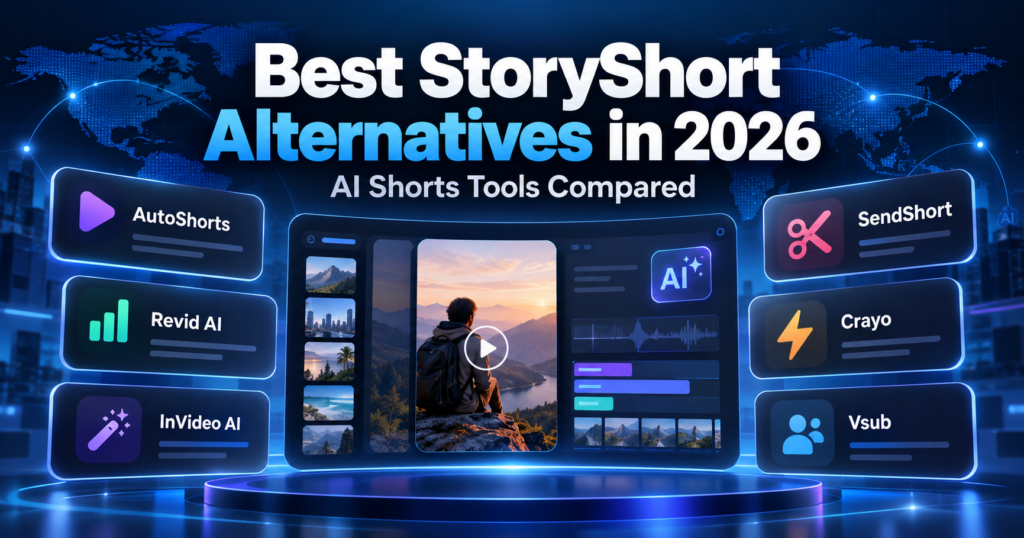
Looking for the best StoryShort alternatives in 2026? The right choice depends on whether you want automatic faceless-video series, hands-on AI video generation, or tools that turn existing footage into short clips. Those are different workflows—and choosing the wrong category can waste time and credits.
This independent editorial guide compares six options: AutoShorts.ai, Revid AI, InVideo AI, SendShort, Crayo, and Vsub. We focus on practical use cases, what to test, and how to calculate real costs instead of claiming that one tool is perfect for everyone.
Updated October 2026. Features, prices, export allowances, and commercial licenses may change. Confirm details on each product’s official website before purchasing. Vervecta has not independently hands-on tested every product listed.
StoryShort alternatives at a glance
| Tool | Best use case to evaluate | Watch out for |
|---|---|---|
| AutoShorts.ai | Recurring faceless series and automation-first workflows | Editorial control and automated publishing settings |
| Revid AI | Experimenting with AI-generated short-video formats | Credits per revision and final export limits |
| InVideo AI | Prompt- and script-led video production | AI generation allowances and licensed assets |
| SendShort | Repurposing existing recordings into shorts | Not the same as creating every scene from scratch |
| Crayo | Template-driven short-form storytelling | Distinctiveness and format flexibility |
| Vsub | Caption-led storytelling formats | Template fit and editing requirements |
Quick takeaway: Start with AutoShorts.ai if repeatable automation is your top priority. Investigate Revid AI or InVideo AI for a hands-on creative workflow; consider SendShort if your main input is existing footage. Crayo and Vsub are worth testing for specific storytelling formats.
What makes a useful StoryShort alternative?
Map your actual process before subscribing: research → script → voiceover → visuals → captions → editing → approval → scheduling → analysis. Some software automates recurring generation while others mainly speed up editing. A system that publishes unattended can save effort but may also produce repetitive or inaccurate output unless you keep an editorial review step.
Compare total monthly costs, quality of spoken narration, caption accuracy, export resolution, language support, music and visual licensing, brand customization, ability to revise scenes, and controls for approval before publication.
1. AutoShorts.ai — automation-first faceless videos
AutoShorts.ai is one of the closest alternatives to investigate if your main goal is an ongoing faceless short-form series. Its automation focus may be attractive to creators who want a repeatable production rhythm.
Good fit
- Creators publishing frequently in one consistent niche.
- Teams seeking to reduce repetitive production work.
- Publishers who can still review every script and final cut.
What to verify
Check supported publishing platforms, editorial approval options, voice selection, how much content can be revised, and whether generation or posting frequency is capped by plan. Ask for a realistic example made from your own prompt before committing.
Bottom line: Evaluate AutoShorts.ai first for recurring automation, but do not confuse output volume with originality or audience value.
2. Revid AI — short-video experiments and formats
Revid AI is worth considering for creators who want to try different AI short-video concepts and iterate on hooks, visuals, and scripts.
Good fit
- Marketing teams testing different creative concepts.
- Short-form creators who want to explore formats before settling on a repeatable series.
- Users who need to revise generated content rather than publish everything as-is.
What to verify
Calculate how many credits a complete publishable video costs after failed generations, revisions, subtitles, and exports. Check actual available features on the plan you intend to use. A low entry price does not necessarily mean a low cost per useful finished video.
3. InVideo AI — script-led AI video production
InVideo AI is an option when you want to turn a prompt or script into a video and retain control over editing. It is relevant to explainers, promotional clips, and narration-based content—not just faceless social channels.
Good fit
- Businesses preparing product explainers with an approved script.
- Creators who need to revise scenes, timing, and narration.
- Teams making several types of video rather than one fixed template.
What to verify
Review plan-level generation limits, stock-media permissions, watermark rules, export restrictions, and any additional costs for premium assets. For more details, read Vervecta’s InVideo AI review.
4. SendShort — turn existing recordings into clips
SendShort is especially relevant when you already own footage: podcasts, interviews, webinars, product walkthroughs, or longer YouTube videos.
Its most useful comparison point is repurposing versus generation. Rather than fabricating visuals from a new AI-written script, repurposing can retain the original speaker’s context and expertise. Evaluate its clip selection, captions, speaker handling, mobile reframing, and brand styling with a real recording.
If you do not have source footage, an automation-first generator may be more appropriate.
5. Crayo — template-based short-form stories
Crayo is worth exploring for fast, template-oriented short videos and specific storytelling styles.
Test whether you can adapt fonts, subtitles, voice, scene changes, and pacing enough to make the result fit your own brand. A familiar template may help production speed, but copying the same structure repeatedly can make content blend into competitors’ feeds.
6. Vsub — caption-led story formats
Vsub is another candidate for creators who care particularly about subtitles and narrative presentation. Compare it with Crayo using the same 45-second script.
Check voice quality, caption legibility on a small phone screen, how easy it is to correct text, and whether the visual treatment suits your particular topic. A story template that works for entertainment may not suit a software tutorial.
How to choose an AI Shorts platform: an editorial decision framework
Choosing an AI video platform is not a popularity contest. Two products can both promise “AI Shorts” yet solve entirely different jobs. Treat your buying decision as a workflow audit: identify where your current production breaks down, then test whether the platform actually fixes that step.
Step 1: Define the source material
No source footage: You need ideas, a script, narration, visuals, editing, and final delivery. Automation-first systems and prompt-to-video products are the logical starting points. Existing long-form footage: You already own the core story. Clip detection, speaker tracking, reframing, and caption correction matter more than automatically generated scenes. Existing script and brand assets: Detailed editing controls, reusable styles, and predictable exports become more important than writing a script for you.
Step 2: Decide whether you need automation or creative control
Automation reduces repeated steps but can limit fine-grained editorial control. A hands-on editor may require more work yet make it easier to protect factual accuracy, brand consistency, and originality. Neither is objectively better. A history channel discussing disputed evidence should prioritize review and source verification. A creator repurposing an original podcast may value rapid clips with faithful transcripts.
Step 3: Write down non-negotiable requirements
| Requirement | Ask the provider | Why it matters |
|---|---|---|
| Human approval | Can every video be reviewed before publication? | Stops factual or brand mistakes going live automatically. |
| Captions | Can I correct exact wording and timing? | Names, technical terms, and multiple accents cause transcription errors. |
| Language and voice | Are my target languages and pronunciations supported? | An English-only demonstration does not prove multilingual quality. |
| Export | Which resolution, format, watermark rules, and limits apply? | Social platforms and clients can require different deliverables. |
| Commercial rights | What rights cover generated visuals, music, voices, and stock assets? | A paid subscription does not automatically license every component. |
| Billing | What counts as a credit, and what happens to unused credits? | Revisions can sharply increase total project cost. |
| Publishing | Which destinations and account permissions are supported? | “Social publishing” may not cover every required platform. |
| Data handling | How long are uploaded files retained and who can access them? | Critical for agencies and client-confidential recordings. |
Feature-by-feature comparison: automation, editing, and control
The matrix below identifies each platform’s primary workflow fit, not an independently verified guarantee that every feature is available on every subscription. Check current plans and product demonstrations before purchasing.
| Product | Primary workflow | Who should test it first? | Key test question |
|---|---|---|---|
| AutoShorts.ai | Automated, recurring faceless series | Creators seeking repeatability | Can I review, customize, and reliably schedule each episode? |
| Revid AI | AI-generated short-form experiments | Creators iterating formats | How expensive is a revised, approved final result? |
| InVideo AI | Script-led videos and editing | Explainers and marketing teams | How much can I correct scenes and narration? |
| SendShort | Repurposing existing footage | Podcasters, educators, interviewers | Does it preserve context while selecting clips? |
| Crayo | Template-led shorts | Story-format creators | Can I make output distinctive rather than formulaic? |
| Vsub | Caption-driven story presentation | Narration- and subtitle-led creators | Do timing and caption design work with my exact script? |
Comparing tools fairly: run the same production brief
Vendor demo videos are not comparable because providers choose different source material, styles, and quality controls. A more trustworthy way to select a product is to give each candidate the same brief and measure the result.
Example test brief: “Create a 45-second, 9:16 educational short explaining three mistakes first-time freelancers make when writing a proposal. Use clear international English, a direct opening hook, accessible on-screen captions, neutral narration, and a closing checklist. Do not invent statistics, guarantees, or testimonials. Include at least one actionable example.”
This deliberately tests more than visual spectacle. A good outcome should preserve the three-point structure, avoid unsourced claims, keep every caption readable, and end cleanly within 45 seconds. If a platform cannot accept such a brief because it repurposes source footage, use an original 3-minute recording of the same lesson as its input instead.
A practical 100-point scoring rubric
| Criterion | Weight | How to score |
|---|---|---|
| Accuracy and script fidelity | 25 | Are the claims correct, in order, and free of invented details? |
| Clarity of narration and captions | 20 | Can a phone viewer follow the whole message without replaying? |
| Visual relevance and originality | 20 | Do visuals explain the topic rather than merely fill time? |
| Editing and approval workflow | 15 | How hard is it to fix a wrong sentence or scene? |
| Total cost of approved output | 10 | How many credits and minutes are consumed, including revisions? |
| Rights, export, and distribution | 10 | Are delivery settings and licenses appropriate for your use? |
Scores should come from your own test and documented plan conditions. We do not assign invented benchmark numbers to products we have not tested in a controlled environment.
How to create AI shorts for an international audience
A global audience is not one homogeneous audience. English can reach viewers in the United States, United Kingdom, Canada, Australia, India, the Philippines, and beyond, but examples, spelling, cultural references, prices, and accessibility expectations vary. A strong international workflow starts with a clear audience definition rather than an automatic translation button.
Use understandable English rather than local slang
Write concise sentences, explain jargon on first use, and prefer unambiguous examples. “This feature can save editing time” is safer and more informative than unsupported promises like “This will triple your revenue.” Avoid region-specific idioms when the clip is aimed at a broad market.
Be accurate about pricing across markets
If you mention software prices, state the currency and billing interval. “$20/month billed annually” and “$20 month-to-month” are not equivalent. Sales tax, VAT, currency conversion, and geographic plan availability can affect what customers pay. When terms vary, direct viewers to the official pricing page rather than asserting one global price.
Test accents, terminology, and names
AI narration may mispronounce product brands, people’s names, and technical vocabulary. Prepare a short pronunciation list, check every generated voice track, and make sure captions match what is said. An accent-neutral voice is not automatically better; intelligibility and audience fit are what matter.
Build accessibility into production
Keep text away from platform interface overlays, ensure enough contrast with the background, limit each caption card to what can be comfortably read, and avoid flashing transitions that overwhelm the message. Check the exported file at the size people actually view it: a phone, not just a large desktop monitor.
Differentiate regional variants only where useful
You do not need separate uploads for every country. Create local variants when the practical advice really differs, such as tax treatment, purchasing access, currencies, regulations, or product availability. Otherwise, one well-edited international version may be more sustainable and less repetitive.
Commercial-use rights: a due-diligence checklist
One of the costliest mistakes in AI video production is confusing a software subscription with ownership of all generated components. Products may rely on model-generated scenes, licensed stock footage, synthetic narration, uploaded photographs, music libraries, and third-party templates. Different components can carry different permissions.
- Verify who licenses each asset. If footage comes from a stock library, read that library’s applicable license.
- Read the plan-specific commercial-use terms. Do not assume free trials and paid tiers have the same rights.
- Check voice permissions. Avoid impersonating a real person or reproducing a recognisable voice without necessary consent.
- Audit music separately. A license for a YouTube upload may not automatically cover paid advertisements or other platforms.
- Keep records. Save invoices, terms relevant to your purchase, source links, and license documentation.
- Check for trademark and likeness issues. Commercial use of a generated file is not permission to falsely imply a brand or public figure endorsed you.
For clients, put asset ownership, review responsibilities, and delivery rights in writing before you begin. This section is practical editorial guidance, not legal advice.
A 30-day creator pilot: test before scaling
Week 1 — Choose one audience and two tools
Select one narrow topic, such as budget-friendly software for small businesses or original educational clips. Define one audience, format, and publishing platform. Choose two tools that genuinely solve the same job; a repurposing editor and an automatic scene generator should not be evaluated on identical assumptions.
Week 2 — Produce four carefully reviewed shorts
Write original scripts or use footage you own. Make two videos with each tool. Record all edits, caption fixes, unusable outputs, rendering issues, and subscription credits consumed. Keep thumbnails and video descriptions accurate.
Week 3 — Publish and observe
Look at audience retention, where viewers drop off, engaged viewing, saves, meaningful comments, and the quality of referrals. Do not treat raw view count alone as proof of value. Avoid changing every variable at once: try one different opening hook while holding the topic and format reasonably constant.
Week 4 — Calculate real economics
Review spend, production hours, videos approved, and actual audience response. Your most useful efficiency metric may be “editorial hours per acceptable video,” not simply “AI videos generated.” Decide whether to continue with one product, keep a two-tool workflow, or switch categories entirely.
Common mistakes that reduce results
Publishing the first generated draft without review
Even polished visuals can accompany incorrect statements or unrelated scenes. Check names, dates, claims, and pronunciation before release.
Choosing a tool solely by monthly subscription price
One inexpensive plan may require many paid regenerations. Another may cost more but support efficient revisions. Use real cost per accepted deliverable.
Republishing almost identical templates at scale
High output frequency does not create expertise or originality. Add genuine examples, original footage, clear commentary, or useful analysis.
Ignoring the first three seconds
Open with the problem or result viewers came to solve. Avoid a long branded intro before giving them a reason to watch.
Assuming commercial rights cover every asset
Check models, voice, music, photos, and stock clips individually. If rights are uncertain, use an asset you can properly license or create yourself.
Measuring only views
For an educational or affiliate channel, relevant viewers and trusted explanations can matter more than viral reach. Monitor helpful engagement and qualified referrals alongside retention.
How much do StoryShort alternatives really cost?
Subscription prices change frequently, so avoid choosing from a single advertised monthly figure. A more useful calculation is:
Cost per usable video = (subscription + extra assets and generation charges) ÷ finished videos you would actually publish.
For illustration only, a hypothetical $30 subscription producing 10 acceptable videos costs $3 per video, while a hypothetical $50 subscription producing 25 acceptable videos costs $2 per video. Those numbers are examples, not actual prices for the products in this article.
Include the time spent reworking scripts, replacing footage, correcting subtitles, and verifying facts. Compare monthly and annual terms separately, and confirm whether unused credits roll over.
Which tool is best for your content workflow?
Daily faceless YouTube Shorts
Investigate AutoShorts.ai, with a manual script and quality check before publication. For related choices, see our AI tools for faceless YouTube channels guide.
Turning podcasts into multiple shorts
Start with SendShort or another clip-focused editor. Existing original material can make each short more credible and distinctive.
Product marketing, tutorials, and explainers
Evaluate InVideo AI and Revid AI. Use accurate product demonstrations and original examples; generated stock-style montages alone rarely explain complicated software well.
Fast story or caption templates
Test Crayo and Vsub side by side. Compare the exact same script to make differences in workflow and quality obvious.
Can StoryShort alternatives make monetizable YouTube videos?
AI-assisted production does not automatically disqualify a channel from monetization, but YouTube has policies regarding originality, authenticity, and mass-produced or repetitive content. Automating a large volume of near-identical videos may create monetization risks.
Write or verify your scripts, supply original insights, check rights for every visual and music track, avoid imitating someone’s recognizable voice without authorization, and follow current disclosure rules for altered or synthetic content. Review YouTube’s monetization policies directly.
A five-step test before paying
- Choose one real topic. Use a script from your niche rather than a product’s demo prompt.
- Make one complete short. Check its hook, narration, captions, visuals, and factual accuracy.
- Count corrections and revisions. Record the human time and credits spent.
- Verify commercial rights. Read export, music, stock-media, and AI-generation license terms.
- Watch on mobile. Check 9:16 framing, subtitle readability, pacing, and sound before buying an annual plan.
Frequently asked questions
Which alternative is closest to StoryShort for automation?
AutoShorts.ai is a sensible first tool to compare for recurring faceless series. Confirm its current capabilities and publishing integrations for your plan.
What if I already have footage?
A repurposing workflow such as SendShort may be a better fit than AI-generated scenes.
Are there free StoryShort alternatives?
Trial access and free allowances vary over time. Check official pricing and export restrictions rather than assuming that free access includes watermark-free commercial downloads.
Can I post the same AI video on YouTube Shorts, TikTok, and Instagram Reels?
Cross-posting is sometimes possible, but check asset licenses, music rights, disclosure policies, platform requirements, and format differences. Adjust hooks and captions for each audience.
Can these tools help affiliate marketers?
They can support original product education and demonstrations. Disclose affiliate relationships, avoid unverified claims, and do not publish generic content solely to insert links.
Final verdict
There is no universally best StoryShort alternative. AutoShorts.ai is the first comparison for recurring automation; Revid AI and InVideo AI are worth exploring for flexible video generation; SendShort fits existing footage; and Crayo and Vsub deserve consideration for template- and caption-driven formats.
Make one realistic test video, measure its total production cost, verify commercial rights, and only then choose a subscription. You can also compare tools in our AI YouTube Shorts generators guide and AI video tools overview.
Official sources
StoryShort · AutoShorts.ai · Revid AI · InVideo AI · SendShort · Crayo · Vsub