
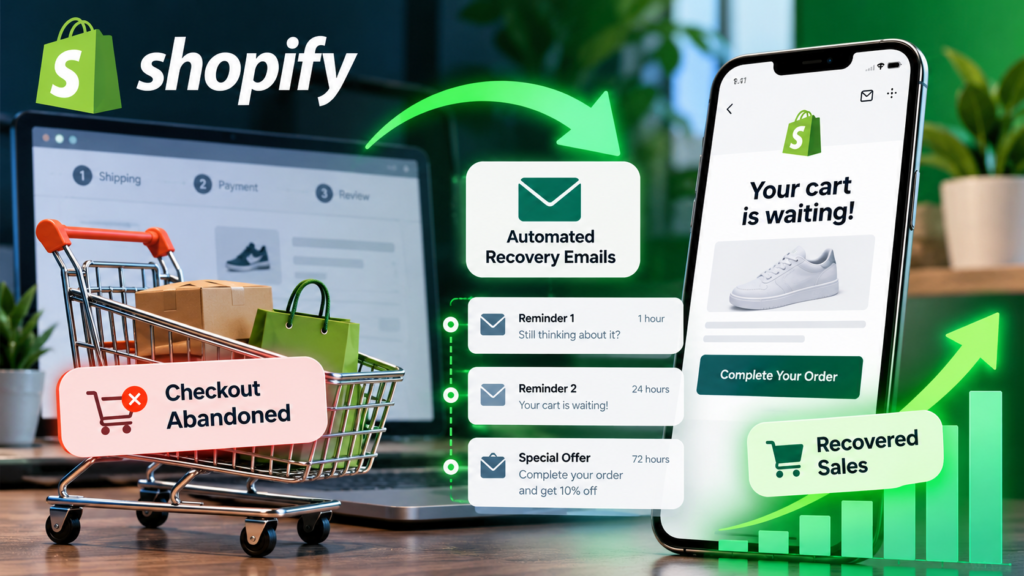
Shopify abandoned checkout recovery helps online stores reconnect with shoppers who begin checkout but leave without completing an order. The goal is not to chase every visitor with a discount. It is to remove genuine purchase barriers, communicate at an appropriate time, respect permission, and measure whether recovered orders are profitable.
This practical 2026 guide covers the difference between abandoned carts and abandoned checkouts, Shopify’s recovery workflows, responsible email automation, message templates, international compliance considerations, measurement, and troubleshooting. Shopify feature names, eligibility, and plan conditions may change; use the official documentation linked below to confirm the options currently available to your particular store.
Editorial note: This is an educational implementation guide, not a claim that Vervecta conducted a controlled experiment or obtained the recovery results used in the illustrative examples. Legal requirements vary by destination and recipient.
Shopify Abandoned Checkout Recovery: the essential workflow
An abandoned checkout is a checkout session a shopper begins but does not complete. In practical terms, merchants often investigate abandoned checkouts where contact information is available and where Shopify can associate the event with a customer. An abandoned cart is broader: a visitor may put items in a cart and leave before entering checkout at all. Those are not automatically the same audience or the same trigger.
Recovery is a sequence: (1) identify an eligible incomplete checkout, (2) determine whether it is suitable and lawful to contact that shopper, (3) offer a clear way back to the checkout, (4) stop messages after the purchase or another suppression event, and (5) evaluate incremental revenue and customer experience.
| Situation | What happened | Possible response |
|---|---|---|
| Cart abandonment | Shopper adds items but may never submit contact details | Improve on-site checkout flow; use permitted cart-based messaging where supported |
| Checkout abandonment | Shopper starts checkout and leaves without paying | Review eligible checkout recovery automation and checkout link |
| Payment failure | Customer attempts payment but cannot complete it | Investigate failed payment, methods, fraud rules and error messages |
| Completed order | Payment and order completed | Suppress recovery messages and use normal order communications |
Before you enable anything: confirm your store’s marketing permissions, shipping regions, checkout policies and existing automations. A successful recovery process should preserve shopper trust, not merely produce additional email sends.
Why shoppers abandon checkout — and what email cannot fix
Shoppers leave for many reasons. Some simply compare products across stores, while others encounter high shipping fees, unfamiliar payment options, unexpected tax, long delivery estimates, forced account creation, poor mobile usability or doubts about returns. Recovery emails may remind a genuinely interested shopper to return, but they do not solve underlying checkout friction.
Unexpected costs
Review how shipping fees, duties, taxes and discount conditions appear before payment. Customers are less likely to trust a checkout whose final cost differs unexpectedly from the product page. If a high landed cost is the real problem, a reminder alone may not help.
Payment and security concerns
Make supported payment methods, currency, refund policies, secure checkout experience and business contact details easy to find. Investigate failures using store records rather than guessing that every checkout exit signals low intent.
Mobile speed and complexity
Open your store on common phone screen sizes and test the actual path from product page to payment. Watch for hard-to-tap buttons, discount fields hiding other actions, confusing address validation and unnecessary content.
Delivery and international uncertainty
A cross-border shopper may need a delivery estimate, tracking information, import-duty explanation or clear return address. Linking to accurate help pages can be more persuasive than a discount code.
Recovery marketing should therefore sit alongside conversion-rate optimization. If the same complaint repeatedly appears in support tickets, fix the checkout rather than adding more reminders.
How to set up Shopify abandoned checkout emails in 2026
Shopify has changed the location and naming of some marketing and recovery features over time. Rather than depend on a screenshot from an older interface, begin with the current Shopify marketing automation documentation and your store’s own admin interface. Some merchants may see recovery controls through marketing automation templates or related Shopify messaging functionality. Your exact options depend on store configuration and product availability.
- Audit existing recovery messages. Check whether Shopify, a third-party marketing app, or a previous campaign is already sending abandoned-checkout emails. Duplicate workflows can overwhelm shoppers.
- Locate the relevant automation. Search your Shopify admin for abandoned checkout, checkout recovery, or marketing automations; compare the workflow with official help content.
- Review audience eligibility. Determine which shoppers can receive messages under your marketing-consent settings and applicable law. Never assume that collecting an email during checkout grants universal marketing permission.
- Inspect the trigger. Confirm that the workflow refers to checkout abandonment, not merely a cart event or an unrelated order status.
- Verify delays and exclusions. Define when the message may be sent and ensure completed purchases and opt-outs stop subsequent reminders.
- Check the return link. Use the supported link back to the customer’s eligible checkout rather than manually assembling a potentially broken URL.
- Customize copy and branding. Use a descriptive sender name, accurate prices, clear product information and an identifiable business address.
- Send internal tests. Test on desktop and mobile, with representative currencies and shipping destinations, before activating.
- Activate cautiously. Start with a conservative sequence, monitor unsubscribes and complaints, and adjust based on store data.
Important: A workflow available on one Shopify account may differ on another. If you cannot find the exact menu, use Shopify’s current help center rather than changing unrelated notification settings. Transactional order confirmations and promotional recovery emails are not interchangeable.
Choose an email sequence without overwhelming shoppers
No timing schedule works universally. A buyer deciding on an expensive product may need longer than someone purchasing a familiar low-cost item. The example below is an editorial test design, not Shopify’s required timing or a guaranteed winning formula.
| Illustrative touch | Possible timing after abandonment | Purpose |
|---|---|---|
| First message | A few hours later | Remind and provide a simple path back |
| Second message | About a day later | Address a credible obstacle such as shipping or returns |
| Optional final message | Two to three days later | Offer genuine assistance or a documented incentive |
These intervals are hypotheses to test. Check whether your platform and permissions allow every touch. Some shoppers should receive fewer messages or none at all. Higher frequency can increase unsubscribes, complaints and customer dissatisfaction.
When one email may be enough
Begin with a single useful reminder if your store is new, consent coverage is limited, average order value is low, or your team cannot monitor results. More emails do not necessarily mean more incremental purchases.
When to offer an incentive
Do not automatically discount every checkout. Repeated discounts can teach buyers to abandon intentionally. Test transparent alternatives: better delivery information, free-shipping thresholds already available in the store, relevant support, or a targeted offer whose margin impact you understand.
Never claim an offer expires tonight unless it genuinely does, and never suggest stock is scarce without reliable inventory evidence.
Three original abandoned checkout email templates
The following English-language templates are starting points to adapt for your brand. Use them only for shoppers your store is permitted to contact. Replace all bracketed fields and test rendered links before sending.
Template 1 — Helpful reminder
Subject: Your checkout is still waiting at [Store Name]
Hi [First Name],
It looks like you didn’t finish your order. If you’d still like these items, you can return to your checkout using the link below.
Continue checkout: [Verified Recovery Link]
Questions about delivery or returns? Our team can help at [Support Contact].
Thanks,
[Store Name]
This version offers a simple path forward without using pressure or an unverified savings claim.
Template 2 — Resolve common concerns
Subject: Need a hand before placing your order?
Hi [First Name],
We saved a way back to your checkout if you’re still considering [Product Category]. Before you decide, you can review our shipping estimates, return policy and payment options here:
[Shipping Policy] · [Returns Policy] · [Payment Information]
Return to checkout: [Verified Recovery Link]
If anything is unclear, simply contact [Support Contact].
[Store Name]
Do not state that items are reserved unless your actual inventory rules guarantee a reservation.
Template 3 — Optional genuine offer
Subject: A little help with your order from [Store Name]
Hi [First Name],
If you’re still interested in your items, we’re offering [Accurate Offer Terms] on eligible orders. The offer is valid [Real Expiration or Eligibility Details], and exclusions are explained at [Terms Link].
Continue checkout: [Verified Recovery Link]
If you’d prefer not to receive these reminders, use the unsubscribe option below.
[Store Name]
Only use this version after confirming the discount is applicable, profitable and compliant in the recipient’s location.
International email rules: consent, unsubscribe and privacy
International recovery programs require special care. A message intended to persuade someone to complete a purchase will often be a commercial or direct-marketing communication, even if it refers to an incomplete checkout. Exact classification and lawful basis vary by jurisdiction. Shopify settings do not replace local legal obligations.
United States — CAN-SPAM
Review the FTC’s CAN-SPAM compliance guide. Commercial email requires truthful header and subject information, an appropriate postal address, a clear opt-out mechanism and timely honoring of opt-out requests, among other requirements. Do not misrepresent a promotional reminder as a completed-order receipt.
United Kingdom — PECR and UK GDPR
See the UK Information Commissioner’s Office direct marketing guidance. Marketing emails to individual subscribers generally require consent unless a specific exception, such as the soft opt-in, applies and its conditions are fully satisfied. Simply entering an email into checkout does not automatically satisfy every condition.
European Union — national ePrivacy rules and GDPR
Direct marketing requirements depend on the relevant country’s implementation of electronic marketing rules as well as data protection law. Determine when consent is necessary, document your lawful processing basis, provide required notices and respect the right to object or unsubscribe. Rules and interpretations can differ within the European market.
Canada — CASL
Canada’s CRTC guidance on Canada’s anti-spam legislation discusses consent, identification, and unsubscribe requirements for commercial electronic messages. Do not assume the presence of a Canadian email address in a checkout is sufficient permission.
Other markets
Australia, New Zealand and other jurisdictions also regulate commercial electronic messaging. For multinational campaigns, consult current local requirements and professional guidance where appropriate. Segment by country and documented permission where possible. Keep suppression lists up to date.
Practical rule: Verify consent status, sender identification, unsubscribe handling, privacy notices, data retention and third-party app access before launching recovery communications. This section is general information, not legal advice.
Shopify Email, Klaviyo and other automation apps: which route fits?
There is no reason to buy a sophisticated automation platform solely because a blog claims every store needs one. Shopify’s native tools may be sufficient for a straightforward sequence; third-party platforms may offer deeper segmentation or integrated lifecycle marketing, depending on plan and integration.
| Approach | Good starting fit | What to verify |
|---|---|---|
| Shopify native recovery and marketing tools | Merchants who want a simpler Shopify-centered workflow | Available templates, segmentation, message limits, attribution and supported markets |
| Klaviyo or another connected email platform | Teams managing broader customer lifecycle communications | Event sync, consent mapping, duplicate sends, list costs and exclusions |
| Specialized cart-recovery software | Stores needing a particular channel or advanced workflow | Integration reliability, privacy permissions, deliverability and incremental cost |
Compare actual product documentation and current prices rather than relying on unverified claims about deliverability, conversion uplift or app capabilities. If you use multiple apps, appoint one as the owner of each abandoned-checkout event to prevent duplicate reminders.
For additional automation context, read Vervecta’s Shopify campaign automation guide and AI workflow automation tools comparison.
Make the recovery message useful on mobile
Many shoppers will read your reminder on a narrow screen, so design for quick understanding: a clear subject line, one obvious action, concise sentences, and visible support information. Avoid making the call-to-action depend on a background image that may be blocked.
Mobile checklist
- Does the sender name clearly identify your store?
- Can the shopper understand the purpose before scrolling?
- Does the recovery link reach the appropriate checkout or clearly explain if it expired?
- Are product names, prices and currencies correct for the recipient?
- Are promotional terms, policies and unsubscribing easy to find?
- Does the email display correctly with images disabled or text enlarged?
Test with realistic customer details and different devices. Avoid including sensitive personal data in email copy or analytics links.
Recover more orders by improving checkout itself
Email recovery is the downstream response to a problem. The more sustainable upstream investment is removing barriers that make legitimate customers hesitate.
- Explain total cost early. Show shipping conditions, taxes and potential import duties accurately when possible.
- Offer suitable payment choices. Availability depends on your store’s market and providers; confirm actual supported methods.
- Clarify delivery expectations. State real processing and shipping estimates rather than promises you cannot meet.
- Publish readable policies. Refund, return, shipping and customer service pages should match what the business can deliver.
- Test checkout on phones. Verify form usability, currencies, accessibility, and technical performance.
- Investigate failed payments. Distinguish genuine card errors from broader abandonment.
- Avoid unnecessary complexity. Simplify steps where your Shopify configuration allows it.
Related Vervecta tutorials include Shopify checkout customization, Shopify Managed Markets setup and Shopify store policies. These complement recovery messaging rather than replacing it.
Measure recovered revenue without mistaking attribution for impact
Many email dashboards report conversions attributed to a reminder. That is useful operational data, but it does not prove that the email caused every resulting order. Some shoppers would have returned and purchased without a message.
Track an understandable funnel
For a defined period, record eligible abandoned checkout events, recovery emails sent, delivered messages, clicks, return visits, completed orders, revenue from those orders, discounts, refunds and email costs. Interpret each rate using an explicit denominator.
Illustrative recovery rate: 20 completed orders out of 200 eligible abandoned checkouts equals 10%. This does not establish what portion was caused by email, nor whether the rate is typical for Shopify stores.
Illustrative revenue calculation: 20 recovered orders × $70 average order value = $1,400 in attributed gross order value. If incentives, returns, product cost, shipping subsidies and app fees apply, contribution profit will be lower.
Test incrementality where feasible
For stores with sufficient volume and proper operational controls, consider a randomly assigned holdout group that receives no promotional recovery sequence while a comparable group does. Compare eventual orders and profitability over the same period. A carefully designed holdout better estimates incremental effect than clicks alone.
Small samples and unequal groups create noise. Avoid declaring a winner after only a handful of purchases. Campaign changes should be evaluated across enough data to support a meaningful decision.
A basic reporting table
| Metric | How to interpret it |
|---|---|
| Eligible abandoned checkouts | Potential audience after event and consent filtering |
| Delivered emails | Messages accepted for delivery, not guaranteed human reads |
| Clicks | Interest in returning; bots and tracking limitations can distort results |
| Recovered orders | Completed orders meeting your reporting definition |
| Attributed revenue | Reporting association, not automatically incremental revenue |
| Gross margin and incentives | Whether the program creates sustainable economics |
| Opt-outs and complaints | Signals of message fatigue or poor targeting |
Troubleshooting: abandoned checkout email not sending
When a workflow does not run, debug the event and the eligibility conditions before editing the email design. Use your store’s available logs and current Shopify documentation rather than assuming a universal cause.
1. No qualifying checkout event
The shopper may have left a cart before checkout, omitted contact information, or completed payment before the delay elapsed. Inspect which event the automation actually listens for.
2. Permission or suppression settings
Contacts may not be eligible for promotional email, may have opted out, or may be excluded by policy or an audience filter. Do not override suppression merely to increase the send count.
3. Workflow inactive or another app owns the sequence
Confirm the automation is active and the relevant store or app is responsible for the messages. Remove conflicts carefully and keep a record of your changes.
4. Delay not yet reached
A checkout created recently might not have met the workflow’s waiting period. Check the event time and store time zone.
5. Customer already placed an order
Correct suppression prevents a reminder after purchase. Check whether the email was appropriately canceled rather than treating this as an error.
6. Delivery or authentication problems
Review sender domain configuration and deliverability information provided by your email system, including recommended SPF/DKIM/DMARC settings where applicable. Authentication does not by itself guarantee inbox placement.
7. Broken return link
Test only through the platform-supported recovery mechanism. Do not expose live customer checkout URLs publicly or insert placeholders into a live campaign.
8. Misleading dashboard expectations
The number of incomplete checkout records may differ from the number of shoppers eligible for email. Compare like-for-like definitions before concluding the system failed.
If the issue persists, consult Shopify Help Center for current product guidance and support options.
A practical 30-day recovery improvement plan
Week 1 — Establish the baseline
Record checkout starts, completed orders, total checkout abandonment, existing message sends, consent coverage, customer support themes and delivery issues. Review the mobile purchase journey and identify the top two likely friction points.
Week 2 — Launch a conservative reminder
Implement one compliant, clearly branded reminder to the eligible audience. Test the return link, mobile rendering, opt-out, and completed-order suppression. Avoid price incentives until you know whether a reminder alone helps.
Week 3 — Test one meaningful improvement
Choose one hypothesis: clearer shipping information, better subject wording, more visible support, or alternative timing. Change only what your data can meaningfully evaluate; do not attribute simultaneous store-wide changes to the email.
Week 4 — Review profit and feedback
Evaluate recovered orders, margin after any offers, unsubscribes, support tickets and customer experience. Retain changes that produce useful outcomes without undermining trust. Document tests and revisit them after seasonal or policy changes.
Frequently asked questions about Shopify abandoned checkout recovery
What is the difference between an abandoned cart and an abandoned checkout?
A cart can be left before checkout starts, while an abandoned checkout generally refers to an incomplete checkout session. The available contact information and event triggers differ, so the recovery tools may not cover the same shoppers.
Does Shopify automatically send abandoned checkout emails?
Do not assume the automation is active in every store. Review your current Shopify marketing and recovery settings, confirm the intended workflow and test delivery before relying on it.
How many recovery emails should I send?
There is no universal ideal number. Start with a low-pressure message, follow applicable permission rules, and test the effect of additional touches against customer complaints and incremental profit.
Should the first email include a discount?
Not necessarily. A useful reminder or clear shipping information may address the actual obstacle without reducing margin. Reserve incentives for justified, measurable use cases.
Can I email shoppers in the EU, UK or Canada without consent?
Rules and possible exceptions differ. Review local electronic marketing law, your specific relationship with the customer, and the relevant conditions before sending. Do not assume checkout data equals blanket permission.
Can I recover checkout sessions where there is no email address?
Email marketing requires a usable eligible address; other retention or on-site strategies might help different visitors. Do not claim all abandoned carts can be reached by email.
Will abandoned checkout recovery work for international stores?
It can be used as part of an international strategy, provided supported platform features and destination-specific legal requirements are addressed. Correct currency, shipping, tax information and clear delivery estimates matter greatly.
What is a good abandoned checkout recovery rate?
Benchmarks vary by industry, traffic source, order value, attribution window and audience eligibility. Your own historical baseline and ideally incremental lift are more informative than a single universal percentage.
Why does my recovery link not work?
It may be expired, inappropriate for the current checkout state, misconfigured, or altered by a template. Test the platform-supported workflow and consult Shopify support for implementation-specific issues.
Is Shopify recovery email the same as Shopify Flow?
Not necessarily. Shopify offers several automation capabilities and integrations. A workflow that handles operational events does not automatically constitute a lawful or enabled abandoned-checkout marketing program.
Final verdict: recover trust before you recover sales
The strongest Shopify abandoned checkout recovery strategy combines appropriate automation with a checkout worth returning to. Begin with correct event detection, documented recipient eligibility, a concise helpful reminder, accurate return links, and measurement that distinguishes attributed revenue from genuine incremental value.
Do not copy aggressive sequences just because another merchant reports high recovery percentages. Test carefully, remove actual conversion barriers and protect customer trust. A smaller volume of well-targeted, respectful communication can be more sustainable than repeatedly emailing every reachable shopper.
Primary references and further reading
- Shopify — Marketing automations documentation
- Shopify — Official Help Center
- U.S. FTC — CAN-SPAM compliance guidance
- UK ICO — Direct marketing and electronic communications
- Canadian CRTC — Anti-spam legislation guidance
Updated October 2026. Software feature names, subscriptions, legal requirements and interface paths may change. Check the linked primary resources for current details. This article does not provide legal advice or guarantee sales performance.